Financial Technology
10 Best AI Tools for Invoice Automation 2026
AI tools now automate invoices with high accuracy, fraud detection, GL coding, and ERP integration to cut costs and processing time.
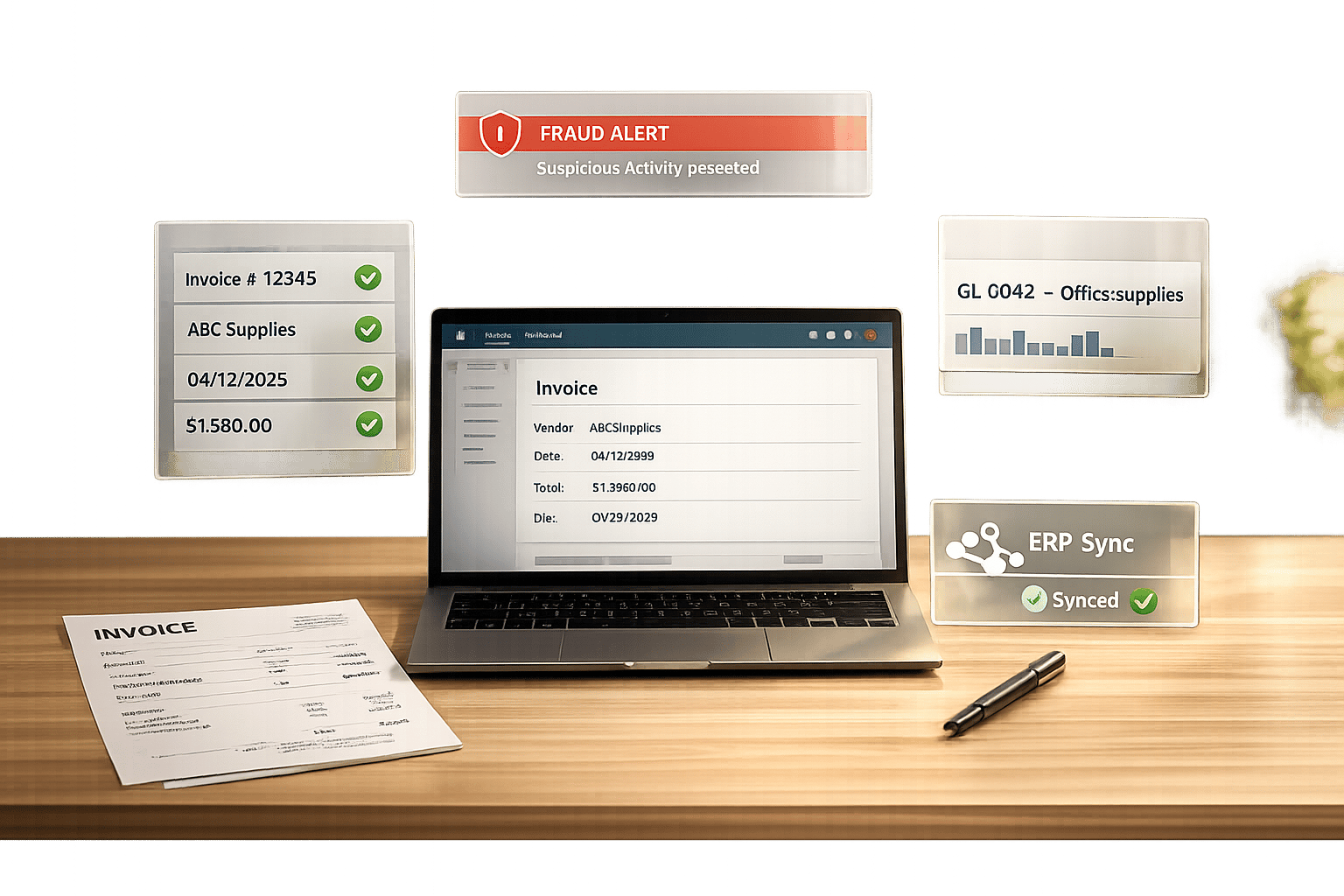
10 Best AI Tools for Invoice Automation 2026
Invoice automation has transformed accounts payable processes in 2026. The latest AI tools now go beyond basic data extraction, offering features like fraud detection, GL code prediction, and advanced approval workflows. These solutions reduce costs by 85%, cut processing time to 3.2 days, and lower error rates to under 0.5%. Here’s a quick overview of the top tools:
- Rillion: Ideal for mid-market businesses with multi-ERP needs, offering strong integration and centralized management.
- Tipalti: Best for global enterprises handling high supplier volumes with tax compliance and multi-currency features.
- HighRadius: Tailored for large enterprises, delivering high touchless processing rates and cost efficiency.
- Stampli: Focused on mid-sized businesses with collaborative workflows and fast implementation.
- Lido: A straightforward, cost-effective tool for smaller teams requiring quick setup.
- Vic.ai: Excels in autonomous GL coding and high accuracy for enterprise clients.
- Quadient: Simplifies invoice categorization and supports multi-entity operations.
- BILL: Designed for small to midsize businesses, offering predictable pricing and deep QuickBooks integration.
- Nanonets: Template-free AI engine for diverse invoice formats with no-code setup.
- Rossum: Best for high-volume enterprises, handling complex invoice formats with strong ERP integrations.
Quick Comparison:
| Tool | Best For | Key Features | Starting Price |
|---|---|---|---|
| Rillion | Mid-market, multi-ERP setups | AI predictions, multi-entity support | Quote-based |
| Tipalti | Global enterprises | Multi-currency, tax compliance | $129/month |
| HighRadius | Large enterprises | Touchless processing, cost savings | Quote-based |
| Stampli | Mid-sized businesses | Collaborative workflows, fast setup | Quote-based |
| Lido | Small teams | Simple, cost-effective | $29/month |
| Vic.ai | Enterprises | Autonomous coding, high accuracy | Quote-based |
| Quadient | Mid-sized businesses | Fast categorization, multi-entity | Quote-based |
| BILL | SMBs | QuickBooks integration, affordable | $45/user/month |
| Nanonets | Diverse formats, all sizes | Template-free, no-code setup | $499/month |
| Rossum | High-volume enterprises | Complex formats, ERP integrations | $500+/month |
Choose a tool based on your invoice volume, ERP compatibility, and specific automation needs. For small businesses, BILL offers affordability and simplicity. Mid-sized firms may benefit from Stampli or Rillion, while large enterprises should consider HighRadius, Vic.ai, or Rossum for advanced automation.
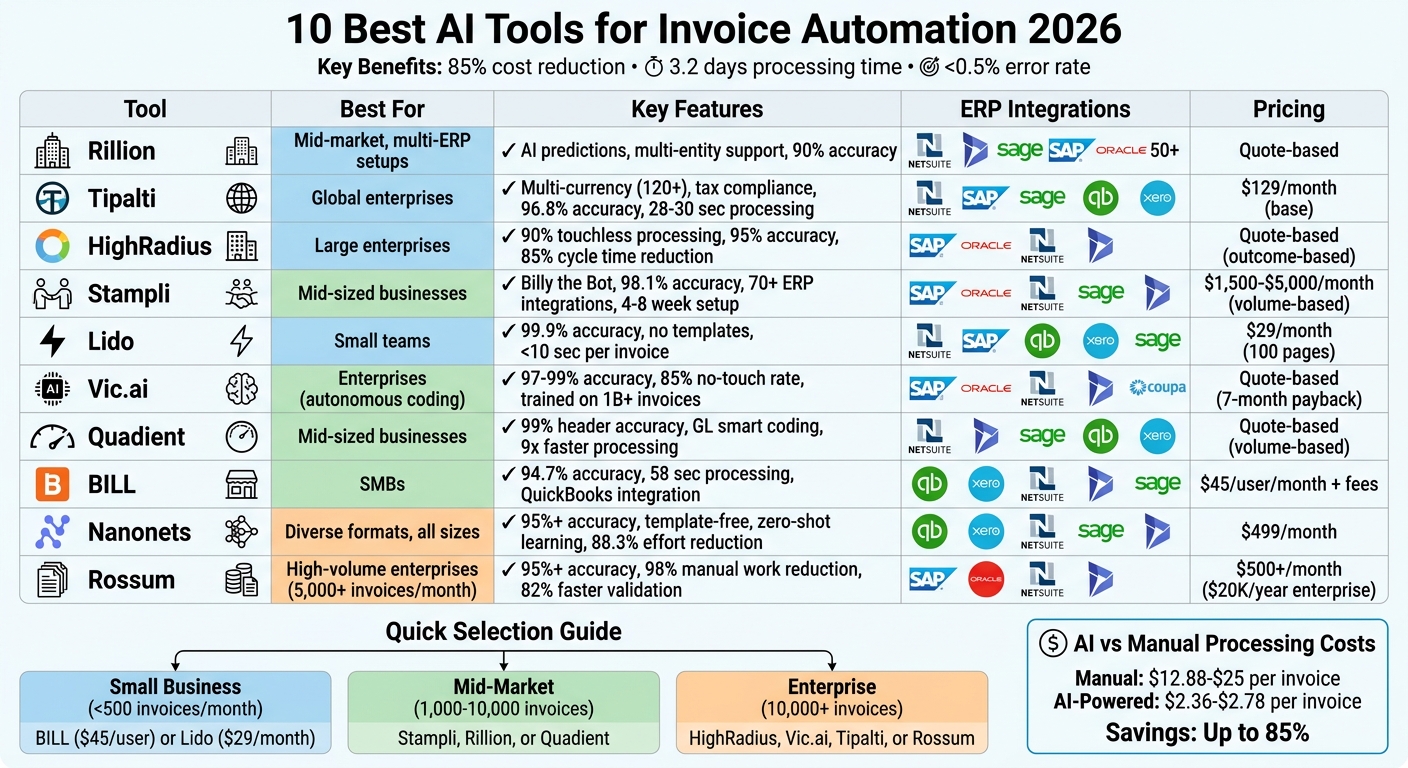
AI Invoice Automation Tools Comparison: Features, Pricing & Best Use Cases 2026
Build An AI Invoice Processing System
sbb-itb-212c9ea
1. Rillion
Rillion stands out as a leading AI tool reshaping invoice processing in 2026. Designed for mid-market and large organizations managing over 24,000 invoices annually, Rillion uses LLM-based capture to interpret invoices naturally. This eliminates the need for rigid OCR templates, allowing businesses to automate invoice processing right away.
Accuracy Rates for Invoice Processing
Rillion achieves an accuracy rate of approximately 90% for invoice data capture, coding, and workflow predictions. While this is slightly below the 2026 industry standard of 98–99% set by top AI providers, it’s still a major step up from manual data entry, which typically has an accuracy range of 85% to 90%. Robinson Lumber Company experienced this improvement firsthand. Controller Eric Dills shared that processing 20 invoices now takes just 15 minutes, compared to the two hours it used to take.
"With human error largely removed from the equation, I would say there has been a significant increase in the accuracy of PO matching versus before. We provided Rillion with a tall order, and they exceeded my expectations."
- Eric Dills, Controller, Robinson Lumber Company
These results highlight Rillion's ability to streamline and enhance invoice processing.
Integration Capabilities with ERP Systems
Rillion seamlessly integrates with over 50 ERP systems, including NetSuite, Microsoft Dynamics, Sage Intacct, SAP Business One, and Oracle. Its bidirectional sync ensures that invoices, approvals, and payments move smoothly into financial systems. The platform’s multi-ERP support allows subsidiaries to maintain their own systems while centralizing accounts payable oversight. Another standout feature is "Riley", Rillion's AI assistant, which can answer natural language queries about workflows and suppliers.
Scalability for Different Business Sizes
Rillion’s strong integration capabilities are matched by its ability to scale for businesses of varying sizes. It supports unlimited entities through centralized multi-entity management. Trusted by over 30,000 organizations, Rillion processes more than 40 million invoices annually. A great example of its scalability is Lindström Group. Juho Häkkinen, the company’s Finance System Controller, used Rillion to standardize accounts payable processes across multiple countries. This unified workflow allowed for real-time reporting and improved performance tracking across international operations. On average, finance teams using Rillion save over 1,000 hours annually while reducing errors by 97%.
Pricing Models and Affordability
Rillion offers pricing through customized quotes based on demos. The platform also includes virtual card payment options with rebates via Rillion Pay. Costs typically include subscription and implementation fees, and 95% of customers rate its support as either "very good" or "good".
2. Tipalti
Tipalti streamlines invoice automation for mid-sized and enterprise businesses handling over 500 invoices monthly. Its AI Smart Scan technology goes beyond basic OCR by interpreting data in context, achieving impressive results. In tests with 50 complex invoices, Tipalti delivered a 96.8% field-level accuracy rate, processing each invoice in just 28–30 seconds. This combination of AI precision and seamless ERP integration significantly reduces processing times and errors. Let’s dive into the details of Tipalti’s performance.
Accuracy Rates for Invoice Processing
Tipalti applies over 26,000 automated rules to flag discrepancies, duplicates, and errors, cutting payment mistakes by 66% and reducing workload by 80%. For invoices that are unclear or incomplete, a managed services team steps in to ensure accuracy. The system also automates two- and three-way purchase order matching, detecting mismatches in quantity, pricing, or currency. Users report processing up to five times more invoices per employee compared to manual methods, with average processing times dropping from 17.4 days to just 3.1 days.
"Without Tipalti, we'd have 10 people in AP as opposed to the two people we have right now. And we can still close on the second day of the month."
- Flora-Rica Abiva, Senior Accounting Manager, Zola
Integration Capabilities with ERP Systems
Tipalti integrates directly with major ERP platforms like NetSuite, SAP, Sage Intacct, Microsoft Dynamics, Oracle, QuickBooks, Xero, and Acumatica. Approved invoices and payments sync in real time with your general ledger, ensuring smooth operations. For systems without native integration, Tipalti supports API connections or CSV file mapping. It also facilitates direct digital invoice exchanges via the Peppol network in countries such as Germany, Sweden, and Norway.
Scalability for Different Business Sizes
With over 3,500 customers ranging from startups to large enterprises, Tipalti handles payments in 120+ currencies across 200 countries using more than 50 payment methods. Its AI Smart Scan technology processes invoices in 32 languages, making it a solid choice for global businesses. Tipalti boasts a customer retention rate of 98–99% and was recognized as a Leader in the IDC 2024 MarketScape for Worldwide Accounts Payable Automation Software for Midmarket.
Pricing Models and Affordability
Tipalti uses a transactional pricing model, with costs scaling based on invoice or payment volume. The base platform starts at $129 to $149 per month, while enterprise plans with advanced ERP integration and custom workflows range from $500 to over $2,000 per month. Onboarding typically takes 4 to 8 weeks. Importantly, there are no extra fees for invoice approvers, who can review and approve invoices via email or mobile without needing a system license. Companies using Tipalti’s AI-powered invoice processing spend just $2.78 per invoice compared to $12.88 for manual processes.
3. HighRadius
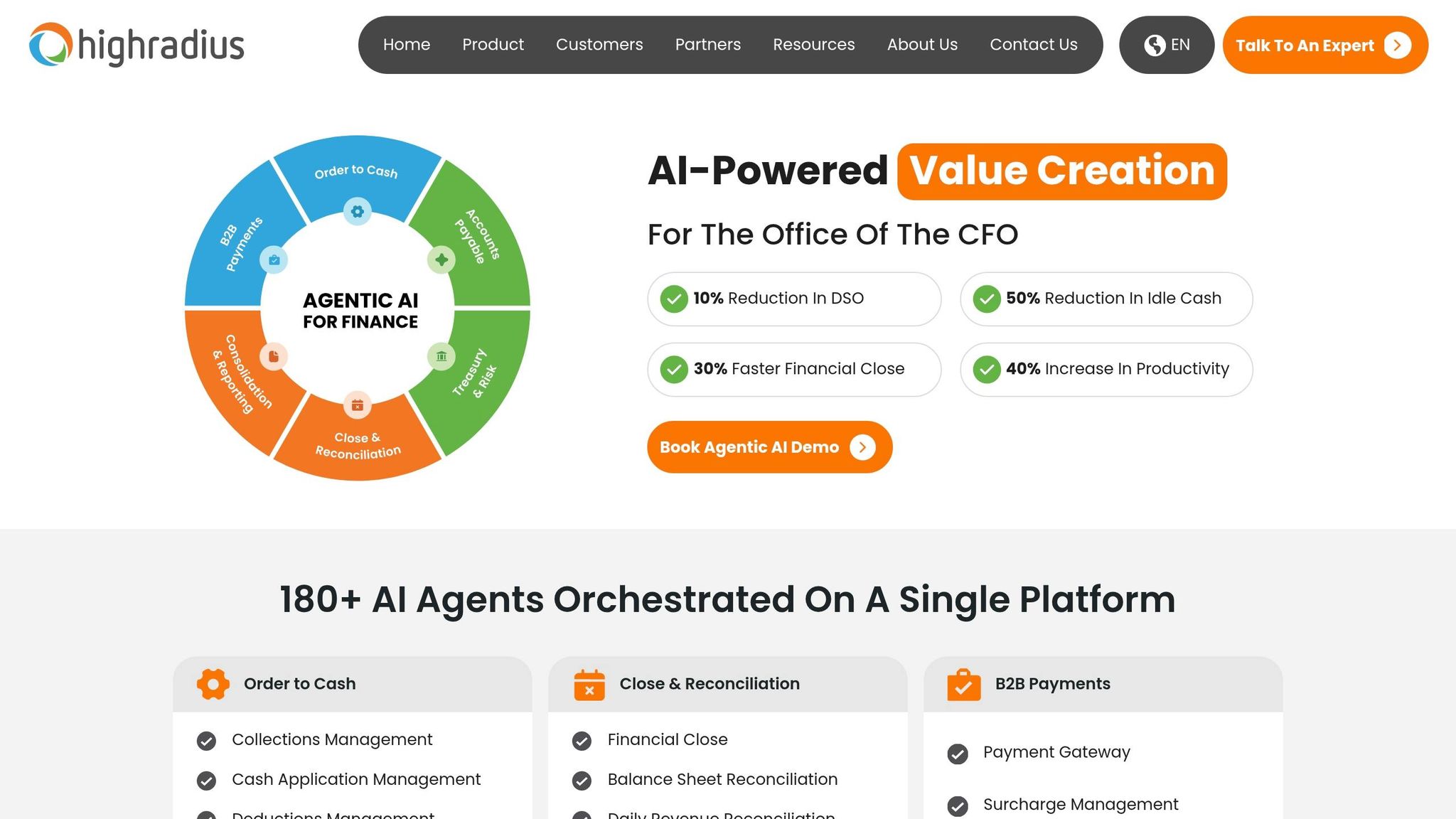
HighRadius stands out among tools like Rillion and Tipalti by offering a sophisticated, agent-based solution tailored for enterprise-level needs. Designed for businesses handling millions of invoices, it employs more than 24 AI agents to oversee the entire invoice lifecycle - from data capture and matching to resolving exceptions - without relying on rigid templates. This makes it particularly effective for managing complex, multi-ERP, global accounts payable (AP) operations. Impressively, HighRadius achieves a 95% accuracy rate for invoice data capture and delivers a 90% touchless processing rate, meaning the majority of invoices are processed without human involvement.
Accuracy Rates for Invoice Processing
HighRadius leverages Large Language Models to interpret invoices in any format, eliminating the need for manual template creation. It can automatically handle both purchase order (PO) and non-PO invoices, achieving a 90% auto-match rate for 3-way matching, which links invoices to purchase orders and goods receipt notes. Businesses using HighRadius report an 85% reduction in invoice processing cycle times and capture up to 98% of potential early payment discounts. Additionally, the platform reduces AP costs by 40–50% through its efficient error detection capabilities. These advancements contribute to smoother ERP integration and better overall performance.
Integration Capabilities with ERP Systems
HighRadius is built with an API-first architecture, ensuring smooth integration with major ERP systems. Its HEX plug-in enables automated data extraction and two-way synchronization with ERP platforms. This setup allows for up to 95% automation in journal postings, helping finance teams achieve a 50% boost in productivity during financial closes and reducing the time to close by 30%. On average, implementation requires 100–200 IT hours and takes 3–6 months for full deployment.
Scalability for Different Business Sizes
HighRadius is designed to handle the demands of large enterprises, especially those processing over 3 million invoices annually. Its AI capabilities allow it to manage volume surges and adapt to new invoice formats across various entities, regions, and currencies - all without requiring additional staff. The platform's scalability has earned it recognition as a Leader in the 2024 Gartner® Magic Quadrant™ for Invoice-to-Cash Applications for three consecutive years, as well as being named a Digital World Class® Vendor by The Hackett Group for the past two years.
Pricing Models and Affordability
HighRadius uses an Outcome-Based Pricing (OBP) model, which means there are no upfront implementation fees or subscription costs until the platform goes live. Post-launch, fees are calculated based on a gain-share model, where costs are tied to the financial benefits your business gains from using the platform. This pricing structure ensures that expenses are directly aligned with measurable improvements and efficiencies.
4. Stampli
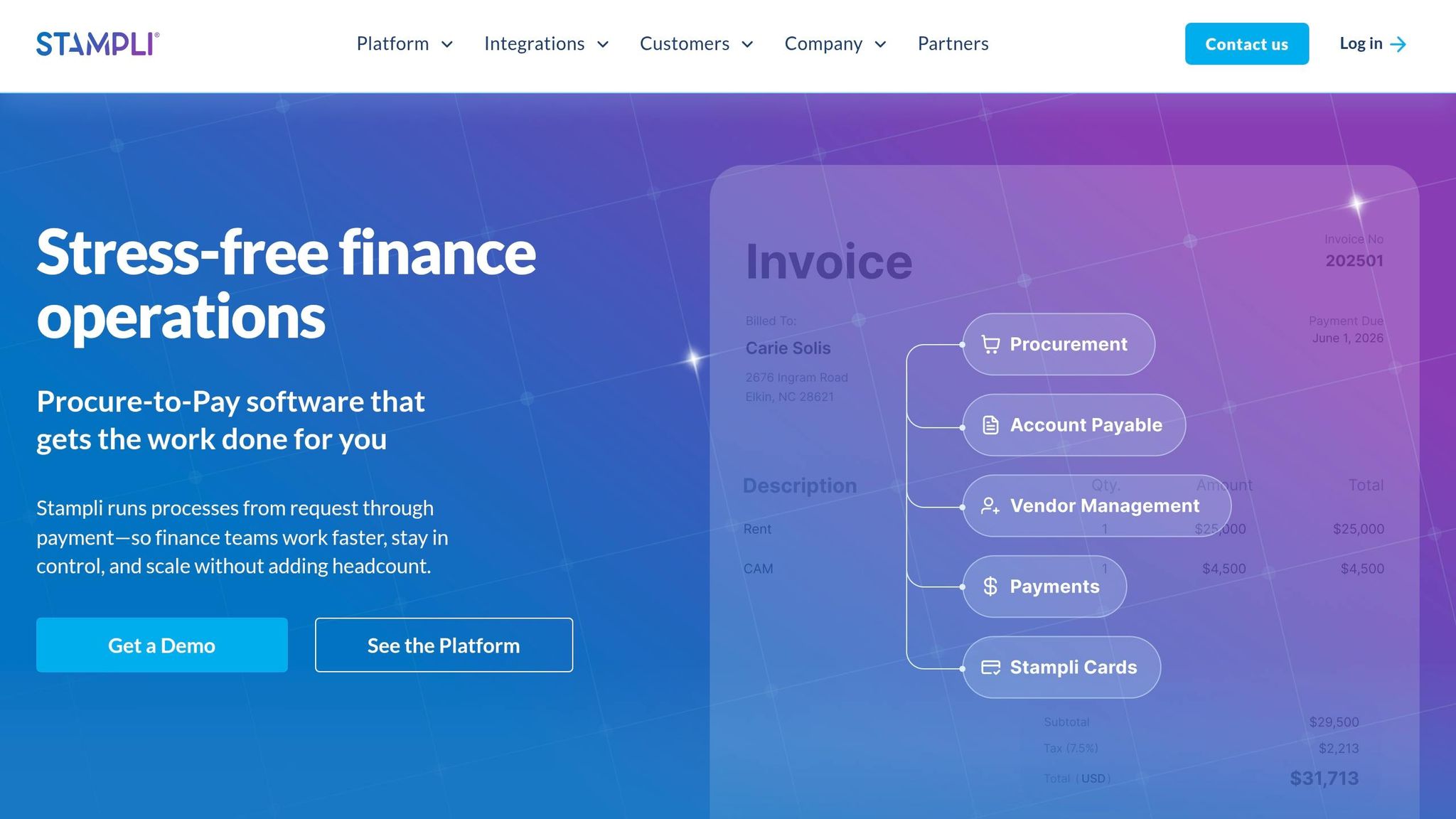
Stampli sets itself apart by focusing on mid-market companies and entrepreneurs needing efficient automation without drawn-out implementation processes. A standout feature is Billy the Bot, an AI assistant designed to learn from your historical invoice data. Billy automatically codes general ledger entries, flags anomalies, and routes approvals - all while seamlessly integrating with your existing ERP system. Stampli emphasizes speed and effectiveness, making it especially appealing for mid-sized businesses. For example, in early 2026, a manufacturing firm with 500 employees and 800 monthly invoices on NetSuite implemented Stampli in just five weeks. Within two months, 65% of invoices were auto-approved by AI, cutting processing time from 12 days to just 2.4 days.
Accuracy Rates for Invoice Processing
Stampli boasts an impressive 98.1% field-level extraction accuracy rate and achieves 97-100% accuracy in three-way matching during standardized tests. The platform is known for its speed, with mature setups often reaching 80-95% straight-through processing rates. Billy the Bot's general ledger coding starts with an accuracy of 87%, but after 90 days of learning a company’s patterns, this typically exceeds 95%. For instance, a construction firm handling 4,000 invoices per month saw Billy auto-code and route 88% of invoices within three months, allowing the accounts payable team to scale down from eight specialists to just three.
Integration Capabilities with ERP Systems
Stampli supports 70+ native, bi-directional ERP integrations, far exceeding the 10-20 integrations most competitors offer. The platform connects with major systems like SAP, Oracle, NetSuite, Sage, and Microsoft Dynamics using pre-built, no-code integrations. It syncs data like vendor records and open purchase orders from your ERP to Stampli, while approved invoices and payment data flow back into the ERP for posting.
"Stampli was the only AP solution that could connect to all four systems - Dynamics, Epicor, Sage, and Blackbaud - without custom development",
noted a controller at a private equity portfolio company.
Standard implementations take about 4-8 weeks, and these seamless integrations make Stampli an attractive choice for businesses looking to streamline operations.
Scalability for Different Business Sizes
Designed with mid-market companies in mind, Stampli is ideal for organizations processing 300-10,000 invoices monthly or managing multiple ERPs due to acquisitions. The platform supports multi-entity and multi-currency operations, although companies processing over 50,000 invoices per month may require additional global compliance features. A healthcare provider using Oracle EBS and processing 3,200 invoices monthly achieved an 84% straight-through processing rate thanks to Stampli's AI-powered coding and matching. Its invoice-centric collaboration model centralizes all communications, documentation, and approvals on each invoice, creating a complete audit trail that enhances control.
Pricing Models and Affordability
Stampli offers custom pricing based on invoice volume, tailored to mid-market needs. For companies processing 300-1,000 invoices monthly, pricing typically falls between $1,500 and $2,500 per month for core AP automation. The most popular tier, designed for businesses handling 1,000-5,000 invoices, ranges from $2,500 to $5,000 monthly and includes full procure-to-pay capabilities with vendor portals. Larger enterprise deployments managing 5,000+ invoices per month start at $5,000 or more, with custom quotes available.
5. Lido
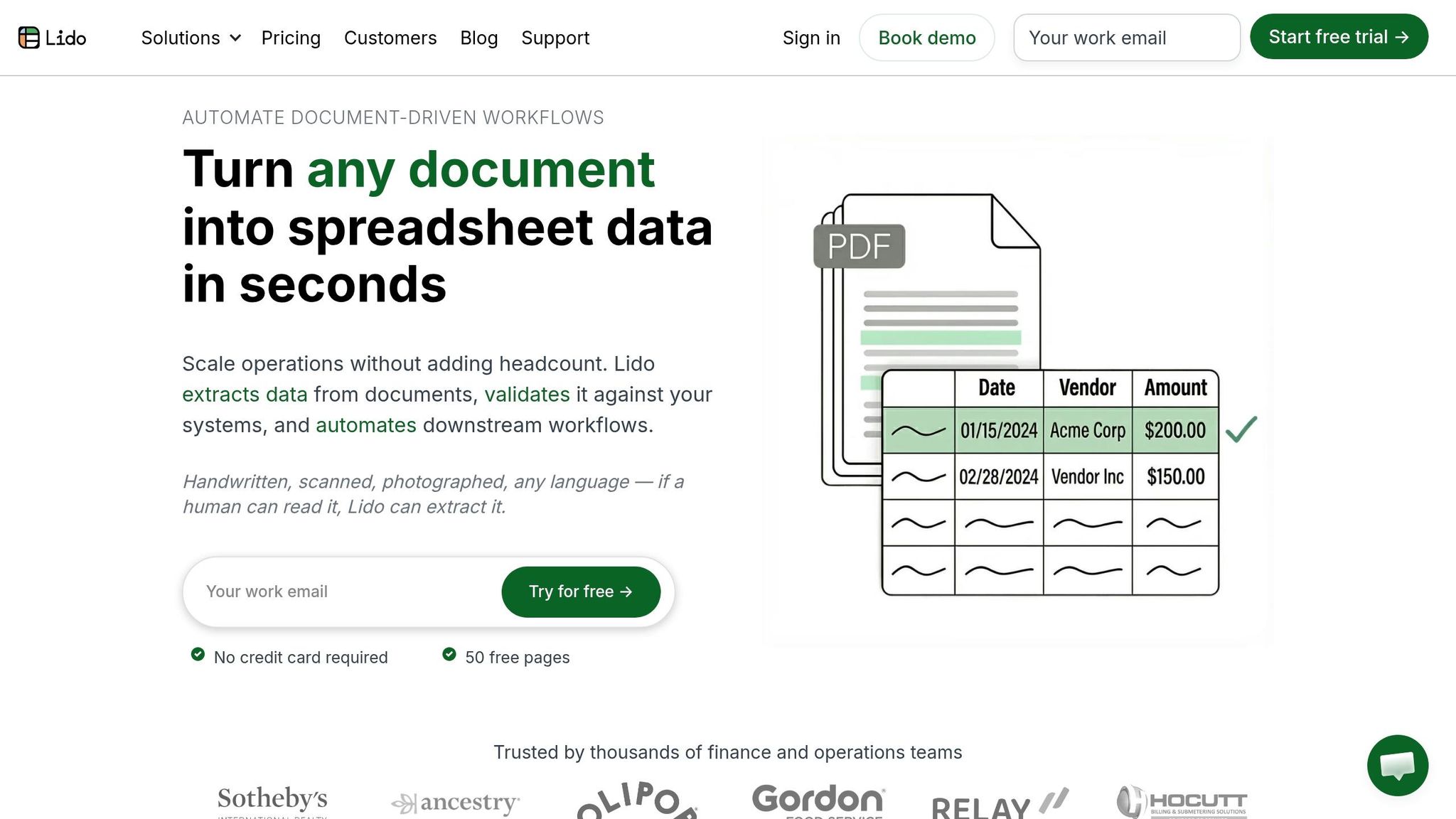
Lido stands out by offering a straightforward and cost-effective AI-powered extraction solution, designed for teams that prefer simplicity over the complexity of full-scale AP suites. Its no-template-required system adapts instantly to different invoice formats, thanks to its AI engine that understands the structure of invoices on a semantic level. This means Lido can process new vendor formats right from the first upload, eliminating the need for manual configuration or "template maintenance", a common challenge for businesses handling invoices from dozens or even hundreds of vendors.
Accuracy Rates for Invoice Processing
Lido delivers impressive accuracy, achieving 99.9% on scans and PDFs, and over 99% field-level accuracy for invoices, purchase orders, and receipts. It processes a variety of document types, including digital PDFs, scanned files, faxes, and even photos of handwritten invoices. Unlike basic OCR tools that only extract raw text, Lido performs structured data extraction, mapping fields such as line items, quantities, and tax totals into ERP-ready formats. Additionally, it provides per-field confidence scores, enabling AP teams to set their own thresholds for auto-approval or manual review. For example, Soldier Field reported saving more than 20 hours of manual work each week after adopting Lido. According to Roham, their AP Manager, tasks that used to take 20 hours now take just 30 seconds per document.
Integration Capabilities with ERP Systems
Lido seamlessly integrates with popular ERP systems like NetSuite, SAP, QuickBooks, Xero, and Sage Intacct. This is made possible through a REST API, direct export, or middleware connectors. It supports various export formats, including Excel, Google Sheets, CSV, JSON, and REST API. One of its standout features is automated three-way matching, which cross-checks invoices, purchase orders, and goods receipts to ensure quantities and prices align, flagging only discrepancies for review. For instance, Relay processed 16,000 Medicaid claims in just five days using Lido, while Disney Trucking uses the platform to handle 360,000 handwritten driver ticket pages annually. These integration capabilities make it easy to transition from data extraction to AI automation tools to streamline your workflow like three-way matching, enhancing overall efficiency.
Scalability Across Business Sizes
Lido’s pricing and performance make it a fit for businesses of all sizes, including AI tools for small businesses. The platform can extract data from a single invoice in under 10 seconds, helping teams handle three times their usual invoice volume without increasing staff. ACS Industries, for example, automates about 400 weekly purchase orders with complete accuracy, enabling the company to scale operations without hiring additional full-time employees.
"The exception handling is what makes this work at scale. Clean invoices sail through automatically, and we only touch the ones with real discrepancies. Our team handles 3x the volume now", said Amanda J., AP Automation Lead.
Pricing Models and Affordability
Lido offers four pricing tiers tailored to different business needs. The Free Tier includes 50 pages per month with full access to all features. The Standard Plan, priced at $29 per month, covers 100 pages for one user. The Scale Plan costs $7,000 per year, supporting 42,000 pages and up to 10 users, with options for higher volumes up to 360,000 pages. For larger organizations, the Enterprise Plan starts at $30,000 per year and includes custom ERP integrations and dedicated support. The platform is also SOC 2 Type 2 certified and uses AES-256 encryption to ensure data security.
6. Vic.ai
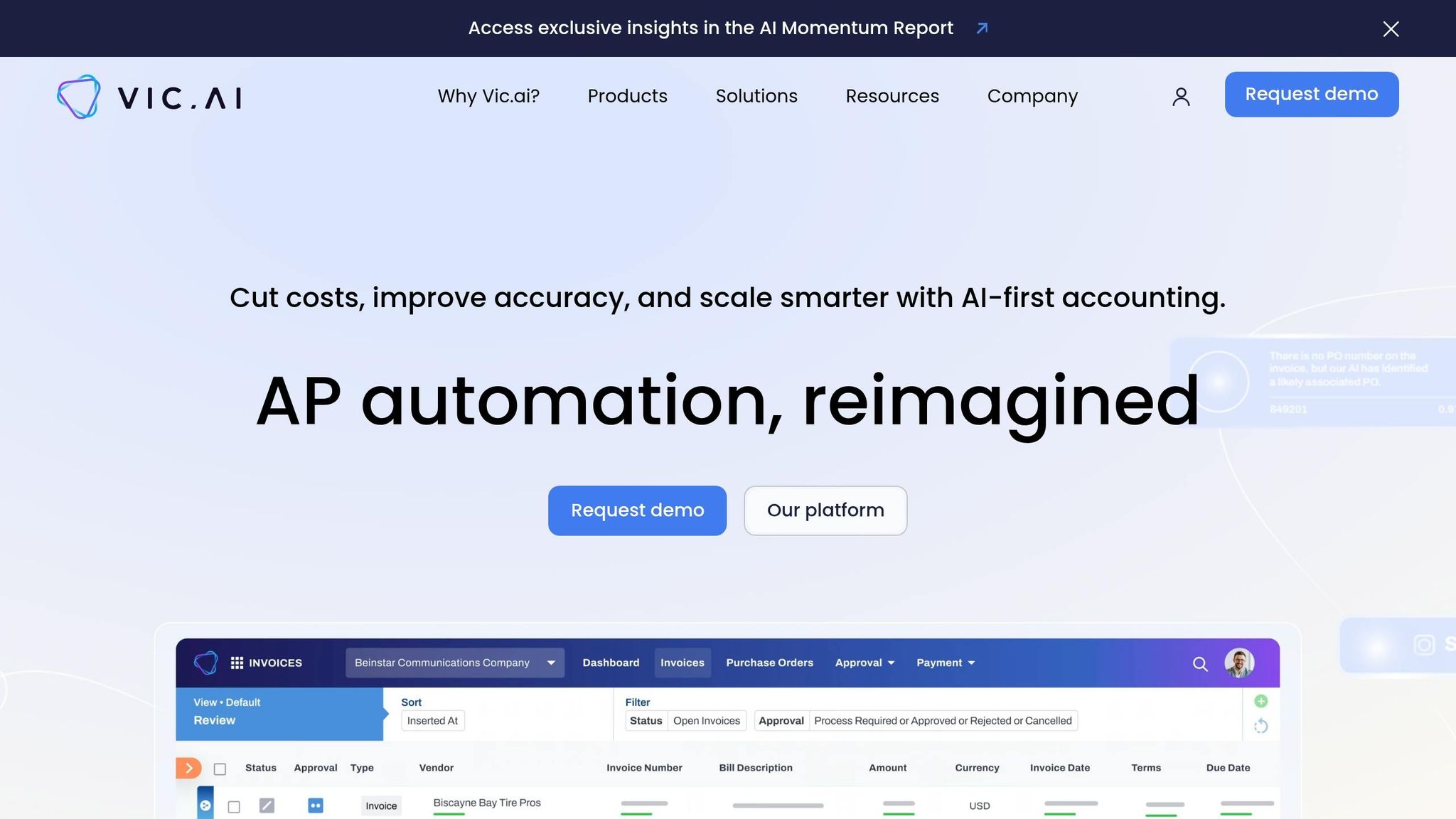
Vic.ai stands out with an impressive 97–99% accuracy in invoice data extraction and coding right from the start - far surpassing the 70–85% accuracy typical of older OCR systems. Its AI, trained on over 1 billion invoices, can interpret invoice structures without relying on pre-set templates. This template-free approach eliminates the setup time required by traditional RPA tools, allowing companies to process invoices from new vendors immediately.
Accuracy Rates for Invoice Processing
Vic.ai’s Autopilot mode enables touchless invoice processing, automating coding and posting with an 85% no-touch rate by the sixth month. It can handle even the most complex invoices, extracting and coding data at both the header and line-item levels. Paul Dachsteiner, VP of IT and IS at Stonewall Kitchen, highlights this:
"The standout difference with Vic.ai is its advanced AI technology. Unlike other vendors that rely heavily on templates, their platform eliminates templating entirely."
Integration Capabilities with ERP Systems
Vic.ai integrates seamlessly with major ERP systems like SAP, Oracle, NetSuite, Microsoft Dynamics, and Coupa. It ensures bi-directional synchronization of critical data, such as vendors, GL accounts, and purchase orders, in real time. The platform also supports 2-way, 3-way, and 4-way matching, even when invoices lack PO numbers. Andrew Turkish, VP and Corporate Controller at Diesel Direct, shared:
"Vic.ai eliminated all the manual components of our payments process, providing each AP analyst with an additional 3 to 6 hours of capacity each week."
On top of that, Vic.ai meets enterprise-grade security standards with certifications like SOC 1 Type II, SOC 2 Type II, and ISO 27001.
Scalability for Different Business Sizes
Vic.ai’s scalability makes it a fit for businesses of all sizes. It delivers 5x more capacity for AP teams and processes invoices 80% faster than manual methods. For accounting firms, it enables accountants to handle more clients efficiently. Mairtini NiDhomhnaill, Founder of Countsy, remarked:
"This enables us to take on more clients, while also increasing our profit margins."
For larger enterprises, Vic.ai centralizes accounts payable processes across subsidiaries, supporting growth effortlessly. Stephen McCaskill, Controller at VTrips, explained:
"Vic.ai was the clear choice for its ability to automate processing, improve visibility, and scale seamlessly with our growth."
Pricing Models and Affordability
Vic.ai uses a custom enterprise pricing model based on annual invoice volume, without publicly available subscription tiers. The full APSuite™ package includes invoice processing, PO matching, approval routing, and VicAnalytics dashboards. The platform boasts an average payback period of just 7 months, making it a cost-efficient solution. AI-powered automation brings invoice processing costs down to approximately $2.36 per invoice, compared to manual costs ranging from $12.88 to $19.83. Optional historical data training, which takes about two weeks, can further boost accuracy before implementation. These features make Vic.ai a strong contender in the world of AI-driven invoice automation.
7. Quadient
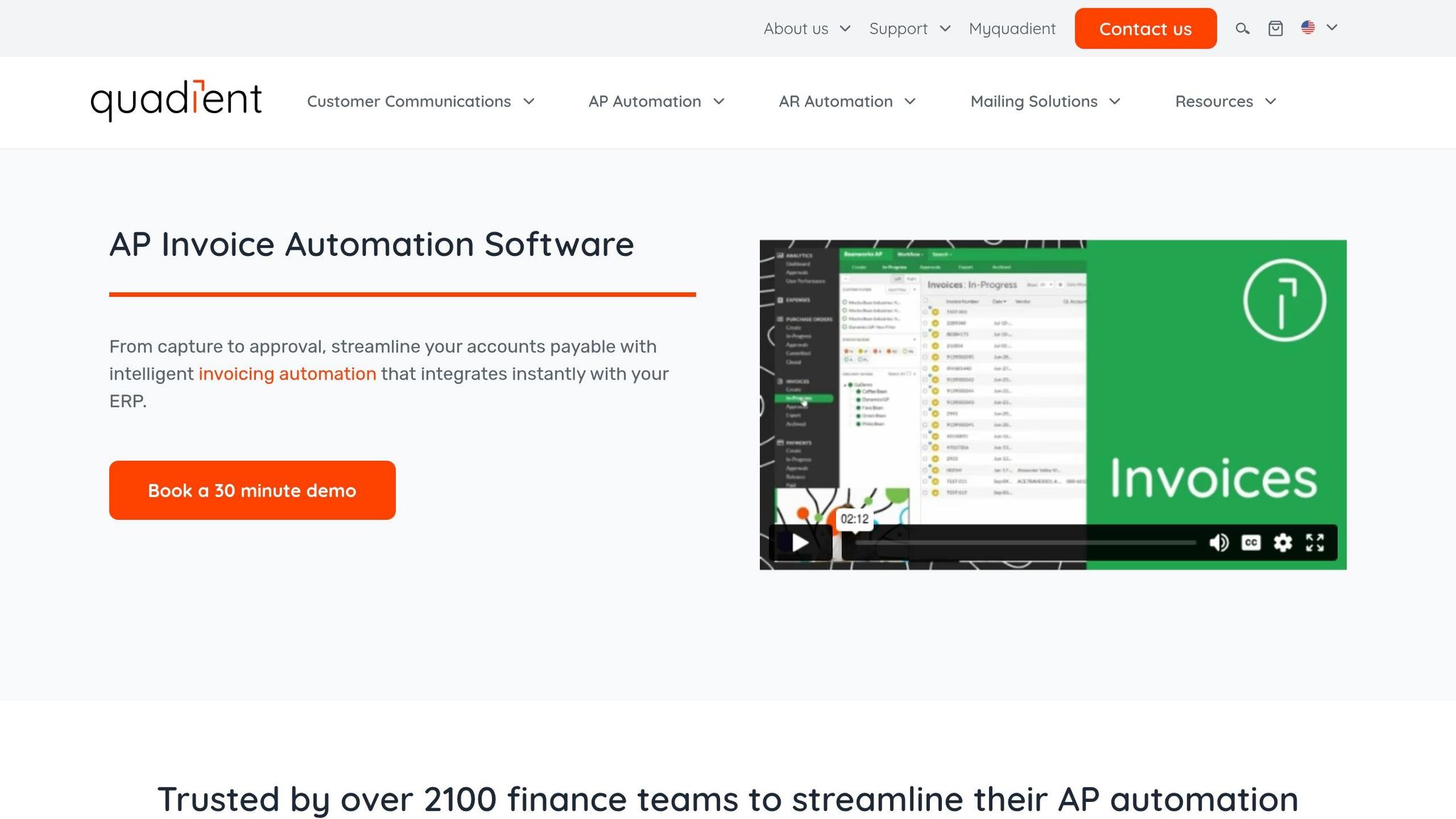
Quadient delivers an impressive 99% accuracy rate in extracting invoice header data, effectively eliminating the typical 15–25% manual review required by older OCR systems. Its "GL smart coding" feature simplifies invoice categorization by analyzing historical data, allowing users to classify invoices with just one click. This reduces the average coding time from 3 minutes to less than 1 minute. Such precision ensures invoices flow smoothly into integrated financial systems for further processing.
Integration Capabilities with ERP Systems
Quadient connects seamlessly with major ERP systems like NetSuite, Microsoft Dynamics 365, Sage, QuickBooks, and Xero through APIs and prebuilt connectors. This enables real-time, two-way data synchronization. The platform also supports both 2-way and 3-way purchase order matching, helping to prevent duplicate or fraudulent payments. When paired with automated payment solutions, it can slash per-transaction costs by up to 40%. Lisa C., from Austin Country Club's Accounts Payable department, shared her experience:
"This has really allowed us to get invoices in our system much quicker, which in turn leads to faster payment processing."
Scalability for Different Business Sizes
Quadient is tailored for mid-sized businesses, offering a multi-entity dashboard that simplifies operations across multiple locations and subsidiaries. This feature can cut manual processing time by 3–5 minutes per invoice, handle over $31 billion in accounts payable spending, and speed up invoice processing by nine times while reducing manual entry by 83%.
Pricing Models and Affordability
Quadient combines powerful performance with cost-effective pricing. Its custom pricing model is based on invoice volume and specific workflow needs, and implementations can often be completed in under six hours. The platform reduces invoice processing costs dramatically - from $15.97 to about $2.36 per document - and enjoys high customer satisfaction, with a 4.7/5 rating across more than 600 projects. These features highlight why Quadient is a standout option in the world of invoice automation.
8. BILL
BILL combines speed and accuracy to streamline invoice processing, achieving 94.7% field-level accuracy while handling invoices in an average of just 58 seconds. Its AI-driven OCR technology extracts critical details like vendor names, email addresses, and invoice numbers automatically. The platform's Invoice Coding Agent goes a step further by coding multi-line bills based on historical data, reducing processing time by 20%. BILL also employs predictive AI to flag duplicate invoices, avoiding double payments, and identifies potentially missing bills by analyzing payment history.
Integration Capabilities with ERP Systems
BILL’s standout performance isn’t limited to invoice extraction - it also integrates seamlessly with major ERP and accounting systems. The platform offers real-time, two-way synchronization with tools like QuickBooks (both Online and Desktop), Xero, Oracle NetSuite, Microsoft Dynamics, and Sage Intacct. This integration ensures that updates in either BILL or the ERP system reflect across invoice data, vendor details, and chart of accounts instantly. Approval workflows are highly customizable, allowing organizations to set up sequential or parallel routing based on factors like vendor, department, or custom fields. These features significantly cut down processing time, with users reporting a reduction from 5–10 minutes to as little as 1–2 minutes per invoice. T.J. Massingill, Founder of Shazam Accounting, shared:
"BILL's Invoice Coding Agent will automatically handle that work, making the majority of complex multi-line bills touchless and cutting processing time by 75% each week."
Scalability for Different Business Sizes
BILL is designed to grow with its users, catering to the "Fortune 5 Million" - the small and midsize businesses that form the backbone of the economy - rather than focusing solely on large enterprises. With over 500,000 businesses relying on BILL, the platform processes about $345 billion in annual payments, accounting for roughly 1% of the U.S. GDP. Its efficiency and automation make it a go-to solution for small businesses with fewer than 10 users, as well as mid-sized teams and business consultants with 20–500 employees that need integrated payment and approval workflows. BELAY, a professional services firm, leveraged BILL to reduce individual bill payment time from 15 minutes to just 1 minute, scaling support for over 3,000 clients. Similarly, the Catholic Diocese of Dallas scaled its accounting operations fivefold after adopting BILL’s AP automation.
Pricing Models and Affordability
BILL offers flexible pricing plans to suit different needs. The Essentials plan starts at $45 per user per month, covering either accounts payable (AP) or accounts receivable (AR). The Team plan, which includes both AP and AR, costs $55 per user per month, while the Corporate plan - with advanced controls, custom roles, and API access - is priced at $79 per user per month. Additional transaction fees include $0.49 per ACH payment and $1.69 per check. On average, users save 12 hours monthly and over $10,000 annually. To further support businesses, BILL provides flexible credit lines ranging from $1,000 to $5 million, helping users manage cash flow effectively.
9. Nanonets
Nanonets uses an AI-powered, template-free engine that can process any invoice format with over 95% accuracy on standard layouts. It also handles complex formats from various vendors with precision. Unlike traditional OCR tools that rely on predefined templates, Nanonets employs zero-shot learning, allowing it to process new document types right away. This makes it a valuable tool for businesses managing diverse supplier formats. Users report an impressive 88.3% reduction in manual effort, collectively saving more than 400,000 hours.
Integration Capabilities with ERP Systems
Nanonets offers seamless integration with major accounting systems like QuickBooks, Xero, NetSuite, Sage Intacct, Microsoft Dynamics 365, and Acumatica. For platforms without native connectors, it supports over 5,000 apps through Zapier, along with API and webhook options. The integration process is straightforward: invoices are pulled from email or cloud storage, data is extracted and validated using decision engines, and then sent to your ERP or exported as XLS, CSV, or XML files. Catherine Gallagher from SaltPay highlighted the benefits of Nanonets' SAP integration, saying:
"Nanonets' direct integration with SAP helped SaltPay automate a crucial part of their Accounts Payable process".
Scalability for Different Business Sizes
Nanonets caters to businesses of all sizes, from freelancers and contractors handling 100 documents per month to enterprises managing over 1 million invoices. It serves more than 10,000 customers globally, spanning industries like financial services, healthcare, property management, and fintech. Product Manager Luke Faulkner shared that using Nanonets reduced invoicing costs by 70% and cut processing times from over six hours to mere seconds. Similarly, Kale Flaspohler, a Financial Advisor at ProPartners Wealth, noted:
"We are seeing a major difference in accuracy, as Nanonets provides a >95% accuracy which has helped cut down our processing time by ~50%.".
Pricing Models and Affordability
Nanonets operates on a pay-as-you-go model, charging only for each workflow block run. New users are given $200 in free credits to test the platform with their own invoice formats. For businesses handling large volumes, the Credits Accelerate plan offers discounts, credit sharing across teams, and analytics tools. Enterprise clients can opt for tailored pricing plans, which include role-based access and deployment options like private cloud or on-premise setups. Users report a median return on investment of 3.5x within six months, with implementation timelines typically measured in weeks rather than months. This flexible and performance-driven pricing makes Nanonets a standout choice for businesses aiming to streamline their invoice automation processes.
10. Rossum
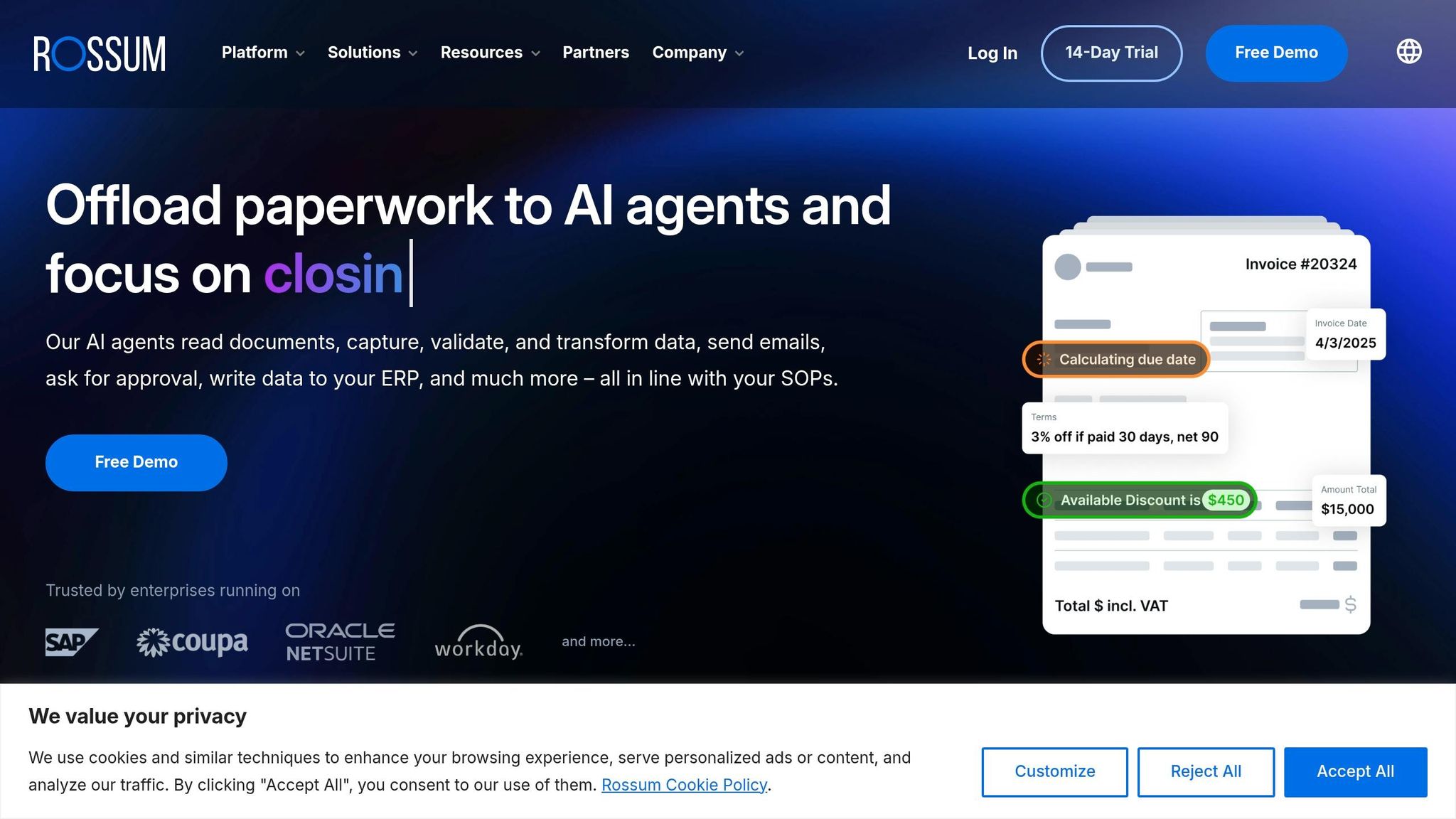
Rossum offers a cloud-based AI engine named Rossum Aurora, which uses machine learning, computer vision, and natural language processing to process invoices with over 95% accuracy. By automating these tasks, it reduces manual work by approximately 98% and cuts validation time by 82%. This efficiency brings invoice processing costs down from $10.89 to about $2.07 per invoice.
Integration Capabilities with ERP Systems
Rossum integrates seamlessly with major ERP systems like SAP, Oracle, NetSuite, and Microsoft Dynamics. Its AI Agents handle complex tasks, such as assigning GL codes from master data and calculating due dates based on intricate payment terms. The Datasets feature allows users to sync and import master data directly from their enterprise systems, providing essential context for AI-driven decisions. Enterprise implementations typically take 4–8 weeks. Additionally, the platform includes an e-invoicing plugin that converts structured files into an easily readable format before posting. These integration tools make it a strong choice for businesses looking to streamline their operations.
Scalability for Different Business Sizes
Rossum is designed for mid-to-large enterprises managing over 5,000 invoices per month across multiple entities. It performs exceptionally well for organizations processing 10,000+ invoices monthly, where its accuracy and automation deliver compounding benefits. The platform supports multiple languages, currencies, and international compliance standards, making it ideal for global operations in industries like logistics, manufacturing, retail, healthcare, insurance, and construction. However, due to its pricing and technical demands, it may not be the best fit for small businesses with lower invoice volumes. User reviews on platforms like G2 and Capterra rate Rossum between 4.6/5 and 4.7/5, highlighting its user-friendly interface and ability to handle diverse invoice layouts without the need for templates.
Pricing Models and Affordability
Rossum’s enterprise pricing starts at around $20,000 annually, with adjustments based on volume and feature requirements. Some sources suggest monthly pricing begins at $500+ depending on usage. A 14-day free trial is available for businesses to evaluate its features. While its pricing positions it at the higher end of the market, many users find the efficiency gains worth the investment, particularly for high-volume operations. The platform’s API-first design may require technical expertise or developer support to fully utilize, making it most suitable for enterprises with dedicated IT teams. For mid-to-large organizations, Rossum stands out as a strong contender in invoice automation.
Comparison Table
Here's a quick overview of the tools discussed, highlighting their standout features for businesses of varying sizes, budgets, and technical requirements.
| Tool | Best For | Key Strengths | ERP Integrations | Pricing Model |
|---|---|---|---|---|
| Rillion | Mid-market, multi-entity operations | AI predicts approvers and codes invoices with ~90% accuracy; handles multi-ERP environments | 50+ ERPs (Microsoft Dynamics, NetSuite, Sage) | Quote-based pricing |
| Tipalti | Global enterprises with high supplier volumes | Payments to 196 countries in 120 currencies; 28-second average processing speed; built-in tax compliance (W-9/W-8) | NetSuite, SAP, Sage, QuickBooks, Xero | Starts ~$129/month (base platform) |
| HighRadius | Large enterprises prioritizing ROI | Reduces per-invoice costs by up to 85%; high straight-through processing (STP) rates | SAP, Oracle, NetSuite, Microsoft Dynamics | Quote-based pricing |
| Stampli | Collaborative AP teams | Integrates with 60+ ERPs; achieves 98.1% extraction accuracy | NetSuite, SAP, Oracle, Sage Intacct | Quote-based pricing |
| Vic.ai | Autonomous GL coding | AI-driven autonomous invoice coding; enterprise-grade integrations | NetSuite, SAP, Oracle | Quote-based pricing |
| BILL | SMBs using QuickBooks or Xero | Deep integration with QuickBooks and Xero; predictable per-user pricing | QuickBooks, Xero, NetSuite | $45/user/month + transaction fees ($0.49/ACH, $1.69/check) |
| Nanonets | No-code AI automation | High-accuracy AI extraction (99.5% field-level accuracy); no-code setup | QuickBooks, Xero, NetSuite | Starts ~$499/month |
| Rossum | Mid-to-large enterprises | Designed for complex invoice formats | SAP, Oracle, QuickBooks | Quote-based pricing |
For small businesses managing fewer than 1,000 invoices per month, flat-rate or per-user pricing models like BILL ($45/user/month) offer a predictable and budget-friendly solution. Mid-market companies dealing with 1,000 to 10,000 invoices a month often prefer tools like Stampli or Rossum, which combine strong automation features with reasonable implementation timelines of 4–8 weeks.
Enterprise-level organizations processing over 10,000 invoices across multiple entities should focus on reducing total cost of ownership (TCO) and maximizing straight-through processing rates. While tools like Tipalti, HighRadius, and Vic.ai may require a larger initial investment, they can slash per-invoice costs from a manual average of $12.88–$25 to around $2.36. Top-tier enterprise systems now achieve up to 89% touchless processing, where invoices are automatically matched to purchase orders and coded without human input. To put it in perspective, a manual AP team member typically handles 500 invoices per month, but with AI-driven tools, that number jumps to 2,000–4,000.
This table serves as a handy guide to help you align your business needs with the right invoice automation tool, or you can discover more AI tools for other business workflows, ensuring you save time and money while boosting efficiency.
Conclusion
When selecting an invoice automation tool, focus on how well it fits into your specific workflow rather than being swayed by an extensive feature list. For businesses processing fewer than 500 invoices monthly, simplicity and predictable pricing are key. For instance, BILL offers a straightforward option at $45 per user per month, providing value without a complex setup.
For mid-sized companies managing between 1,000 and 10,000 invoices a month, look for tools with strong collaborative approval workflows and ERP integrations. Platforms like Stampli and Rillion excel in these areas, making them ideal for scaling operations.
Enterprises handling over 10,000 invoices per month should prioritize full automation solutions. Tools like Tipalti, HighRadius, and Vic.ai may require a higher upfront investment but deliver significant efficiency gains with high touchless processing rates, seamlessly moving invoices from receipt to posting.
As Kira from Floowed puts it:
"The best invoice automation software is the one that covers your actual workflow, not just the extraction step."
Before committing, assess your invoice flow channels. If the majority - say, 80% - of your invoices arrive via email, prioritize email-centric tools to ensure smooth operations. Additionally, make sure the platform integrates directly with your ERP system (e.g., NetSuite, SAP, or QuickBooks) to avoid manual data transfers and reconciliation issues. If your business works with international suppliers, look for features like multi-currency payments and compliance tools for tax regulations, such as W-9/W-8 forms, VAT, or GST.
Take advantage of free trials or entry-level plans to evaluate potential time savings. Test the platform with complex invoices - those involving multi-line items, unconventional formats, or international tax considerations - to verify the tool’s accuracy claims. An effective solution should significantly reduce manual data entry errors, ideally lowering the rate from the industry average of 3.6% to below 0.5%.
FAQs
How do I choose the right invoice automation tool for my invoice volume?
To find the best tool for your needs, start by evaluating your invoice volume and complexity. If your business handles a smaller number of invoices (around 50–100), simpler tools might do the job. However, if you're managing a larger volume (500 or more), you'll need a platform that offers advanced workflows and global payment capabilities. Additionally, take into account the tool's AI accuracy, how well it integrates with your existing systems, and whether its pricing aligns with your business size and requirements.
What should I check to ensure it integrates with my ERP or accounting system?
When evaluating an invoice automation tool, make sure it integrates smoothly with your ERP or accounting system. Look for features like API connectivity or built-in software integrations. It's important to confirm that the tool aligns with your current workflows and platforms to avoid disruptions. Seamless compatibility ensures your operations run efficiently.
How can I validate an AI tool’s accuracy on my real invoices before buying?
To check how accurate an AI tool is, try it out with some of your actual invoices. Run these invoices through the tool and compare the extracted details - like vendor names, invoice numbers, and totals - against the original documents. Look for any differences, and calculate the tool's accuracy rate. Make sure the tool consistently meets a high accuracy standard to confirm it can handle your specific invoice formats effectively.