Productivity
Claude Code vs. OpenAI Codex - Full Review
Compare a local-first AI coding assistant and a cloud-based Codex for privacy, token use, speed, and ideal workflows.

Claude Code vs. OpenAI Codex - Full Review
Looking for the best AI coding assistant? Here's a quick summary:
- Claude Code by Anthropic works locally, acting as a real-time pair programmer. It excels in complex refactoring, debugging, and code privacy, thanks to its local-first design. However, it consumes more tokens and struggles with concurrent tasks.
- OpenAI Codex operates in the cloud, handling tasks autonomously in isolated sandboxes. It’s efficient for parallel task execution and routine coding but has limitations with ambiguous tasks and data privacy concerns.
Key Takeaways:
- Claude Code is ideal for developers needing hands-on control and privacy.
- Codex is better for automating repetitive tasks and parallel workflows. Tools like ProgramAI can further streamline these processes by generating and optimizing code across multiple languages.
- Many teams combine both tools for maximum efficiency.
Quick Comparison:
| Feature | Claude Code | OpenAI Codex |
|---|---|---|
| Execution | Local (Terminal/IDE) | Cloud-based (Isolated sandboxes) |
| Token Efficiency | Higher consumption | More efficient |
| Context Window | 1M tokens (beta) | 400K tokens |
| Strengths | Complex debugging, privacy | Parallel tasks, automation |
| Weaknesses | High token use, no background tasks | Cloud latency, privacy concerns |
| Pricing | Starts at $20/month | Starts at $8/month |
Both tools have unique strengths, so your choice depends on your workflow and project needs. Read on for a deeper dive into features, performance, and use cases.
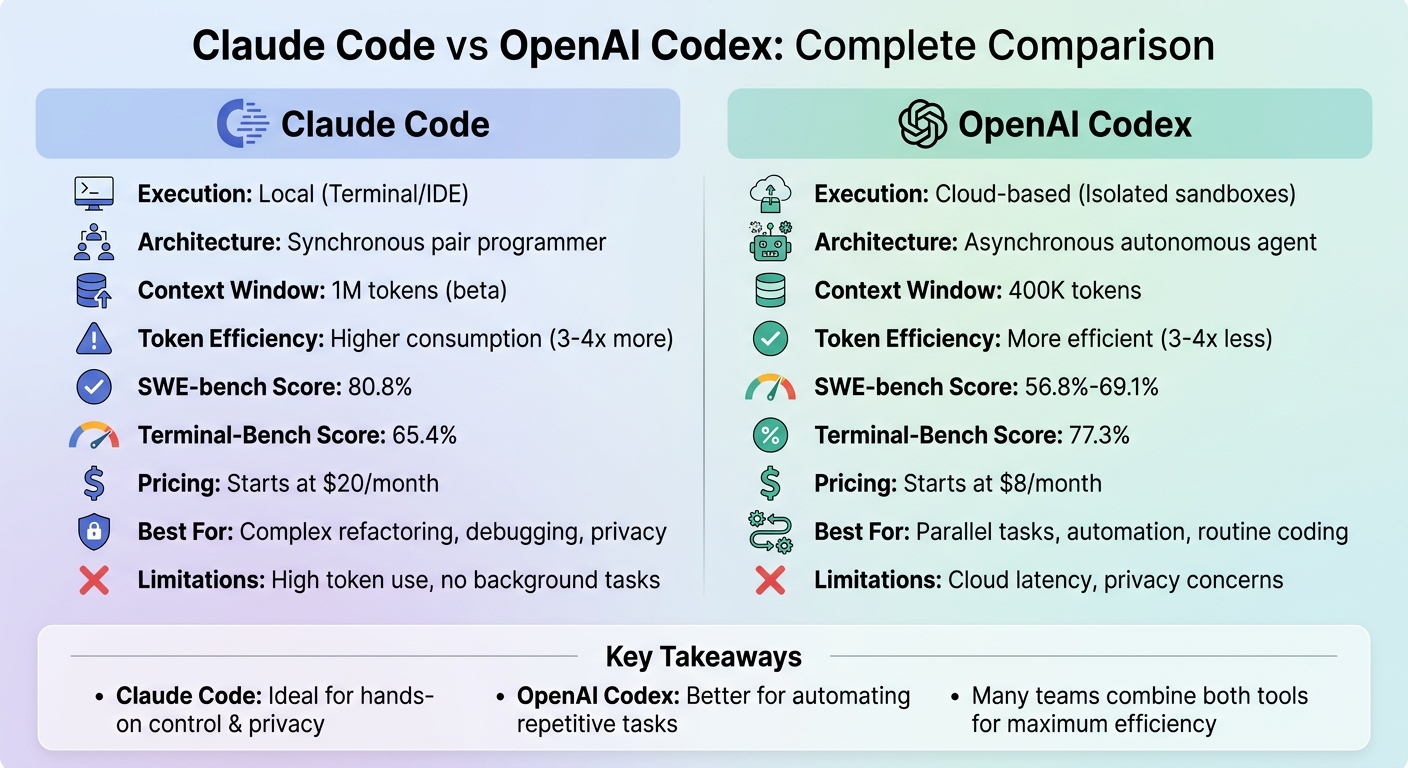
Claude Code vs OpenAI Codex: Feature Comparison Chart
Claude Code: Features, Strengths, and Limitations
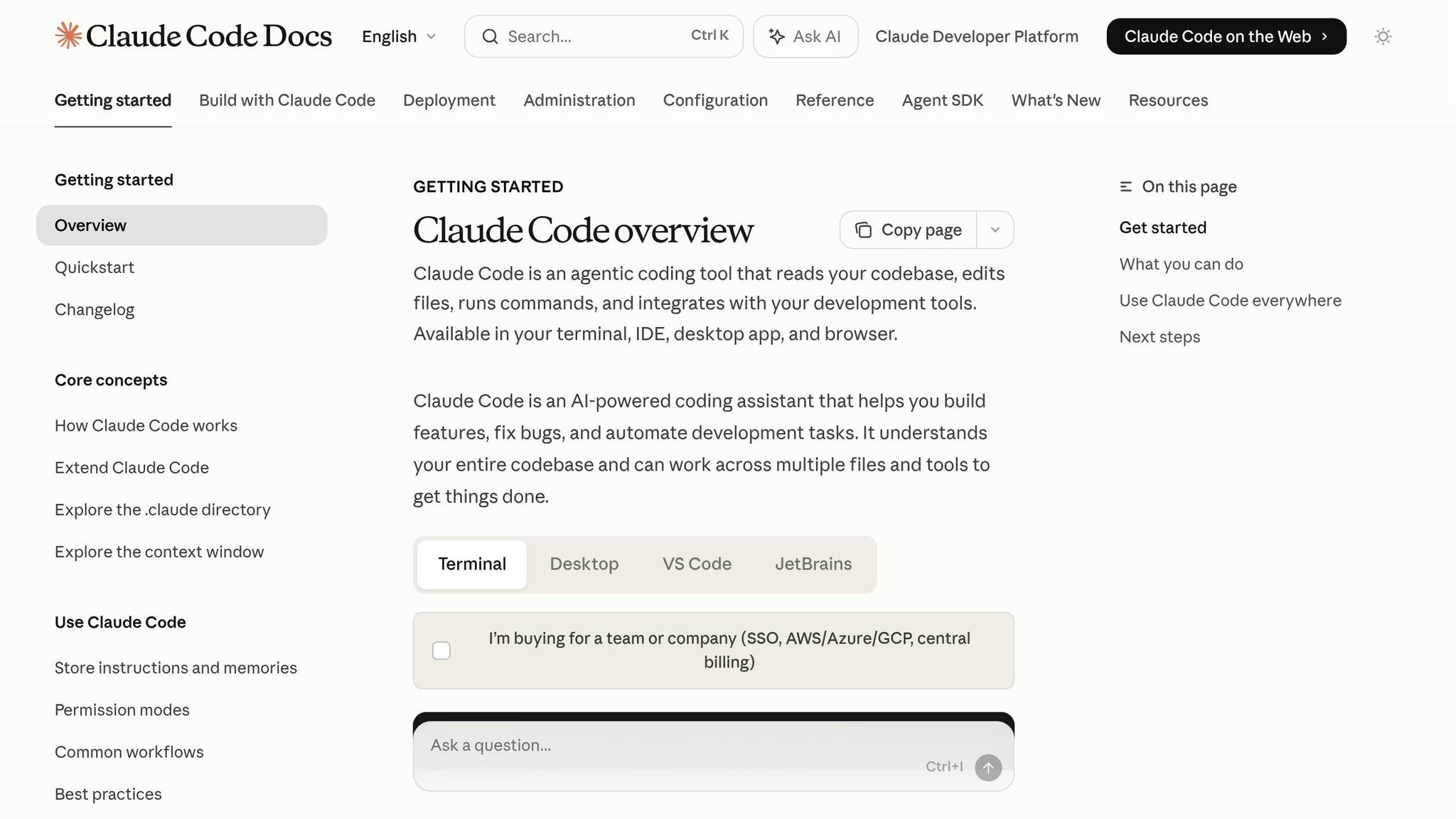
Key Features of Claude Code
Claude Code integrates directly with your terminal, offering seamless access to your local filesystem, Git history, and installed packages. Its standout feature is a 1-million-token context window, allowing it to analyze and work across large-scale codebases effectively.
Serving as a synchronous pair programmer, Claude Code takes a collaborative approach. It plans actions, seeks your approval before executing commands, and uses its "Ask User Question" tool to clarify tasks if needed. This keeps you firmly in control, avoiding any risk of it operating independently.
The tool uses CLAUDE.md files to document coding standards and architectural decisions for each project. These markdown files, combined with its auto-memory feature, allow knowledge transfer across sessions and compatibility with other tools - helping to avoid vendor lock-in. For more demanding projects, its Agent Teams feature deploys specialized sub-agents to handle different parts of a task simultaneously using separate Git worktrees.
Claude Code also provides 17 programmable hook events for custom logic and supports the Model Context Protocol (MCP), which connects with over 3,000 integrations, including databases, APIs, and tools like Jira and Slack. These features make it a versatile tool for a variety of development tasks.
Strengths of Claude Code
Claude Code shines when it comes to handling complex refactoring tasks across interconnected files. It boasts an 80.8% score on SWE-bench Verified, a benchmark that evaluates the ability to resolve real-world GitHub issues, highlighting its strength in bug resolution. In early 2026, Anthropic showcased its capabilities by using the Agent Teams feature to successfully build an entire C compiler from scratch.
Its local-first design makes it particularly effective for debugging environment-specific issues. Unlike cloud-based sandboxes, Claude Code can execute real commands and inspect the local state, making it adept at resolving problems like "flaky" tests or bugs tied to specific package versions or database conditions.
In 2026, Duolingo's engineering team reported that Claude Code excelled in pull request reviews, catching subtle bugs and edge cases - such as backward compatibility issues - that human reviewers had missed.
For organizations prioritizing data privacy, its local-first model ensures sensitive code remains on your machine. This is a major advantage for industries with strict regulations or proprietary codebases.
Limitations of Claude Code
Despite its strengths, Claude Code has some notable drawbacks. A key issue is its high token consumption. It often uses 3–4 times more tokens than similar tools for comparable tasks like GitHub Copilot due to its detailed and thorough output. For example, in one Figma design cloning task, it consumed 6,232,242 tokens compared to 1,499,455 tokens for another tool - a difference of about 4.2×.
Another limitation is its usage cap. Token budgets reset every five hours, which can be restrictive for intensive users. The Claude Pro plan, priced at $20 per month, allows about 45 requests per five-hour window. Power users may need to upgrade to higher-tier plans, such as Max 5× ($100/month) or Max 20× ($200/month), to meet their needs.
Claude Code also struggles with concurrent task execution. It cannot perform multiple tasks on the same codebase simultaneously without risking conflicts. On Terminal-Bench 2.0, it scored 65.4%, falling behind competitors that achieved 77.3%.
Since it operates locally, your machine must remain active and connected throughout its use - there's no option for background processing. Additionally, because it has direct access to your filesystem and terminal, strict manual approval is crucial for commands like rm or git push to prevent accidental or harmful actions.
sbb-itb-212c9ea
OpenAI Codex: Features, Strengths, and Limitations
Key Features of OpenAI Codex
OpenAI Codex operates like an autonomous assistant for developers, taking on tasks such as building features, fixing bugs, or refactoring code. These tasks are handled in isolated sandboxes preloaded with your repository, ensuring your local environment remains untouched .
The Codex Desktop App, available for macOS, serves as a central hub for managing multiple agents. Each agent runs in its own thread or sandbox, allowing you to queue several tasks simultaneously. Whether it's writing tests, fixing bugs, or refactoring code, these tasks can run in parallel, streamlining the development process .
Codex also integrates with tools like Figma, Linear, and Vercel through extensible Skills. It supports Automations for scheduled tasks such as daily issue triage or generating release briefs. By using AGENTS.md files, Codex enforces project-specific coding standards and provides evidence of its work through terminal logs and test outputs. Its GPT-5.3-Codex model features a 400,000-token context window and scored 77.3% on Terminal-Bench 2.0, showcasing its effectiveness in terminal automation and debugging .
These capabilities form the backbone of Codex's functionality.
Strengths of OpenAI Codex
One of Codex's standout strengths is its token efficiency, using fewer tokens than competitors, which helps lower costs. It performs exceptionally well on clearly defined tasks, achieving an 80% success rate for test generation and 75% for scoped bug fixes during testing.
"The asynchronous, multi-agent workflow introduced by Codex in ChatGPT will become the de facto way engineers produce high-quality code."
– OpenAI
Codex has proven to be a valuable tool for many teams. For instance, Temporal's developers use it to speed up feature development and tackle large-scale code refactoring, running complex tasks in the background. Similarly, product managers at Superhuman rely on Codex to make lightweight code contributions and improve test coverage before final reviews. The cloud sandbox environment is another plus, allowing users to safely execute or test unfamiliar code without risking their local setup .
While Codex has many advantages, it also has its share of limitations.
Limitations of OpenAI Codex
Codex's reliance on a cloud-based architecture introduces some challenges. For example, each task runs in a fresh container, which adds a cold-start latency of 30–90 seconds. It also lacks direct access to local environments, private packages, or internal registries unless specifically configured. However, support for mounting private registry credentials was introduced in March 2026.
The asynchronous nature of Codex means real-time intervention isn't possible . It also struggles with ambiguous tasks, with success rates dropping to 20% for open-ended requests, compared to 75% for well-defined bug fixes.
"Codex works better as a focused tool than a general-purpose developer."
– OpenAIToolsHub
Another concern is data privacy. Since code is processed on OpenAI's servers, organizations with strict "no-code-upload" policies or those handling sensitive projects may find Codex unsuitable . Additionally, Codex sometimes shows style inconsistencies across multi-file changes, such as alternating between single and double quotes or using inconsistent naming conventions. Platform limitations are another drawback: as of April 2026, there is no native Windows desktop app, with access available only through macOS, CLI, and web interfaces .
Claude Code vs. OpenAI Codex: Direct Comparison
Comparison Table
This comparison highlights the main operational differences between Claude Code and OpenAI Codex, focusing on how each system performs and functions in various scenarios.
Claude Code operates locally, while Codex relies on cloud-based isolated sandboxes. Claude Code serves as a step-by-step pair programmer, guiding users interactively, whereas Codex works autonomously in the background. Performance-wise, Claude Code achieves an 80.8% score on SWE-bench Verified, outperforming Codex's 56.8%-69.1%, particularly in refactoring tasks. However, Codex takes the lead with a 77.3% score on Terminal-Bench 2.0, compared to Claude Code's 65.4%. One notable distinction is that Claude Code uses three to four times more tokens for similar tasks, which can significantly influence overall costs.
Here’s a breakdown of their differences:
| Feature | Claude Code | OpenAI Codex |
|---|---|---|
| Primary Models | Claude Opus 4.6 / Sonnet 4.6 | GPT-5.3-Codex / codex-1 |
| Execution Environment | Local-first (Terminal/IDE) | Cloud-based (Isolated sandboxes) |
| Context Window | 200K default (1M beta) | 256K default (1M with GPT-5.4) |
| Pricing ($20/mo tier) | Claude Pro ($20/mo) | ChatGPT Plus ($20/mo) |
| Token Usage | Higher token consumption | More efficient token usage |
| IDE Integration | VS Code, JetBrains, Cursor, Windsurf | VS Code, Cursor, macOS App |
| Data Privacy | Local - code remains on the machine | Cloud - code sent to OpenAI's sandbox |
| Multi-Agent Support | Agent Teams (coordinated) | Parallel independent tasks |
This table underscores the trade-offs between the two systems in terms of performance, cost, and operational setup. For example, while Codex offers better token efficiency, Claude Code’s local-first approach ensures greater control over data privacy. Each tool's strengths and limitations make them suited for different types of users and projects. Developers looking for cost-effective alternatives can also explore the best free AI tools for developers to further optimize their workflow.
Performance Benchmarks and Use Cases
Performance Benchmarks
When comparing Claude Code and OpenAI Codex, their performance metrics reveal distinct strengths. Claude Code achieved an 80.8% success rate on SWE-bench Verified, a benchmark focused on real-world GitHub bug resolution. Meanwhile, Codex scored 56.8% on the SWE-bench Pro benchmark.
This gap becomes even more apparent in complex tasks. For instance, in early 2026, Particula Tech conducted an Express.js refactoring test. Claude Code completed the task in 1 hour and 17 minutes without needing manual intervention, while Codex CLI required 1 hour and 41 minutes.
However, Codex has an edge in token efficiency. In Figma plugin projects, Claude Code consumed approximately 4.1 times more tokens than Codex. On the other hand, Claude Code demonstrated impressive accuracy, with Rakuten reporting 99.9% numerical precision on a massive 12.5-million-line codebase. Additionally, GPT-5.3-Codex-Spark reached processing speeds of over 1,000 tokens per second on Cerebras WSE-3 hardware. Notably, Claude Code contributes to around 135,000 GitHub commits daily, accounting for about 4% of all public commits as of February 2026.
These benchmarks highlight the tools' varying strengths and influence their practical applications.
Use Cases
The benchmark data underscores where each tool excels. Claude Code is particularly suited for intricate, multi-file refactoring and architectural tasks, where maintaining high code quality is critical. Its 1-million-token context window enables developers to manage large enterprise codebases effectively while supporting test-driven development. A striking example of this capability occurred in February 2026, when Anthropic used 16 agents to develop a 100,000-line C compiler in Rust. This compiler successfully compiled Linux kernel 6.9 and passed 99% of the GCC torture tests, with an API cost of approximately $20,000.
"The Duolingo engineering team reported that using Claude Code for pull request reviews helped catch subtle bugs and edge cases that human reviewers had missed."
OpenAI Codex, on the other hand, excels in DevOps automation, shell scripting, and quick prototyping. Its isolated cloud sandboxes allow for parallel task execution, making it ideal for CI/CD pipeline setups and bulk migrations. Codex has also demonstrated its security capabilities by identifying over 500 zero-day vulnerabilities in real-world software, earning a "High" classification from independent evaluators. Many teams adopt a hybrid approach: Codex handles around 70% of routine tasks, like generating boilerplate code and scripts, while Claude Code is reserved for the remaining 30% of complex architectural challenges.
Pricing, Infrastructure, and Data Privacy
Pricing
Claude Code offers straightforward subscription plans priced at $20, $100, and $200 per month. These plans include usage multipliers of 1×, 5×, and 20×, respectively, making costs predictable. However, users often encounter hard limits after 4–5 hours of intensive coding sessions, which can be a drawback for heavy users.
OpenAI Codex, on the other hand, adopted a hybrid pricing model starting April 3, 2026. Codex is bundled into ChatGPT subscriptions, priced at $8/month for the Go plan, $20/month for Plus, and $200/month for Pro. Additionally, businesses can opt for Codex-only seats with pay-as-you-go token billing for unlimited usage. Codex’s efficient token usage helps reduce costs for routine tasks, though Claude Pro still offers exceptional value - providing roughly $180 worth of API-equivalent usage for just $20/month, translating to significant savings.
Experts often recommend combining both tools: using Codex for quick tasks and Claude Code for more complex refactoring. Together, this approach costs around $40/month and provides a balanced solution for diverse coding needs.
Infrastructure Requirements
The infrastructure setup for each tool has a direct impact on both cost and usability. Claude Code runs locally via your terminal and requires Node.js, as well as access to your local file system. Users need to install its CLI and configure project-specific settings through a CLAUDE.md file. Scalability is achieved through Agent Teams that coordinate tasks using shared task lists and git worktrees. While this setup requires manual configuration, it offers more control over the environment.
OpenAI Codex, in contrast, operates entirely in the cloud. It spins up isolated sandboxes for each task, eliminating the need for local setup. This cloud-based system automatically handles environment configurations and scales by queuing multiple tasks across parallel cloud containers. The Codex macOS app supports Apple Silicon, while its CLI is compatible with macOS, Windows, and Linux, making it accessible across a range of platforms. The distinction between local and cloud-based operations also ties back to the pricing differences, with local setups offering control but requiring more effort, while cloud setups prioritize ease of use.
Data Privacy
Data privacy measures vary significantly between Claude Code and OpenAI Codex, reflecting their different operational models. Claude Code processes code locally, only transmitting the necessary context to Anthropic's API. It includes 17 programmable hooks that allow teams to create custom approval workflows and security protocols, making it a strong choice for organizations with strict data policies.
OpenAI Codex, however, clones entire repositories into isolated cloud sandboxes for task execution. These sandboxes enforce security at the OS kernel level to prevent breaches, and internet access is typically disabled during operations. For organizations with advanced privacy needs, Codex offers additional features through its Enterprise plans, ensuring compliance and robust data protection.
Conclusion: Which Tool Is Right for You?
Summary of Key Features
Claude Code operates as a local-first pair programmer right in your terminal, equipped with a 1-million-token context window. It's particularly strong in handling complex refactoring and debugging, boasting an 84% first-pass success rate for business logic and resolving 79% of bugs effectively. Its interactive nature sets it apart from Codex's more autonomous style.
On the other hand, OpenAI Codex functions as a cloud-based autonomous agent within isolated sandboxes. It leads the pack on Terminal-Bench 2.0 with a 77.3% score and produces 40% more test cases overall.
"Choose Codex if you think of AI as an employee you manage. Choose Claude Code if you think of AI as a colleague you collaborate with".
When it comes to ratings, Claude Code achieves a top score of 9.6/10 for coding ability - the highest in the CodePick database - while Codex scores 9.0/10. However, Codex is 3–4 times more token-efficient, which can significantly reduce costs for routine tasks.
These features highlight how each tool serves different purposes depending on the project.
Choosing Based on Your Workflow
The right choice depends on your project's complexity and where it operates. Claude Code is ideal for intricate, locally hosted codebases, interactive debugging in your development environment, or when data residency is a priority. It's particularly effective for architectural refactoring and diagnosing environment-specific issues like Docker networking or port conflicts, making it a great fit for on-the-ground debugging.
OpenAI Codex shines in handling well-defined, asynchronous tasks. It’s perfect for generating test suites across multiple modules, automating CI/CD workflows, and rapid prototyping. The cloud-based sandboxes simplify setup and allow for parallel task execution.
Many teams find value in using both tools together - Claude Code for high-stakes refactoring and Codex for routine, repetitive tasks. This combination balances productivity while managing costs effectively, leveraging each tool's strengths as demonstrated in performance benchmarks.
Claude Code vs Codex CLI - The Honest Comparison (2026)
FAQs
Which tool is safer for sensitive code?
Claude Code offers a safer option for handling sensitive code because it runs directly on your local terminal, with full access to your filesystem. This setup ensures that your data remains within your own environment. On the other hand, OpenAI Codex operates in a cloud-based sandbox, routing code through external servers. This external processing can lead to privacy concerns. For confidential codebases, Claude Code's local execution significantly reduces the risk of exposure to external systems.
What should I use for large codebases?
Claude Code tends to be a stronger option for handling large codebases, thanks to its local-first design and ability to navigate complex, multi-file projects. It shines in tasks like refactoring older code and debugging across multiple files, where a deeper contextual understanding is crucial. On the other hand, OpenAI Codex is better suited for smaller, standalone tasks but may face challenges when dealing with extensive, interconnected files. For large-scale projects, Claude Code is often the go-to choice.
Can I use both together in one workflow?
Yes, you can use Claude Code and OpenAI Codex together in a single workflow. By utilizing tools like the Codex plugin for Claude Code or orchestration tools, you can integrate their functionalities seamlessly. This setup allows for tasks such as code reviews, debugging, and running parallel workflows. Combining their strengths enables developers to boost productivity and improve code quality, especially in terminal-based environments, by taking advantage of each tool’s distinct features within one cohesive system.