Digital Transformation
No-Code AI App Builders in 2026: The 7 Best Platforms Compared
Compare the seven best no-code AI app builders of 2026 — features, pricing, strengths, and trade-offs to pick the right platform for web or native apps.

No-Code AI App Builders in 2026: The 7 Best Platforms Compared
No-code AI app builders have transformed app development in 2026, making it faster, cheaper, and more accessible. These platforms allow users to create production-ready apps using plain English, eliminating the need for coding. Whether you're building internal tools, SaaS products, or mobile apps, the right no-code platform can save you time and money.
Here’s a quick breakdown of the best platforms:
- Zapier: Best for automating workflows across 8,000+ apps. Great for non-technical teams but lacks deep app-building features.
- Softr: Turns spreadsheets into polished web apps quickly. Ideal for client portals and CRMs but doesn’t support code export.
- Bubble: Powerful for building complex apps with advanced logic. Has a steep learning curve and no code export.
- Glide: Converts spreadsheets into apps in minutes. Best for internal tools but doesn’t support native app store publishing.
- Momen: Combines design, database, and backend logic. Scalable but moderately complex.
- Bildr: Highly customizable with code export. Requires technical knowledge for setup.
- FlutterFlow: Excels at native mobile apps with full code ownership. Requires familiarity with Flutter/Dart.
Quick Comparison
| Platform | Key Strength | Main Limitation | Starting Price |
|---|---|---|---|
| Zapier | Workflow automation | Limited app-building depth | Free |
| Softr | Fast Airtable integration | No code export | $49/mo |
| Bubble | Advanced visual logic | Steep learning curve | $29/mo |
| Glide | Spreadsheet-to-app conversion | No app store publishing | $49/mo |
| Momen | Scalable web development | Moderate complexity | Varies |
| Bildr | Customization + code export | Complex setup | Free |
| FlutterFlow | Native mobile + code export | Requires Flutter knowledge | $30/mo |
Each platform serves different needs. For native mobile apps, FlutterFlow stands out. For quick internal tools, Softr or Glide are great picks. If you need complex web apps, Bubble or Momen may be better options. Choose based on your goals, budget, and technical skills.
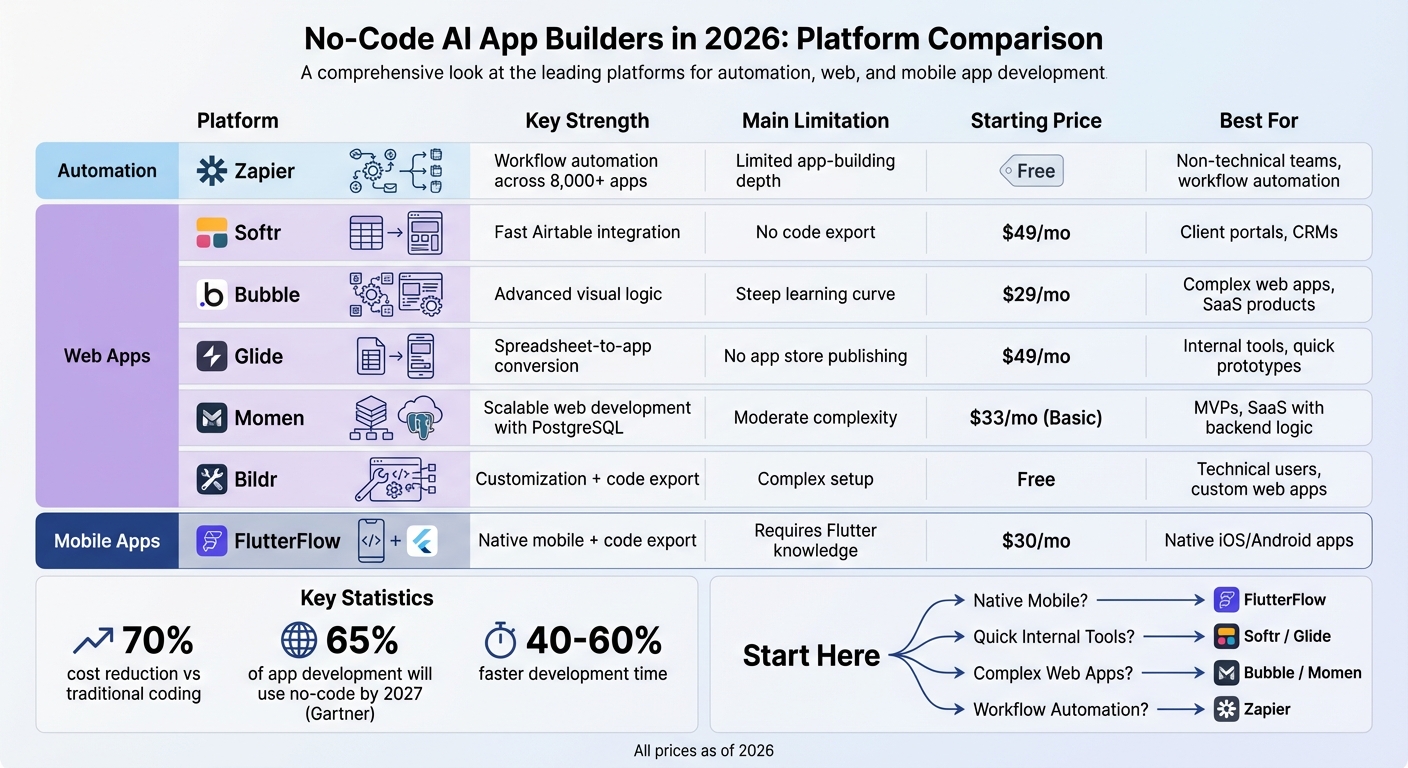
No-Code AI App Builders 2026: Platform Comparison Chart
1. Zapier
Zapier has evolved from a basic automation tool into a robust AI orchestration platform that connects over 8,000 apps. It enables users to create entire systems using plain English, thanks to its Copilot AI Assistant, which allows for the creation of forms, databases, chatbots, and AI agents - all without writing a single line of code [10, 11].
Features
Zapier focuses on streamlining automation over visual design, making it easy to build complete systems. It integrates advanced AI models to handle complex workflows and allows for the creation of autonomous AI agents capable of planning, evaluating, and executing tasks based on broad goals. With Zapier Tables, users can manage database schemas without any coding experience, while the visual workflow builder offers tools like customizable paths, filters, and delays to refine processes. Additionally, Zapier Interfaces simplifies the development of lead capture forms, landing pages, and client portals, complete with embedded AI chatbots [10, 11].
The platform’s real-world applications highlight its impact. For example, Remote, a global HR company, automated 28% of its IT support tickets, saving its three-person IT team over 600 hours monthly while managing 1,100 tickets for 1,800 employees. Similarly, ActiveCampaign achieved a 440% increase in webinar attendance and reduced churn by 15% within 90 days by leveraging AI-driven onboarding.
Jason Alvarez-Cohen, CEO of Popl, shared how building over 100 automated workflows with Zapier saved $20,000 annually: "It's not just about doing more. It's about doing it better, faster, and with fewer resources".
Pricing
Zapier offers a free plan that includes 100 tasks per month, unlimited 2-step automations, and access to its Forms and Tables tools. The Professional Plan starts at $29.99 per month (or $19.99 per month when billed annually), unlocking multi-step automations, premium app integrations, AI fields, and conditional logic. AI Chatbots and AI Agents are available as additional add-ons, with pricing based on task volume [11, 16].
User Suitability
Zapier is ideal for non-technical teams in marketing, sales, and customer support. Its intuitive setup and minimal learning curve make it a great choice for beginners and top AI tools for small business aiming to implement AI-driven automation. While it excels at managing backend logic and orchestrating workflows across multiple apps, those seeking detailed control over frontend design may benefit from pairing Zapier with a dedicated UI builder [10, 11].
AI Integration
Zapier's seamless AI integration sets it apart, acting as a central hub for embedding AI into essential business workflows across its vast ecosystem.
Marcus Saito, Head of IT and AI Automation at Remote, remarked, "Zapier makes our team of three feel like a team of ten."
This shift toward autonomous workflows, where AI adjusts strategies and makes decisions independently, eliminates tasks that once required human oversight.
Next, we’ll take a closer look at Softr to see how it stacks up in the no-code AI app-building landscape.
sbb-itb-212c9ea
2. Softr
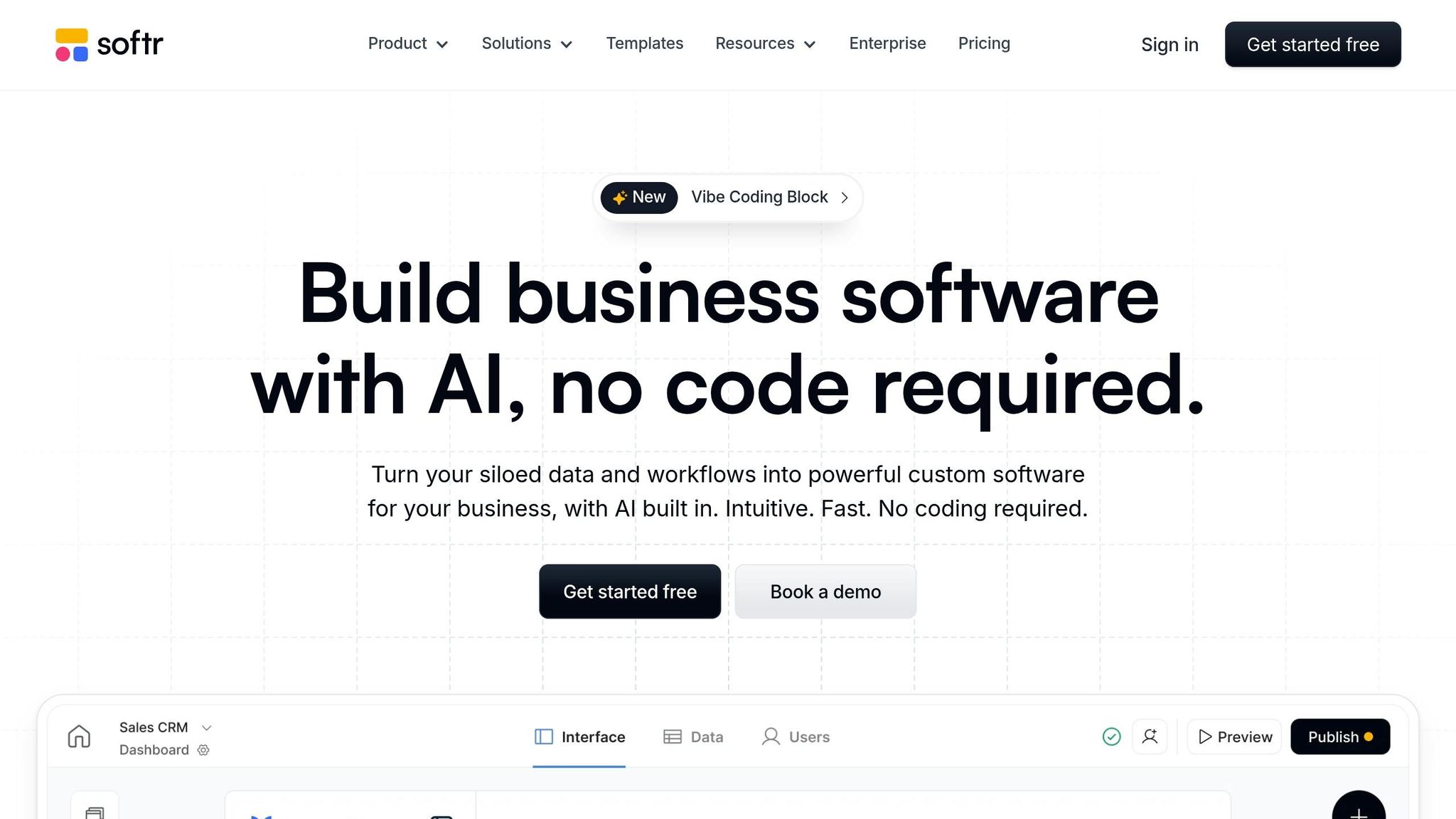
Softr transforms spreadsheets and databases into sleek, functional web apps, trusted by over a million teams worldwide. It integrates seamlessly with more than 15 data sources, such as Airtable, Google Sheets, Notion, HubSpot, SQL databases, and BigQuery, all in real time.
Features
Softr's drag-and-drop interface, combined with pre-built responsive blocks, lets users create apps in just minutes. It includes robust user management tools, featuring native authentication, role-based permissions, and conditional visibility. This means different users can interact with personalized data within the same app. Its workflow builder further simplifies tasks by automating actions like sending emails or updating records directly within the platform. Plus, Softr supports Progressive Web Apps (PWAs), enabling one-click conversion for mobile-friendly experiences.
"We're not coders or developers, but Softr is so easy to use and learn - it lets us run with our ideas."
- Ashley Kalinauskas, CEO of Torigen Pharmaceuticals
Pricing
Softr offers a Free plan, which includes 1 app, 10 users, 5,000 records, and AI credits. For more advanced needs, the Basic plan starts at $49 per month (billed annually), supporting 3 apps, 20–25 users, and custom code blocks. The Professional plan, priced at $139 per month (billed annually), allows unlimited apps and 50 users, making it a favorite among growing teams. For larger requirements, the Business plan costs $269 per month (billed annually), supporting up to 500 users and 25,000 workflow actions. Enterprise pricing is available for organizations needing tailored support and training.
User Suitability
Softr caters to non-technical teams, freelancers, and small-to-medium businesses looking to build solutions like client portals, CRMs, internal dashboards, or inventory trackers. It serves over 30 industries, including education, non-profits, real estate, and tech. It's particularly helpful for teams managing scattered data across multiple spreadsheets, offering secure user permissions and polished interfaces. However, it may not be the best choice for projects requiring real-time collaboration or complex backend logic.
"Softr enables us to build apps 10x faster than with custom code and at a much lower cost."
- Erik Sandsmark, Co-Founder and Chief Design Officer
AI Integration
Softr's AI features make app-building even easier. The AI Co-builder and 2026 Vibe Coding Block can generate complete app structures and custom UI components from simple English prompts. The Ask AI Assistant allows users to query live application data naturally, without needing API keys. In its first month, over 5,000 users activated this feature, with 87% reporting increased productivity and a 73% reduction in time spent on data analysis. Additionally, Additionally, AI automation tools like AI Agents streamline workflows by automating data entry, enriching records through web searches, and summarizing information for email workflows.
"By using AI where it makes sense, like vibe-coding custom blocks on top of a reliable, modern no-code infrastructure, you get the flexibility of AI with the stability needed to ship robust, production-ready business apps."
- profleaddev, Lead Dev
Next, we’ll take a closer look at Bubble’s approach to no-code AI app development.
3. Bubble
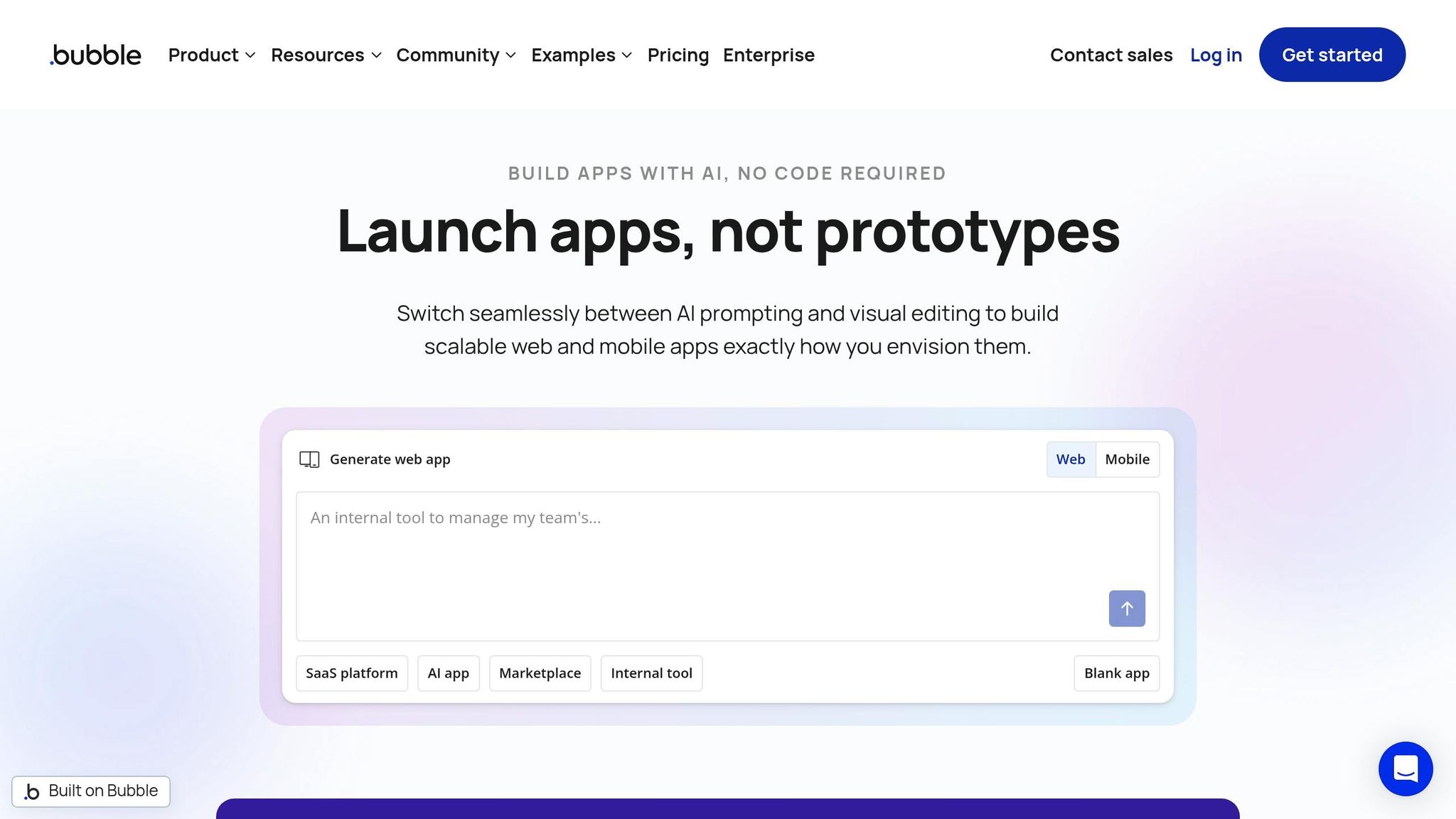
Bubble is a full-stack visual platform that combines AI-driven generation with manual control. It keeps everything visual, allowing users to transition smoothly to drag-and-drop editing when AI hits its limits. This eliminates the need for constant re-prompts, making the process more efficient. The platform strikes a balance between AI scaffolding and hands-on refinements.
Features
Bubble showcases how no-code app development has evolved, blending AI-powered scaffolding with user control.
Its AI Agent can create app structures from natural language inputs, generating pages, database schemas, and logic in under 10 minutes. After presenting a blueprint for user approval, the platform handles backend tasks with its integrated relational database, privacy settings, and enterprise-level hosting - no additional services required. The visual workflow engine supports advanced business logic, like multi-step processes, conditional triggers, and loops, making it perfect for complex SaaS products and marketplaces. New in 2026, Bubble introduced a public beta for its native mobile builder, enabling direct deployment to the Apple App Store and Google Play.
"Bubble is the only fully visual AI app builder that lets you vibe code without the code to launch real apps to real users - for both web and native mobile."
- Bubble Blog
Pricing
Bubble provides a Free plan for prototyping and learning. Paid plans include:
- Starter: $29/month (billed annually), includes custom domains.
- Growth: $119/month, with increased capacity and API access.
- Team: $349/month, adding collaboration tools, version control, and sub-apps.
- Mobile-only: Starting at $49/month.
- Combined web and mobile: Starting at $69/month.
All paid plans use a Workload Unit (WU) system, meaning costs may rise based on the app's compute needs and traffic.
User Suitability
Bubble is ideal for non-technical founders, SaaS creators, and agencies building apps with complex data structures and multi-user roles. It’s a go-to for CRMs, two-sided marketplaces, and enterprise tools where detailed control over business logic is critical. With a large no-code community and a plugin marketplace featuring thousands of expert-built tools, Bubble offers a rich ecosystem. However, the platform has a learning curve, and many business owners hire Bubble developers to finalize their apps. One limitation to note: Bubble doesn’t support code export, so migrating an app requires a rebuild.
AI Integration
Beyond initial app scaffolding, Bubble’s AI Agent assists with error troubleshooting and feature iteration. While it lacks built-in AI actions, its API Connector allows seamless integration with external models like OpenAI’s GPT-4, Anthropic's Claude, and DALL-E. The platform is highly rated (8/10) for its capabilities, though some users find its complexity a challenge compared to simpler tools.
"Bubble is the closest thing to building a custom-coded app without actually coding."
- Tyler Yin, AI Designer
Next, we’ll look at Glide’s mobile-first approach.
4. Glide
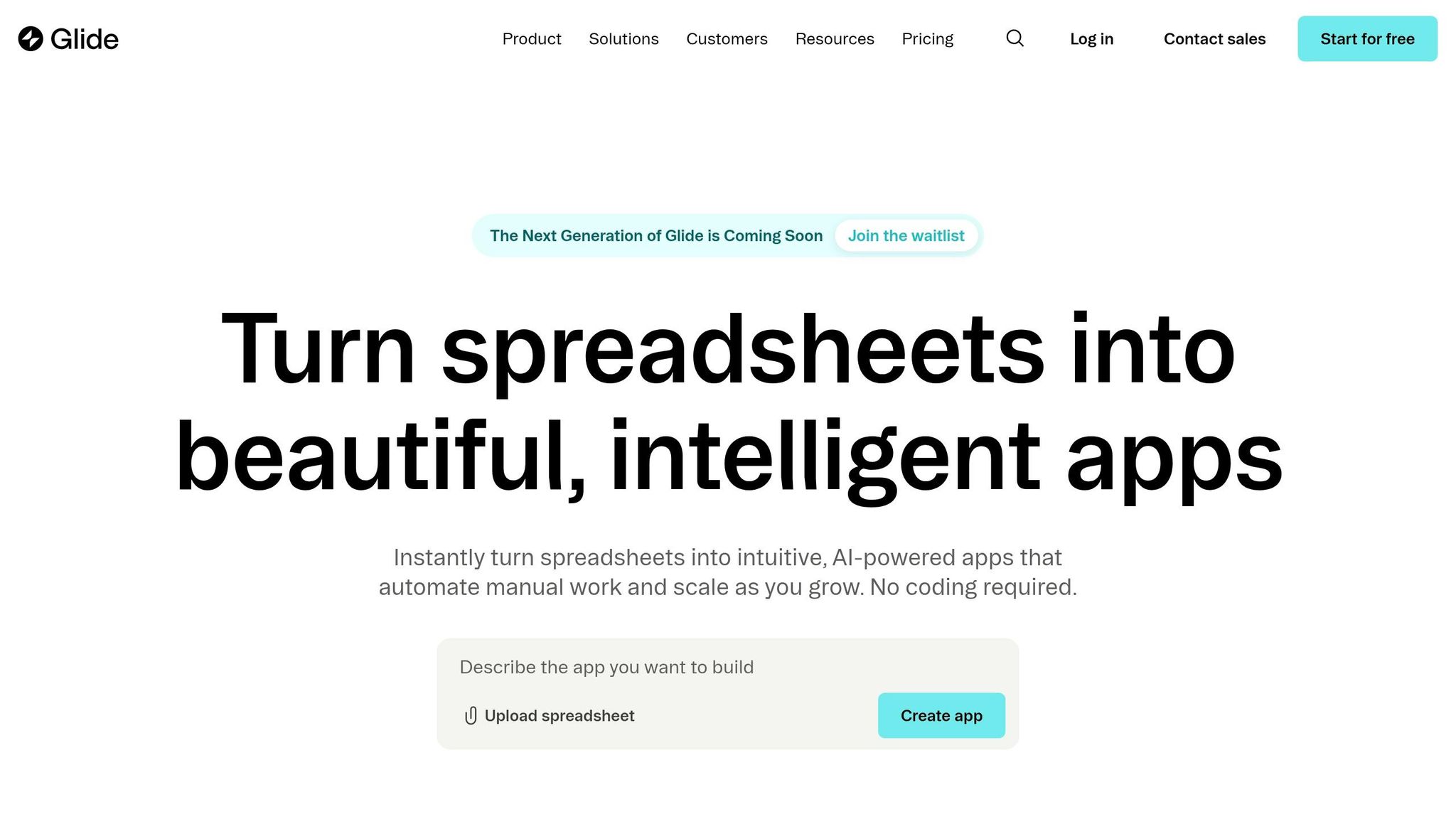
Glide turns your existing spreadsheet data into fully functional apps. If your team already uses tools like Google Sheets, Airtable, or Excel, Glide can transform that data into a working app in less than an hour - saving you from the typical 5–7 hours of manual work. This makes it a great option for businesses that need internal tools quickly without starting from scratch.
Features
One of Glide’s key strengths is its managed AI system. The platform takes care of tasks like model selection, API management, and infrastructure setup automatically, so you don’t have to deal with manual configurations. Glide also offers AI-powered data columns - referred to as integrated AI data operations - that handle tasks like summarizing text, detecting sentiment, and categorizing data directly within your rows. It can even process images and audio, using OCR to extract text from documents or receipts and transcribing audio into text.
Another standout feature is the AI App Generator. You can describe your app needs in plain language, and Glide will create a functional framework with screen layouts, navigation, and a data schema already in place. Apps built with Glide are deployed as Progressive Web Apps (PWAs), which means they’re accessible through any web browser and don’t require App Store approval. Glide’s built-in design system ensures apps look polished by default, earning it a 7/10 rating for output quality - the highest among visual app builders.
"With 600+ employees and data flowing from ops, finance, and HR, our Glide app has become our single source of truth - streamlining how we manage scheduling, equipment, performance, and people."
- Darren Murphy, Digital Specialist, Royal Greyhound
Glide’s real-world impact is impressive. For example, Lonestar created an app for over 100 field technicians, leading to a 15x boost in efficiency. Manfield Paris developed an inventory management app that allowed their team to handle the workload of two additional full-time employees. Yetipay used Glide to manage contracts and commissions for field reps, contributing to a 750% revenue increase.
These features are complemented by a pricing model designed to scale with your needs.
Pricing
Glide offers a Free plan for small projects and testing. For more advanced needs, you can choose from:
- Team: $60/month, supporting up to 10,000 rows.
- Business: $125–$249/month, with a 25,000-row limit and a $5 fee for each additional user.
- Enterprise: Custom pricing, offering unlimited rows and SOC 2 compliance.
AI operations are tied to your plan’s usage limits, so it’s smart to trigger them only when necessary (like during form submissions) to keep costs manageable.
User Suitability
Glide is trusted by over 100,000 businesses and is particularly useful for small to medium-sized companies or enterprise departments. It’s ideal for building internal tools like employee portals, inventory systems, and approval workflows. Non-technical users can often become productive within days, reflected in its ease-of-use rating of 8/10. However, Glide isn’t the best choice for consumer-facing apps that need to be published on the Apple App Store or Google Play. Its PWA-only distribution and per-user pricing make it less practical for projects requiring large-scale, external user access. If native app store publishing is a must, you’ll need to explore other platforms [37,39].
AI Integration
Glide’s AI features go beyond building the initial app framework. Its AI columns can perform ongoing data operations without requiring external API setups. For example, you can create workflows that extract text using OCR and then analyze its sentiment - all within the platform. Glide also caches prompts and responses to minimize redundant calls and boost performance.
While Glide’s overall score is 5.20/10 based on 345 citations from 12 platforms, users often highlight its ability to deliver professional results with minimal effort. Its strengths lie in its managed infrastructure and seamless integration with spreadsheets, making it a practical choice for teams focused on speed and simplicity over deep customization.
Next, we’ll explore Momen’s approach to visual development.
5. Momen
Momen brings together design, database management, and backend logic into a single platform, offering teams complete control over their data and workflows. Unlike platforms that depend on external spreadsheets, Momen uses a built-in PostgreSQL database. This ensures ACID compliance and keeps latency typically under 200 milliseconds.
Features
Momen provides a visual interface where users can design layouts (similar to Figma), define database structures, and build backend logic using "Actionflows" - all without coding. It’s built to handle scale, supporting up to 1 million daily users and accommodating tables with 100 million rows. For example, one application achieved a 99th percentile latency under one second while managing 120,000 daily users.
Real-world examples highlight its capabilities:
- Minicollector, a card collection app by Anthony Xu, generates over $400,000 annually while managing 4 million SKUs with automated inventory and shipping.
- Futurise Community, created by Leon Petrou, reached 1,000 active members and became monetized within a week using a RAG-based AI search assistant.
Deployment is quick and efficient, allowing users to launch both frontend and backend in under 30 seconds with a single click. For developers seeking more customization, Momen supports JavaScript logic, React components, and a self-documenting GraphQL API. Teams can collaborate in real-time, with up to 10 members working simultaneously and syncing instantly.
Pricing
Momen offers flexible pricing to suit different needs:
- Free: $0/month, ideal for personal demos, includes 1 AI customization/API/Actionflow and web publishing.
- Basic: $33/month, featuring white labeling, custom domains, and unlimited AI customizations/Actionflows/APIs.
- Pro: $85/month, adding payment integration (no service fees), multi-frontend support, and SSO/permission control.
- Enterprise: Custom pricing tailored for enterprise-level services.
User Suitability
With over 300,000 founders using Momen to serve more than 10 million users, it’s a go-to platform for:
- Non-technical founders building MVPs.
- SaaS developers needing scalable infrastructure.
- Specialists automating business processes.
"Momen is ideal for apps that require backend logic and workflows, building scalable, production-ready software, and AI-first products with complex agent behavior."
- Alex Chen, Momen Technologies
AI Integration
Momen includes a fully visual, production-ready AI Agent Builder. Users can define agent roles, set goals, and configure inputs, leveraging Retrieval Augmented Generation (RAG) and session memory. It supports various LLMs, either through pre-integrated models or BYOM (Bring Your Own Model), including OpenAI, Gemini, Claude, Grok, and Cohere.
These AI agents can use "toolkits" to autonomously call APIs, execute Actionflows, or query databases. They also generate structured outputs in typed JSON formats. Every interaction is logged with searchable AI logs, making it easy to track how the agent used tools and understand its inputs and outputs - simplifying debugging and iteration.
"Momen's architecture centers on its native PostgreSQL database integration, delivering typical latency under 200 milliseconds."
- Yaokai Jiang, CEO, Momen
6. Bildr
Bildr combines a drag-and-drop interface with the flexibility to include custom JavaScript, CSS, and Python, making it a go-to option for users who want visual tools with the ability to add custom extensions when needed. It's specifically tailored for creating web apps and PWAs, though it doesn't directly support native app publishing.
Features
Bildr provides a blank canvas for users, enabling pixel-perfect customization and full CSS control. Its API-centric design allows users to visually connect API responses to UI components. You can also tweak headers, query parameters, and payloads, making it easier to handle complex backend setups. Workflow automation is simplified with a visual editor that uses triggers, conditions, and actions like database updates or API requests.
Real-time collaboration is another standout feature, letting team members work on projects simultaneously, with updates syncing instantly. Bildr supports a range of applications, including SaaS products, internal tools like CRMs and dashboards, Chrome extensions, and PWAs. It also integrates seamlessly with third-party tools such as Stripe for payments, Firebase for real-time databases, and Auth0 for secure authentication.
Pricing
Bildr offers several pricing plans to cater to different needs:
- Explore Plan: Free (1 builder seat, 1 GB bandwidth, 20,000 data records).
- Launch Plan: $29/month (includes a custom domain and removes Bildr branding).
- Pro Plan: $119/month (offers unlimited development environments, server-side functions, partial publishing, and up to 250,000 database records).
- Scale Up Plan: Starting at $500/month (features enterprise-level tools, personalized onboarding, and premium support).
Additionally, a Studio Pass is available for a one-time payment of $999.
User Suitability
Bildr is ideal for technically inclined users who are familiar with databases, APIs, and JSON. It caters to individuals and small teams looking to create highly customized internal tools rather than consumer-facing mobile apps. With only about 15 pre-made templates available, users should be comfortable starting projects from scratch.
"If you're a developer or at least have some technical background, you probably possess enough skills to use Bildr comfortably."
- Adalo Team
AI Integration
While Bildr doesn't heavily focus on native AI features, it integrates smoothly with external AI services like OpenAI. These connections enable users to build AI-powered tools and custom web apps with ease. The platform's robust API capabilities further simplify the process of incorporating advanced AI functionalities from third-party providers.
This strong emphasis on customization and AI integration leads us to our final review of FlutterFlow.
7. FlutterFlow
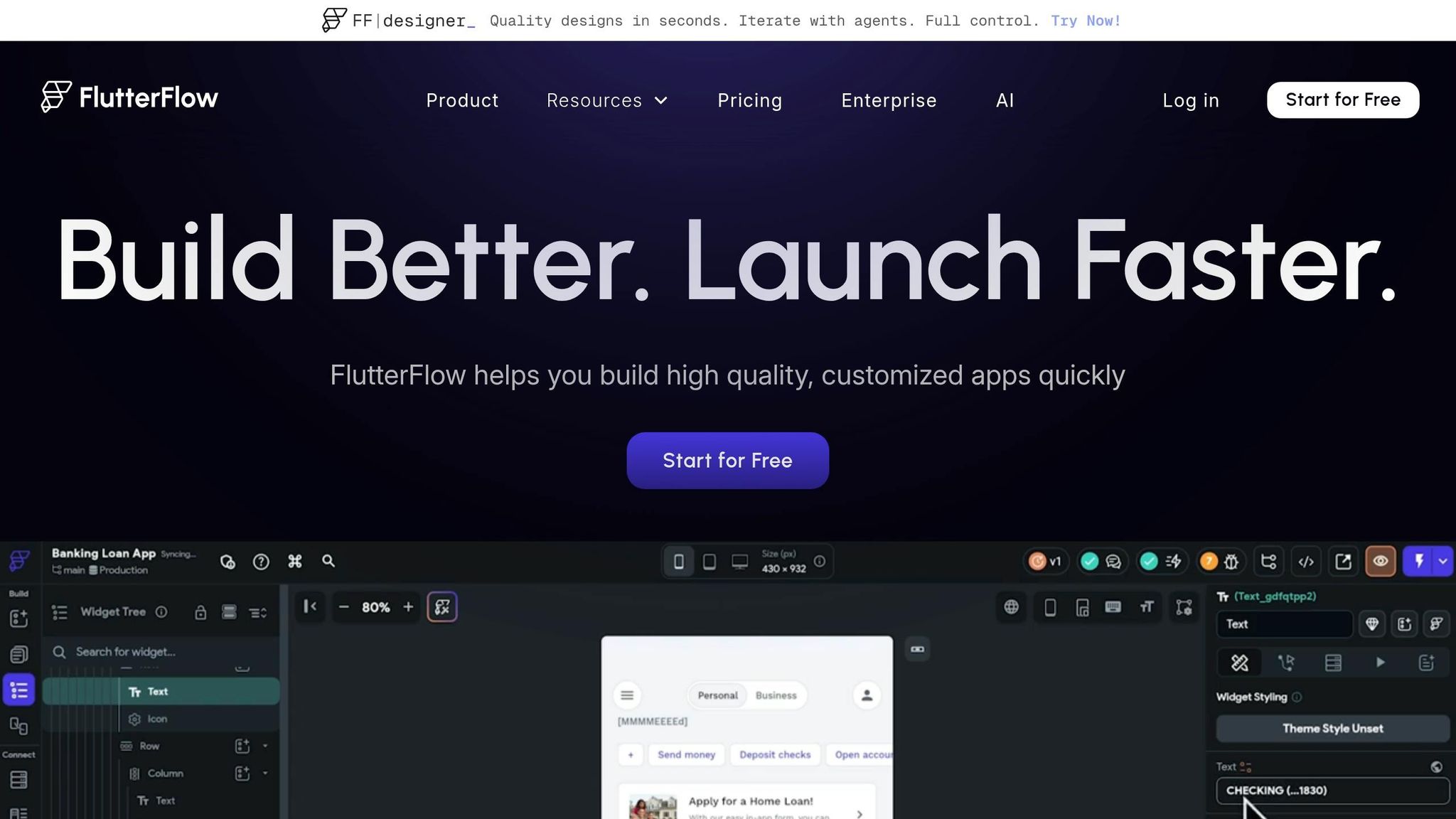
FlutterFlow steps into the native mobile app space, offering a powerful toolset for building apps with Google's Flutter SDK. It compiles directly to native ARM code, ensuring smooth performance on both iOS and Android devices.
Features
FlutterFlow's Action Flow Logic system simplifies complex tasks like setting up conditional logic, API integrations, and backend functions through a visual interface. It seamlessly integrates with Firebase for authentication, Firestore databases, and cloud storage, as well as Supabase for PostgreSQL backends. Additionally, it supports custom REST APIs, giving developers flexibility to connect with external services.
Development teams benefit from features like GitHub integration, project branching, and version control, making collaboration more efficient. The platform also streamlines deployment with one-click publishing to the Apple App Store and Google Play Store. When used strategically, FlutterFlow can reduce development time by an impressive 40–60% during the early stages of product development.
This combination of native performance and efficient workflows makes FlutterFlow a strong choice for teams that value code ownership and scalability.
Pricing
| Plan | Monthly Cost | Features |
|---|---|---|
| Free | $0 | Visual builder, basic features |
| Standard | $30–$39 | Code download, APK publishing, basic AI requests |
| Pro | $70–$80 | One-click publishing to App Stores, GitHub integration |
| Business | $150+ | Team collaboration, automated testing, managed deployment |
Note: FlutterFlow does not include an integrated database, so external backend services like Firebase or Supabase are necessary for data management.
User Suitability
FlutterFlow is best suited for technical founders, developers, and startups - especially those backed by venture capital - who need native mobile performance and full code ownership. It's particularly effective for apps that require direct access to device hardware like GPS, cameras, or other features. However, it does come with a moderate to high learning curve, as users need a basic understanding of programming logic, API setup, and database management.
"If owning your code is important, FlutterFlow is the clear winner."
- Bee Law, FlutterFlow
AI Integration
FlutterFlow's AI Gen feature takes app development a step further by offering tools like prompt-to-page and prompt-to-component generation. These tools allow users to create UI layouts and app structures simply by describing them in natural language. The platform also connects with top AI providers like OpenAI, Google Gemini, and Anthropic Claude for advanced capabilities like text generation and reasoning. Additionally, it supports AI-powered Figma-to-code imports, automatically mapping colors, fonts, and design assets.
"FlutterFlow also lets you export and import clean code without any bulk or obfuscation."
- Jesus Vargas, Founder, LowCode Agency
One of FlutterFlow's standout features is its emphasis on complete code ownership. Developers can export clean Flutter/Dart source code and continue working in local IDEs like VS Code, eliminating the risk of vendor lock-in. This makes it an excellent choice for hybrid workflows, where teams can prototype visually and then refine the code manually for more control.
Pros and Cons
After diving into detailed reviews, here's a simplified breakdown of the upsides and downsides of each platform.
Each platform has its own strengths and drawbacks. Zapier is excellent for automating workflows between tools but doesn't dive deep into full-scale app development. Softr shines by turning Airtable or Google Sheets into sleek portals in just minutes, though it lacks the ability to export code. Bubble offers a robust visual logic builder and a vast plugin library, making it ideal for building complex web apps, but the learning curve can take weeks to overcome.
Glide is perfect for converting spreadsheets into functional apps with real-time syncing, yet it doesn’t support direct publishing to app stores and has significant price jumps between plans. Momen provides a well-rounded option for web development, while Bildr stands out with its free plan and code export capabilities, though its setup can be tricky. FlutterFlow delivers native iOS and Android performance with full code export, but customizing deeply requires familiarity with Flutter and Dart.
As of 2026, the main trade-off boils down to simplicity versus ownership. Platforms like Bubble and Softr keep you locked into their ecosystems, while AI-powered tools like FlutterFlow allow you to export your code and retain control. While traditional custom software can cost upwards of $10,000, no-code platforms typically range from $20 to $50 per month, slashing development costs by up to 70% compared to traditional coding methods.
"By 2027, over 65% of application development will involve low-code or no-code tools."
- Gartner
Performance differs greatly between platforms. Companies using AI-driven tools report cutting development time by 40% or more, and 70% of development teams plan to expand their use of AI tools in 2026. Platforms that don’t offer code export are gradually falling behind as users increasingly favor those that provide full source code ownership.
Here’s a quick comparison of each platform’s key advantage, main drawback, and starting price:
| Platform | Key Strength | Main Limitation | Starting Price |
|---|---|---|---|
| Zapier | Workflow automation | Limited app-building depth | Free |
| Softr | Fast Airtable integration | No code export | $49/mo |
| Bubble | Powerful visual logic | Steep learning curve | $29/mo |
| Glide | Spreadsheet to app conversion | No app store publishing | $49/mo |
| Momen | Balanced web development | Moderate complexity | Varies |
| Bildr | Free tier with export | More complex setup | Free |
| FlutterFlow | Native mobile + code export | Requires Flutter knowledge | $30/mo |
Conclusion
After reviewing the key features, pricing, and ease of adoption, the choice of the best no-code AI platform in 2026 ultimately depends on your project needs and the level of control required. For startups focused on native performance and code ownership, FlutterFlow stands out as a strong option. On the other hand, creators working on web-based SaaS or marketplace projects might lean towards Bubble, thanks to its advanced logic capabilities, even if it comes with a steeper learning curve.
For small businesses or individual creators building internal tools or client portals, platforms like Softr and Glide are ideal. These tools transform spreadsheets into functional apps at competitive monthly rates, making them accessible and practical. Teams prioritizing workflow automation over full app development often turn to Zapier. Meanwhile, for teams seeking balanced web development with integrated AI features, Momen and Bildr are popular choices, with Bildr offering the added benefit of code export capabilities.
The analysis highlights a clear divide in platforms as of 2026: those that generate exportable code, like FlutterFlow and Bildr, versus those that focus on speed and managed hosting, such as Softr and Glide. Interestingly, nearly 60% of custom apps today are created by citizen developers outside traditional IT departments, and no-code platforms can slash development costs by up to 70% compared to conventional methods.
"Gartner predicts that by 2027, over 65% of application development will involve low-code or no-code tools." - Gartner
When selecting a platform, it’s wise to make a three-year assessment to ensure it supports custom backend logic and offers hosting independence. Redeveloping later can be costly. For those needing to validate an idea quickly, starting with a rapid prototyping tool and transitioning to a more robust platform after achieving product-market fit is often the best strategy.
FAQs
Which platform is best if I need to avoid vendor lock-in?
When trying to avoid vendor lock-in, it's crucial to pick a platform that lets you export your code completely and supports independent hosting. For example, platforms like Lovable and Bolt.new allow you to export real React code, giving you the freedom to self-host your app. This ensures you maintain long-term control over your project. On the other hand, platforms that restrict code export can limit your flexibility and keep you tied to their ecosystem - something worth steering clear of.
Can I publish to the Apple App Store and Google Play with these tools?
Yes, most no-code AI app builders allow you to publish apps on both the Apple App Store and Google Play. These platforms typically generate native iOS and Android apps, streamlining the deployment process. They’re built to make publishing production-ready apps straightforward, even for those without coding experience.
What should I estimate for total cost beyond the monthly plan?
When planning your budget, don't just stop at the monthly subscription fee. You’ll also need to account for additional expenses like backend services (ranging from $15 to $25 per month), hosting upgrades (about $20 per month), and domain registration (roughly $15 annually). On top of that, keep an eye out for API overages, which can add to your costs if usage exceeds the limits. Altogether, these extras can push the total monthly cost for production apps to somewhere between $50 and $100. Make sure to include these potential costs in your budgeting to avoid surprises.