
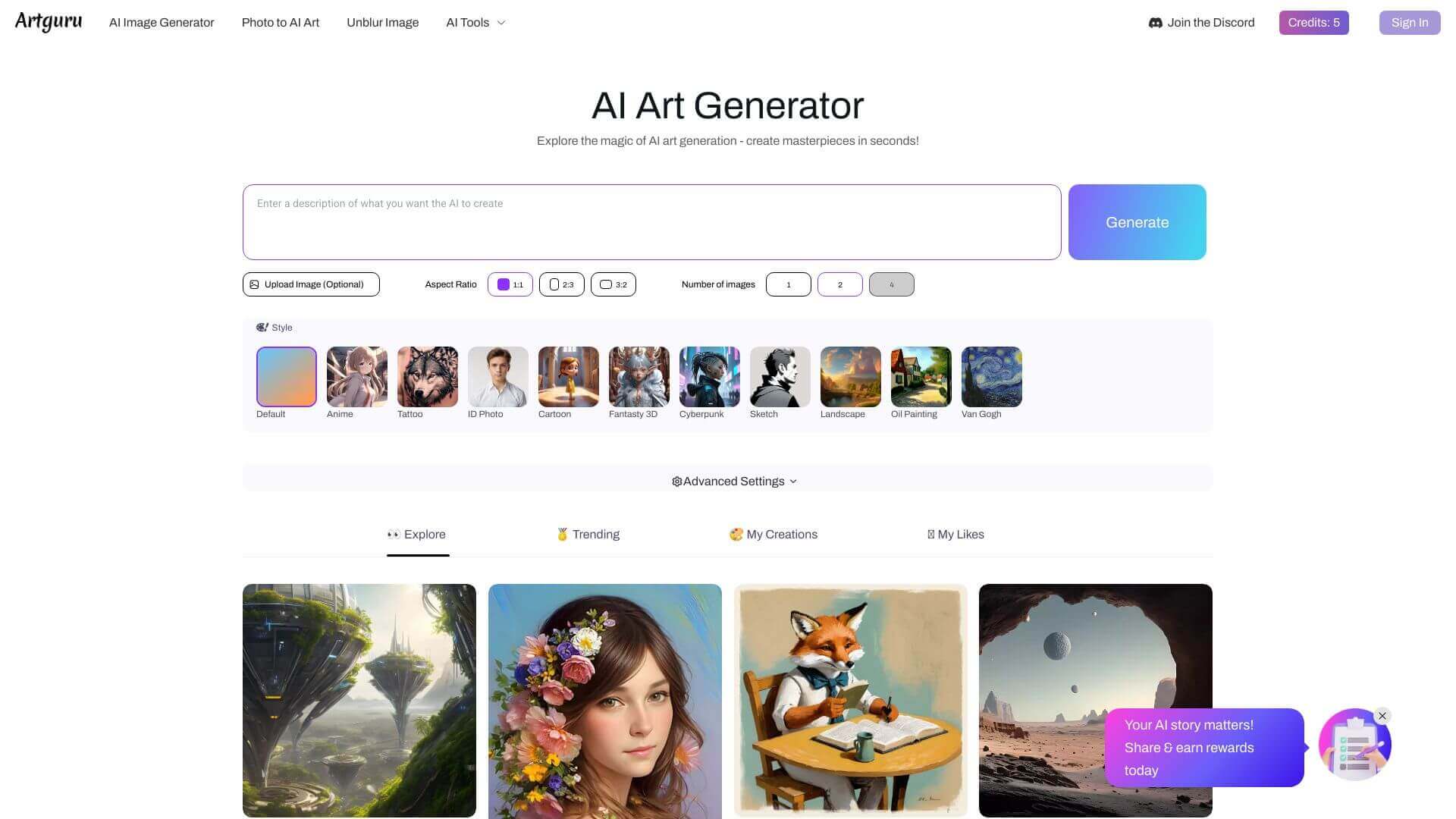
Artguru is an AI Image tool. Artguru AI creates images, swaps faces and enhances photos with AI. Create art or improve your photos easily! Key features include AI Art Generator, AI-powered Face Swap, and AI Photo Enhancer. Best for teachers, designers and content creators.
About Artguru
Artguru is a multi-purpose AI image tool that bundles art generation, face swapping, photo enhancement, and image-to-video conversion. The breadth is the appeal: instead of jumping between separate apps for different creative tasks, Artguru handles each one in a single interface.
The typical workflow
Pick the tool you need (generate art from a prompt, swap faces in an existing image, enhance a low-quality photo, or animate a still picture) and run it. Output ships in high resolution up to 4K across multiple aspect ratios, suitable for use across web, print preview, social, and personal projects. Reference images can guide the generation when you want consistency with an existing style.
The features that matter
- AI art generator producing artwork from text descriptions across realistic, fantasy, and stylized aesthetic ranges
- AI-powered face swap for swapping faces in both images and videos with consistent quality across the swap
- AI photo enhancer that restores and improves low-quality or old photos, recovering detail that lighting or sensor limitations originally lost
- AI video generator that converts static images into short animated videos, useful for bringing portraits or product shots to life
- Reference image support letting users upload sample images to guide the AI's style direction, useful for maintaining visual consistency across a project
- Multiple aspect ratios and high-resolution output covering 1:1, 2:3, 3:2, and other formats up to 4K resolution, so output can be used directly without re-rendering
Honest trade-offs
Artguru's breadth is its strength and its limitation. The combined toolset is convenient when you need several AI image capabilities for one project, but each individual capability rarely matches dedicated specialists. Midjourney still produces better stylized art, dedicated face swappers like DeepSwap have more options on the face-handling side, and tools like Topaz Photo AI lead on photo enhancement specifically. What Artguru offers is the integrated workflow with free-tier access. A single tool that handles most of what a casual creator needs without requiring separate subscriptions to multiple specialized platforms.
Key Features
AI Art Generator.
AI-powered Face Swap.
AI Photo Enhancer.
AI Video Generator.
Reference Image Support.
Multiple Aspect Ratios and High-Resolution Output.
Frequently Asked Questions
Yes, Artguru AI lets you swap faces in videos.
First, log in. Then, pick the photo enhancement tool and upload your image.
The free plan of Artguru AI has fewer features, and images have watermarks.
No, you need the internet to use Artguru AI.



