Audioalter is an AI Audio Generators tool. Audioalter edits audio files online. It's great for quick fixes and adding cool effects without downloads. Key features include Basic Audio Editing Tools, Advanced Audio Effects, and 3D Audio Effects. Best for content creators, musicians and music producers and filmmakers and video editors.
About Audioalter
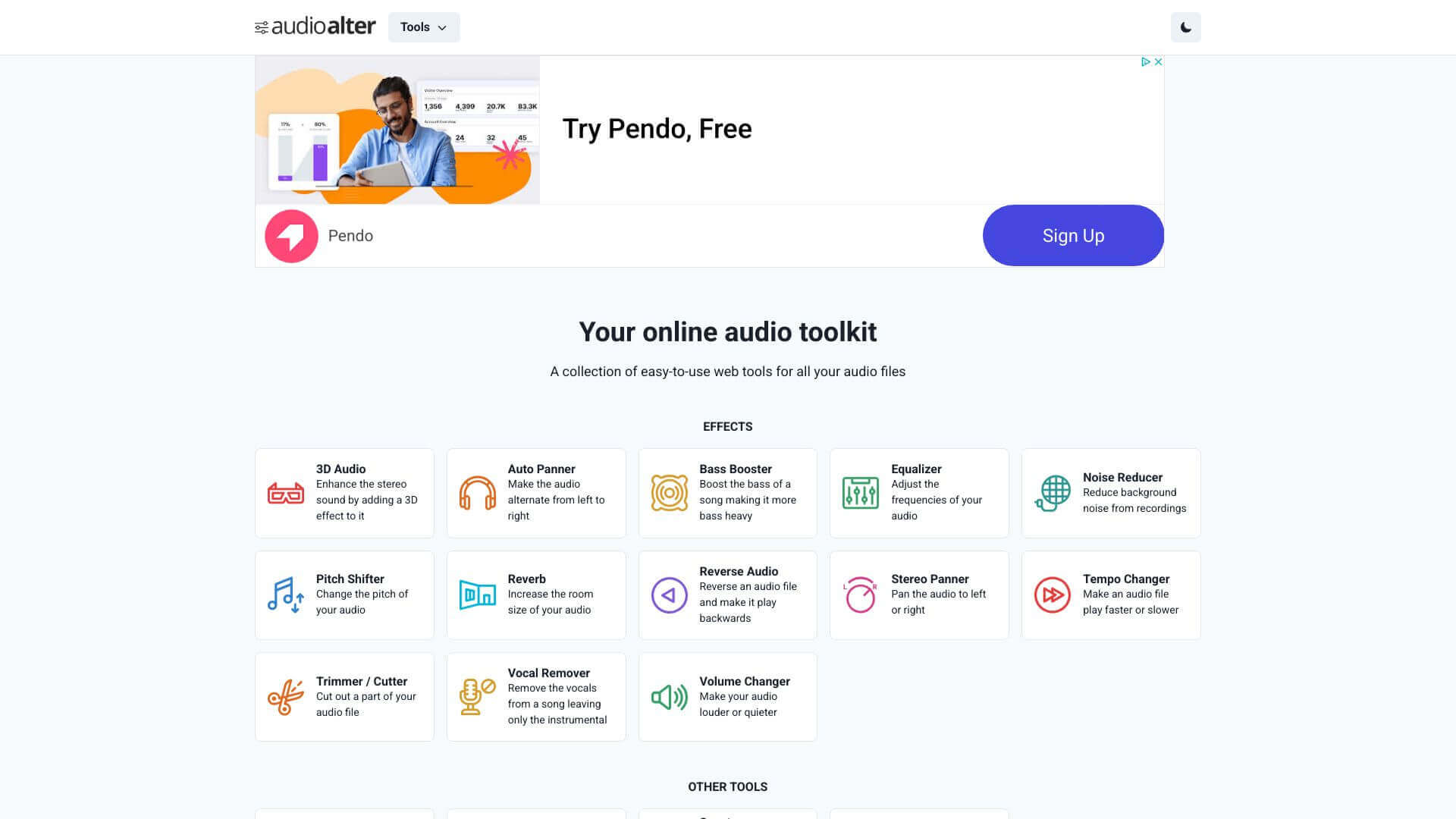
Audioalter is a browser-based audio editor for people who need to make a quick change to a sound file without installing software. The site groups dozens of small tools (trim, merge, vocal remove, noise reduction, pitch shift, 3D audio effects) into a single interface, with each tool handling one job rather than burying you in a full DAW.
The core features that matter
- Basic audio editing tools for the standard operations: trim a clip, cut sections, merge tracks together, or split a long file into shorter pieces
- Advanced audio effects spanning reverb, echo, pitch shifting, distortion, and other character changes typically only found in paid plugins
- 3D audio effects that create a spatial, immersive feel. Useful for podcast intros, ambient tracks, or video projects that need a fuller mix
- Vocal removal to strip the singer out of a song and produce a karaoke or instrumental version, with quality that depends heavily on how the original was mixed
- Noise cancellation for cleaning up background hum, room tone, or fan noise from recorded audio
- Batch processing so you can apply a setting to multiple files at once instead of running each one through manually
How it stands out
The audio software market splits into two ends: full DAWs like Audacity or Reaper that take hours to learn, and single-purpose web tools that handle one task. Audioalter sits in the second camp but ships more tools under one roof than competitors like AudioMass or 123apps. For someone who edits audio occasionally rather than daily, it's a more sensible starting point than installing a DAW and learning a new interface.
The honest limit is quality: browser-based audio processing can't match the precision and signal integrity of a desktop DAW for serious music production. For trimming a podcast, removing vocals from a song for fun, or cleaning up a voice memo before sharing, Audioalter handles the job and skips the friction of file format conversions and software installs.
Key Features
Basic Audio Editing Tools.
Advanced Audio Effects.
3D Audio Effects.
Vocal Removal.
Noise Cancellation.
Batch Processing.
Frequently Asked Questions
Yes, Audioalter supports MP3, WAV, FLAC, and OGG formats.
Yes, since it is a browser-based application, users can access Audioalter from any internet-enabled device, including mobile phones.
Yes, Audioalter includes features for noise cancellation to improve audio quality.
Yes, Audioalter offers a free plan with basic features.