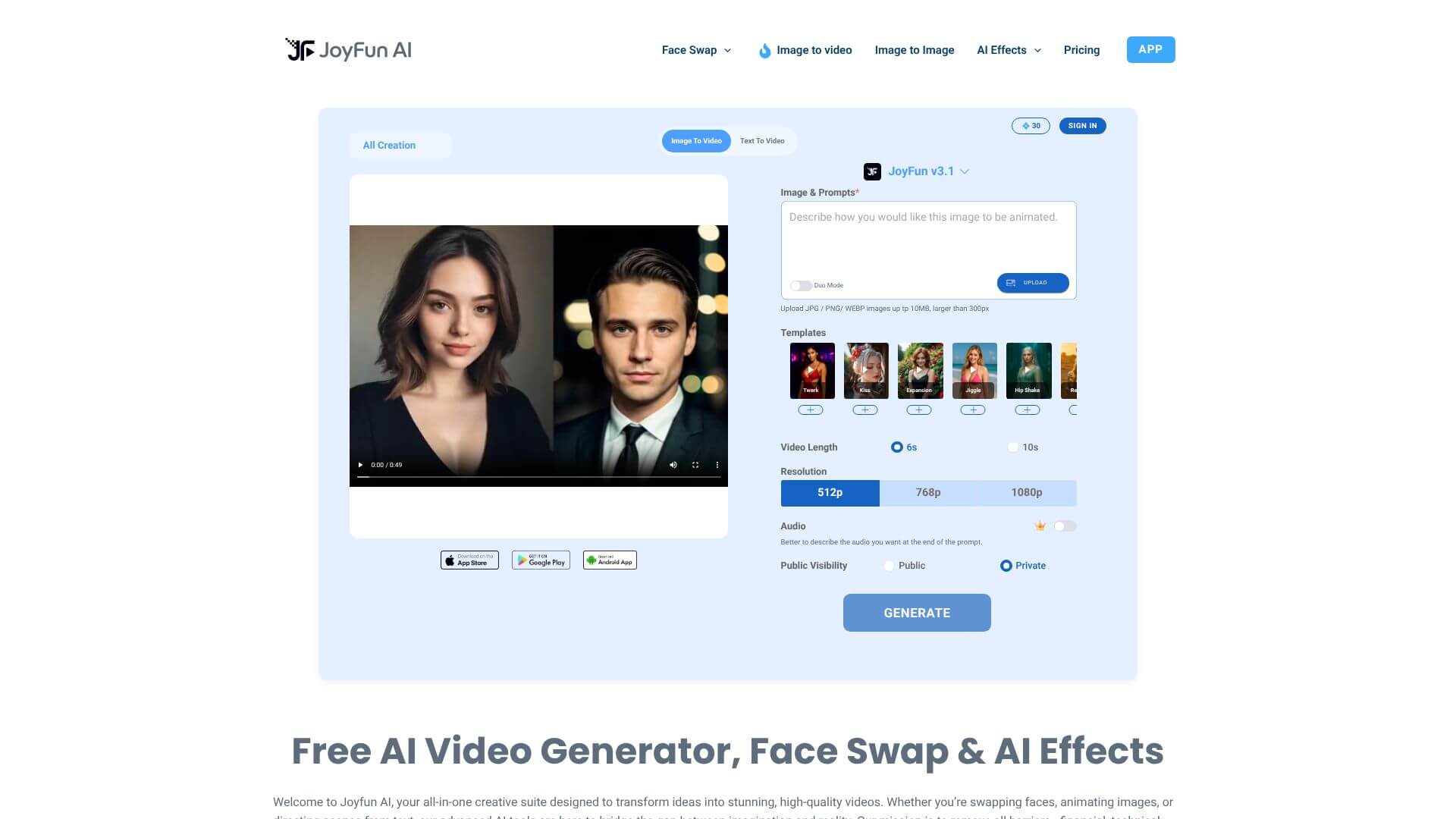
JoyFun AI is an AI Video tool. Generates free AI videos from text or images, including face swaps, with no sign-up. Key features include Face Swap & Video Face Swap, Image to Video Generator, and Text to Video Generator. Best for content creators, marketers and social media managers.
About JoyFun AI
JoyFun AI targets one of the biggest barriers to AI video creation: the price tag. Most generators that produce 1080p output cost real money per generation, often with sign-up walls and credit systems that make casual experimentation painful. JoyFun runs in the browser, requires no login, and outputs full HD for free.
How it works
The platform combines three different generation modes: text-to-video, image-to-video, and face swapping for both still images and existing video clips. Behind the scenes it runs on a mix of established models including Sora Engine, Runway Gen-3, and Kling 2.1. Picking which engine handles your prompt is part of how the tool keeps outputs varied and lets users find the model that fits a given style.
Where it pays off
- Face swap and video face swap across photos or onto existing video clips, useful for memes, custom thumbnails, or testing how a concept reads with different talent
- Image-to-video generator. Describe a motion or camera move in text, attach a photo, and get a short clip back without keyframing anything by hand
- Text-to-video generator. Describe a scene in words and get a complete short video, suitable for social posts and storyboard reference
- One-click AI video effects. Preset templates like AI Dance Video, AI Kissing Video, AI Twerk Video, and AI Bikini Video apply specific animations without you writing prompts at all
- 1080p Full HD output on the free tier, which is genuinely uncommon. Most competitors gate full-resolution exports behind paid plans
- Premier AI model integration, with multiple frontier engines available rather than a single proprietary model
What to know before using it
The no-sign-up, free 1080p combination usually comes with trade-offs, and JoyFun AI is no exception. Expect queue times during peak hours, watermarks on some output modes, and limits on clip length. For quick experimentation or one-off projects, those constraints are tolerable. For sustained production work, you'll outgrow the free tier fast.
Key Features
Face Swap & Video Face Swap.
Image to Video Generator.
Text to Video Generator.
AI Video Effects.
1080p Full HD Output.
Premier AI Model Integration.
Frequently Asked Questions
Yes, Joyfun AI is totally free! You can make as many videos as you want without paying anything.
You sure can! All the videos you create with Joyfun AI are yours to use for personal or business stuff, like YouTube, ads, or showing off your work.
Nope! You don't need to sign up for anything. Just visit the Joyfun AI website, pick a tool, add your stuff, and start making videos!
Joyfun AI videos can be up to 10 seconds long and are in full HD, so they look really good!