
OpenAI Playground logo

OpenAI Playground Review

OpenAI Playground lets you test and play with AI like GPT-4o. Tweak settings to create custom AI for coding, writing, and more.

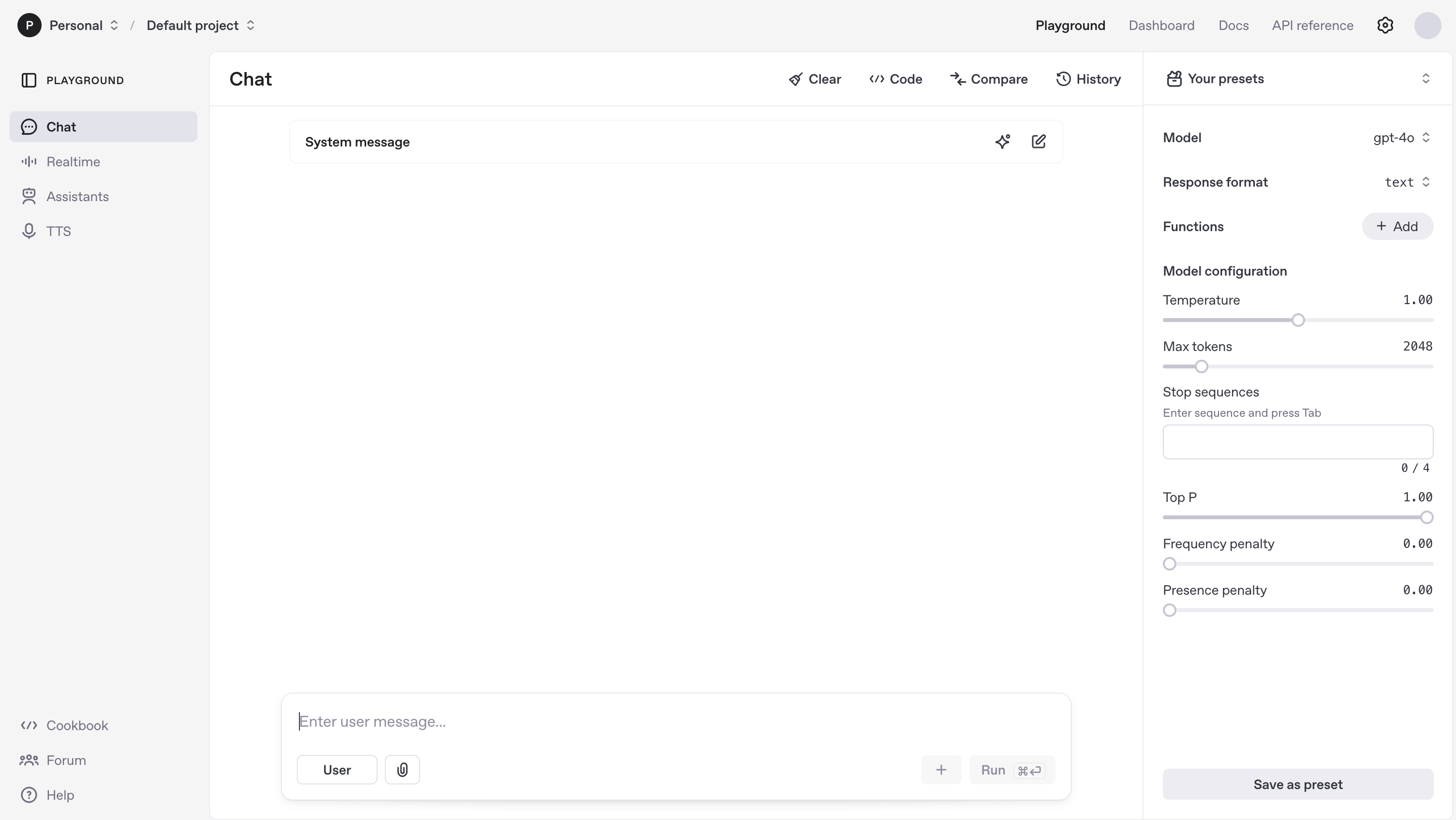
OpenAI Playground screenshot

OpenAI Playground is a Large Language Models (LLMs) tool. OpenAI Playground lets you test and play with AI like GPT-4o. Tweak settings to create custom AI for coding, writing, and more. Key features include Multi-MimeType Outputs, Custom AI Assistants, and Advanced Model Controls. Best for software developers and engineers and social media managers.

5.0 (5 reviews)29 upvotes6 key features6+ alternatives →

About OpenAI Playground

This is a space for trying out AI models. You can build custom chatbots, help with coding, or even make audio from text. It's great for developers and those who want to customize AI, offering lots of control over how the AI works. It can be a little hard to get started if you're not technical.

Key Features

Multi-MimeType Outputs.

The Playground creates text, audio, images, and files. It uses tools for Python code and file analysis.

Custom AI Assistants.

Need a chatbot for accounting or coding? Build it! Give it instructions and save it for later.

Advanced Model Controls.

Pick your model, like GPT-4o or GPT-3.5. Adjust settings like temperature for unique results.

Research & Analysis Tools.

Summarize content fast, generate research reports, and find insights in documents. Upload files for better responses.

Coding Assistance.

Debug code, get suggestions, run Python, and automate tasks. Upload entire code folders for analysis.

Text-to-Speech (TTS).

Turn text into audio. Great for accessibility or voiceovers.

Frequently Asked Questions

Log in with your OpenAI account. Then, check out the Playground modes like Chat, Assistants, and Complete. Pick tools like code interpreter or TTS depending on what you need to do.

Yes, you can use API integration to add AI assistants to your apps. But, it doesn't have as many direct plugin options as ChatGPT Plus.

Yup! Use model presets and adjust settings like temperature to get the right mix of creativity and sense.

It's open to everyone, but it's better for developers and power users because of its advanced settings.


User Reviews

Similar Tools

View all →