Productivity
12 AI Apps That Replaced My Entire Software Stack (and Saved Me $500/Month)
I replaced a dozen paid tools with 12 AI apps, cutting my software bill from $487 to $73/month and streamlining content, design, and development workflows.

12 AI Apps That Replaced My Entire Software Stack (and Saved Me $500/Month)
Tired of juggling dozens of apps and wasting money on overlapping subscriptions? I was too. Running a one-person business, I was burning $487/month on tools like Jasper, Grammarly, Canva, SEMrush, and more. After a deep audit, I replaced my entire software stack with 12 AI apps, cutting my monthly costs to just $73. That’s a $414 savings every month - or almost $5,000 a year.
Here’s how I did it:
- Consolidated tools: Found AI apps that replaced multiple services.
- Saved time: Tasks that took hours now take minutes.
- Streamlined workflows: No more app-jumping or redundant software.
For example, ChatGPT Plus ($20/month) replaced Jasper, Grammarly, and Hemingway, saving $129/month while cutting blog writing time in half. Midjourney ($30/month) replaced design tools like Canva Pro and Shutterstock, saving $28/month and reducing image creation time from 20 minutes to 2 minutes.
These 12 tools reshaped how I work - efficient, affordable, and effective. Let’s dive into the apps that made this transformation possible.
Finding AI Tools with AIapps.com
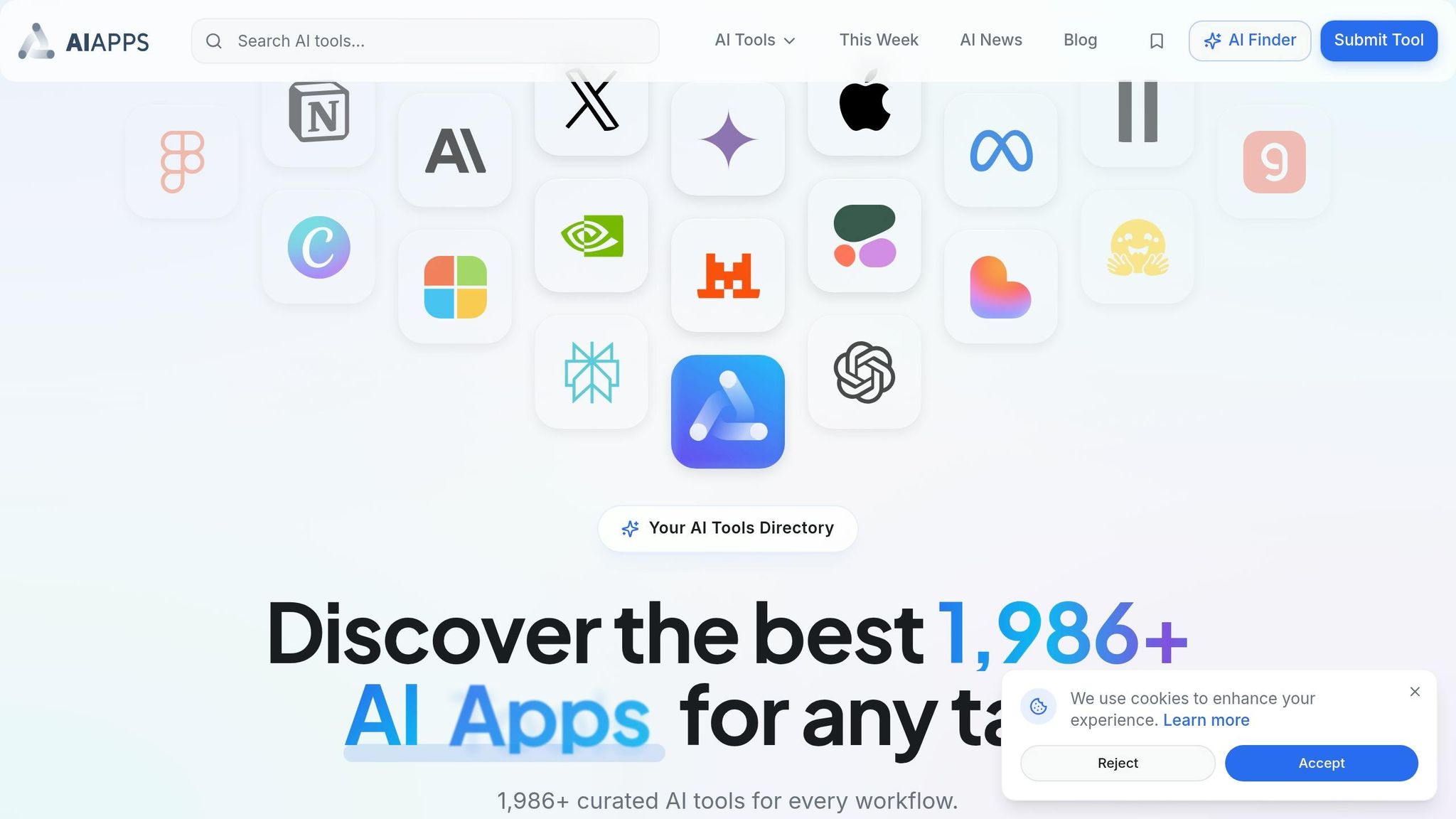
When I was conducting a software audit, I faced a big challenge: how do you sift through thousands of AI tools to find the right ones? I decided to take a structured approach to identify tools that could replace my existing subscriptions. That’s when I discovered AIapps.com.
This platform is essentially a well-organized directory featuring more than 1,986 AI tools across various categories. Instead of wasting hours on random online searches, I could zero in on exactly what I needed. Whether it was AI writing tools, visual design, or project management, the site allowed me to filter options by workflow and industry, making the process much more efficient.
One standout feature of AIapps.com was its pricing model filters. These filters helped me quickly identify freemium tools and all-in-one solutions that could consolidate multiple subscriptions into one.
In just four focused hours, I managed to shortlist 23 tools. From there, I narrowed it down to 12 by conducting a two-week trial process. Without this centralized resource, I would have spent weeks researching - and probably overlooked some of the more budget-friendly options.
sbb-itb-212c9ea
1. Manus AI

Functionality and Feature Set (Replacing Multiple Tools)
Manus AI showcases how one tool can handle tasks that traditionally require multiple applications. It doesn’t just answer questions - it manages entire workflows. Thanks to its multi-agent orchestration, Manus AI breaks down complex requests into smaller tasks and assigns them to specialized agents for research, coding, and quality control. For example, you could ask it to research blockchain gaming, create a financial model, and draft an investment report, and it would handle everything seamlessly.
Its browser automation is another standout feature. Manus AI can navigate websites, fill out forms, extract data from dynamic pages, and combine various data formats into polished reports. This eliminates the need for manual data entry, web scraping tools, and reporting software.
"Think of it as the difference between hiring one person to do marketing, sales, and engineering versus building an actual team - Manus orchestrates multiple AI agents that each excel at specific jobs." - RESTLESS BRAIN
This level of functionality is available at a surprisingly competitive price, which we’ll dive into next.
Cost-Effectiveness (Monthly Cost Versus Traditional Software)
Manus AI offers subscription plans ranging from $19 to $199 per month. The Basic plan includes 1,900 credits and 2 tasks, the Plus plan provides 3,900 credits and 3 tasks, and the Pro plan offers 19,900 credits and 10 tasks. With just one subscription, you can replace tools for freelancers and contractors used for market research, web scraping, spreadsheet analysis, and document generation.
But it’s not just about saving money - Manus AI also slashes the time it takes to complete these tasks.
Time Savings and Productivity Benefits
Manus AI processes even the most complex workflows in just 15–20 minutes, freeing you up to focus on other priorities. With the release of Manus 1.5, processing speeds have improved by a factor of four.
The "Mail Manus" feature is another productivity booster. Simply forward emails to @manus.bot, and the AI will turn them into actionable to-do lists or summaries. Plus, with dedicated apps for iOS and Android, you can manage tasks and get updates on the go.
2. ChatGPT Plus
Functionality and Feature Set (Replacing Multiple Tools)
ChatGPT Plus brings together a range of tools under one subscription, making it a versatile alternative to several specialized services. It can take the place of writing platforms like Jasper AI, grammar tools such as Grammarly, SEO research tools like SEMrush, and even AI image generators thanks to its integration with DALL-E 3 for image generation. Beyond just creating content, it offers conversational refinement, producing more natural and context-aware outputs.
Its multimodal capabilities are a standout. These include custom image creation in about two minutes, analyzing screenshots, and digitizing documents via the mobile app. Features like "Projects" and "Custom GPTs" let users upload up to 25 files and save specific instructions, eliminating the need to repeat prompts.
These features not only enhance functionality but also contribute to notable cost savings.
Cost-Effectiveness (Monthly Cost Versus Traditional Software)
For just $20 a month, ChatGPT Plus consolidates a content stack that would normally cost around $299 per month. This stack includes Jasper AI ($99), Grammarly Premium ($30), Hemingway Editor ($20), Shutterstock ($30), and SEMrush ($120). That’s a monthly savings of $279 - or $3,348 annually - while maintaining approximately 90% of the functionality offered by these individual tools.
"ChatGPT Plus (with GPT-4) is genuinely better. The writing is more natural, it understands context better, and I can have back-and-forth conversations to refine content instead of regenerating until I get something usable." – Dani, Author, humai.blog
Time Savings and Productivity Benefits
The productivity boost is just as impressive. Tasks like crafting a 1,500-word blog post, which might take 2–3 hours using traditional tools like Jasper AI, Grammarly, and Hemingway Editor, can be completed in just 45–60 minutes with ChatGPT Plus. Additionally, users are shifting 70% of their quick search queries directly to ChatGPT. By sharing a daily task list and calendar with the platform, ChatGPT Plus can even create an optimized schedule based on deadlines and priorities, effectively doubling as a project management assistant - no extra software required.
3. Jasper
Functionality and Feature Set (Replacing Multiple Tools)
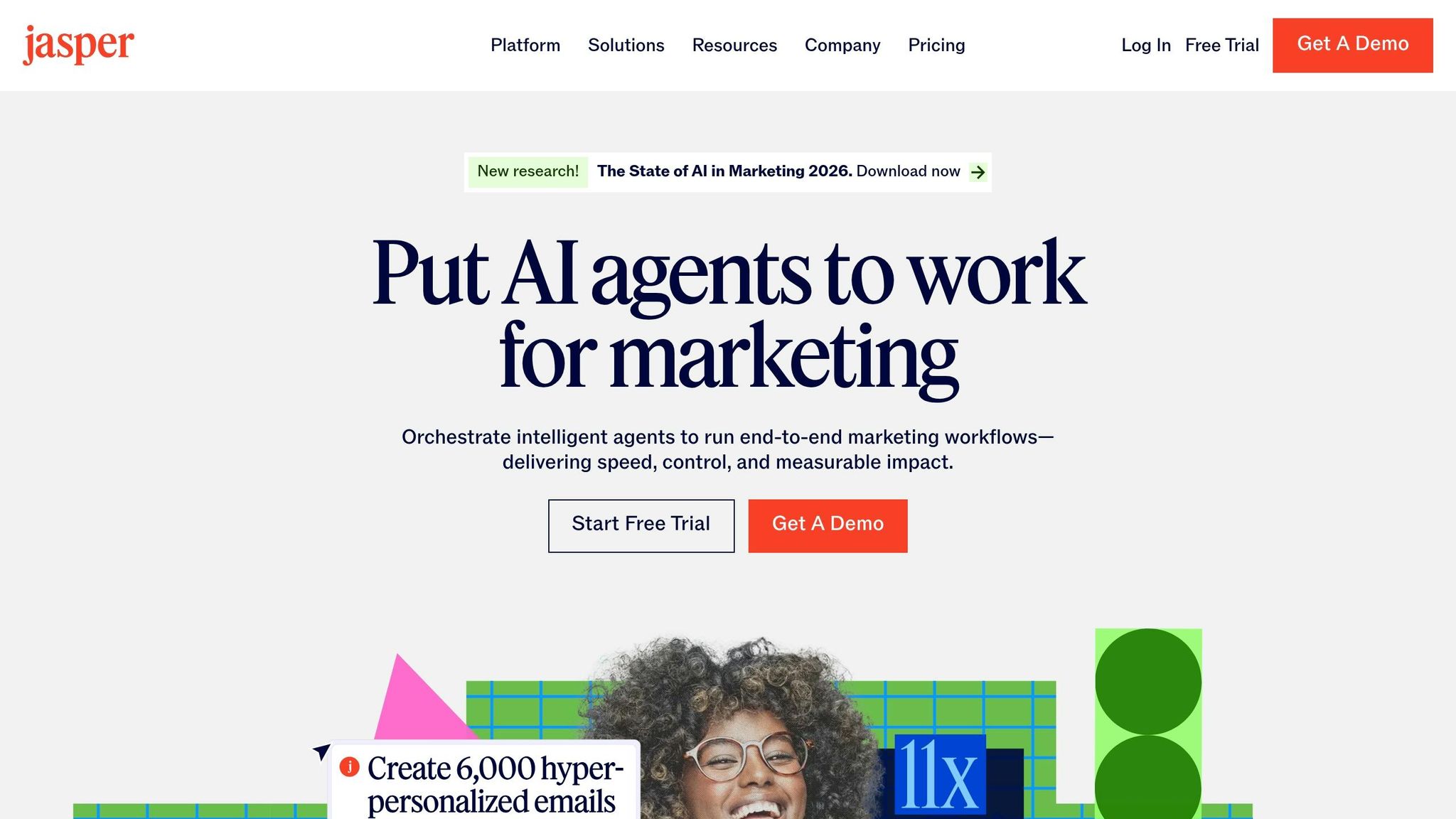
Jasper simplifies content creation by combining the capabilities of several specialized AI apps for content creators into one platform. With 50–90+ templates tailored for key marketing needs, it’s designed to handle a wide range of tasks. One standout feature is Brand Voice, which learns your brand’s tone by analyzing your best-performing content. This eliminates much of the trial-and-error editing often required when working with freelance writers or more generic AI options.
Cost-Effectiveness (Monthly Cost Versus Traditional Software)
Jasper proves to be a budget-friendly alternative for teams producing frequent content. By replacing the need for freelance writers, it helps cut down on recurring expenses. Pricing starts at $49 per month for the Creator Plan (one user) and $125 per month for the Teams Plan, which accommodates three users and includes shared folders. However, some users have reported unexpected cost increases as their usage scales.
Ease of Integration into Workflows
Jasper fits seamlessly into existing workflows, thanks to its Jasper Everywhere browser extension, which provides AI assistance directly within your CMS or social platforms. It also offers native add-ins for Google Docs and Microsoft Word, letting you apply your Brand Voice without needing to switch between apps. The platform connects to over 5,000 apps via automation tools like Zapier, Make, and Pabbly Connect, enabling workflows such as turning Airtable briefs into WordPress posts. For those focused on SEO, integration with SurferSEO allows for real-time keyword optimization during content creation.
Time Savings and Productivity Benefits
Jasper significantly speeds up content creation, with some users reporting up to a 45% increase in production speed. Additionally, teams have seen an average 40% boost in organic search performance within three months of using the tool. Features like shared workspaces and version control enhance team collaboration, reducing the need for extra project management tools.
4. Runway

Functionality and Feature Set (Replacing Multiple Tools)
Runway has reshaped video production workflows by combining over 30 specialized tools into one streamlined platform. It handles tasks like green screen removal, object tracking, motion blur, slow motion, and audio cleanup, which includes transcription and voice isolation - all in one place. One standout feature, Inpainting (Erase and Replace), allows users to swap objects within videos effortlessly, as it automatically adjusts lighting and perspective, saving hours of manual editing. Other tools like Motion Brush Pro 2.0 and Camera Controls offer precise animation and cinematography adjustments, while basic cutting and color grading features round out its capabilities.
Cost-Effectiveness (Monthly Cost Versus Traditional Software)
Runway offers affordable pricing options that can significantly cut production costs. The Standard Plan starts at $12 per month, providing 625 credits, no watermarks, and a commercial license. The Pro Plan, priced at $28 per month, includes 2,250 credits, 4K upscaling, 18-second video generations, and custom model training. For high-volume users, the Unlimited Plan costs $76 per month, supporting up to 500 video generations monthly.
When compared to traditional video editing suites, which typically cost around $55 per month, Runway can reduce post-production expenses by about 30%. For example, an indie film team in early 2025 saved $80,000 in editing costs by completing post-production in just two weeks instead of the projected six, enabling them to meet festival deadlines for SXSW and Tribeca. These savings highlight how Runway can improve both cost efficiency and production timelines.
Time Savings and Productivity Benefits
Runway has become one of the best AI tools for filmmakers and video editors, with 44% of them reporting by 2025 that AI tools like this are essential to their workflows. Paid plans offer outputs that are up to 78% faster, making it possible to train custom models for on-brand B-roll in just minutes.
"AI doesn't replace creativity - it releases it. When machines handle the mechanics, we get to focus on meaning."
- Vikram Ghadge, Technology Analyst
The platform's Real-Time Preview feature, available on paid plans, lets users view low-resolution versions of their work before using credits, helping to minimize wasted effort. Additionally, with a Gen-3 captioning accuracy of 91%, automated transcription becomes a reliable option for most projects.
5. Gamma
Functionality and Feature Set (Replacing Multiple Tools)
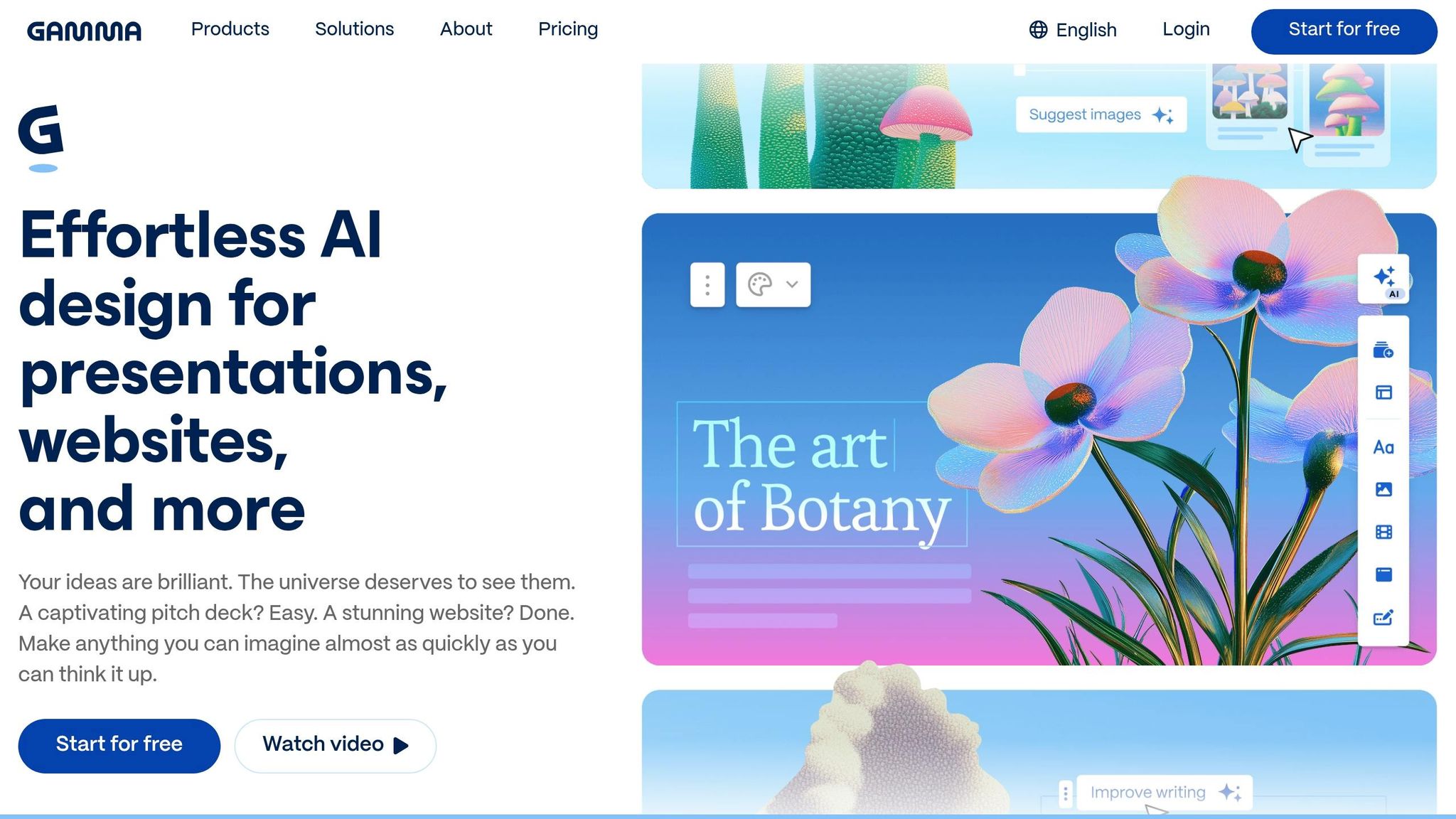
Gamma combines the capabilities of multiple tools into a single platform, effectively replacing PowerPoint, graphic design software, website builders, and document editors. It handles writing, design, and hosting all in one place, simplifying workflows significantly. Its card-based architecture automatically adjusts layouts, typography, and spacing based on the content you input, so you can skip the tedious task of manual formatting.
Instead of static slides, Gamma uses responsive web-native cards that make presentations more dynamic. These cards allow for live embeds from platforms like YouTube, Figma, Airtable, and Spotify. It also eliminates the need for stock photo subscriptions by integrating AI image models such as Flux, Imagen 3, and DALL-E. Plus, Gamma provides built-in analytics to track metrics like total views, scroll depth, and time spent per card, removing the need for third-party tracking tools.
With these features, Gamma not only simplifies design and content creation but also significantly reduces the time spent on these tasks.
Time Savings and Productivity Benefits
Gamma isn’t just versatile - it’s a major time-saver. In November 2025, Romina Kavcic from The Design System Guide tested Gamma by inputting just three sentences as a prompt. The platform generated a fully-formed 10-slide presentation on design token naming conventions in just 90 seconds. Kavcic noted that the presentation was 85% complete, requiring only 20 minutes of additional refinement compared to the usual 4 hours it would take to create from scratch.
"A process that could eat up an afternoon was finished before my coffee cooled."
- Shannon Ingraham, Content Creator
Gamma achieves this efficiency by leveraging over 20 AI models simultaneously to handle text, images, and layouts. Users have reported that presentations which once took 2–3 hours in PowerPoint can now be completed in just 12–18 minutes. The platform’s "Gamma Agent" chat assistant also simplifies tasks like rewriting text, summarizing content, or redesigning layouts - all through conversational commands, eliminating the need for manual adjustments.
Cost-Effectiveness (Monthly Cost Versus Traditional Software)
Gamma offers competitive pricing that can significantly cut costs. The Plus plan, priced at $8 per month (billed annually), provides 1,000 monthly credits, removes branding, and includes PowerPoint export capabilities. The Pro plan, at $15 per month, unlocks unlimited AI creation, allows up to 60 cards per prompt, and supports custom fonts. For many users, this consolidation can reduce monthly software expenses by $50–$100.
Gamma’s popularity has soared, with over 70 million users and more than $100 million in annual recurring revenue as of early 2026. For those on a budget, the free basic plan offers 400 one-time credits and allows up to 10 cards per prompt.
These pricing options make Gamma a cost-effective choice for individuals and teams alike.
6. Notion AI
Functionality and Feature Set (Replacing Multiple Tools)
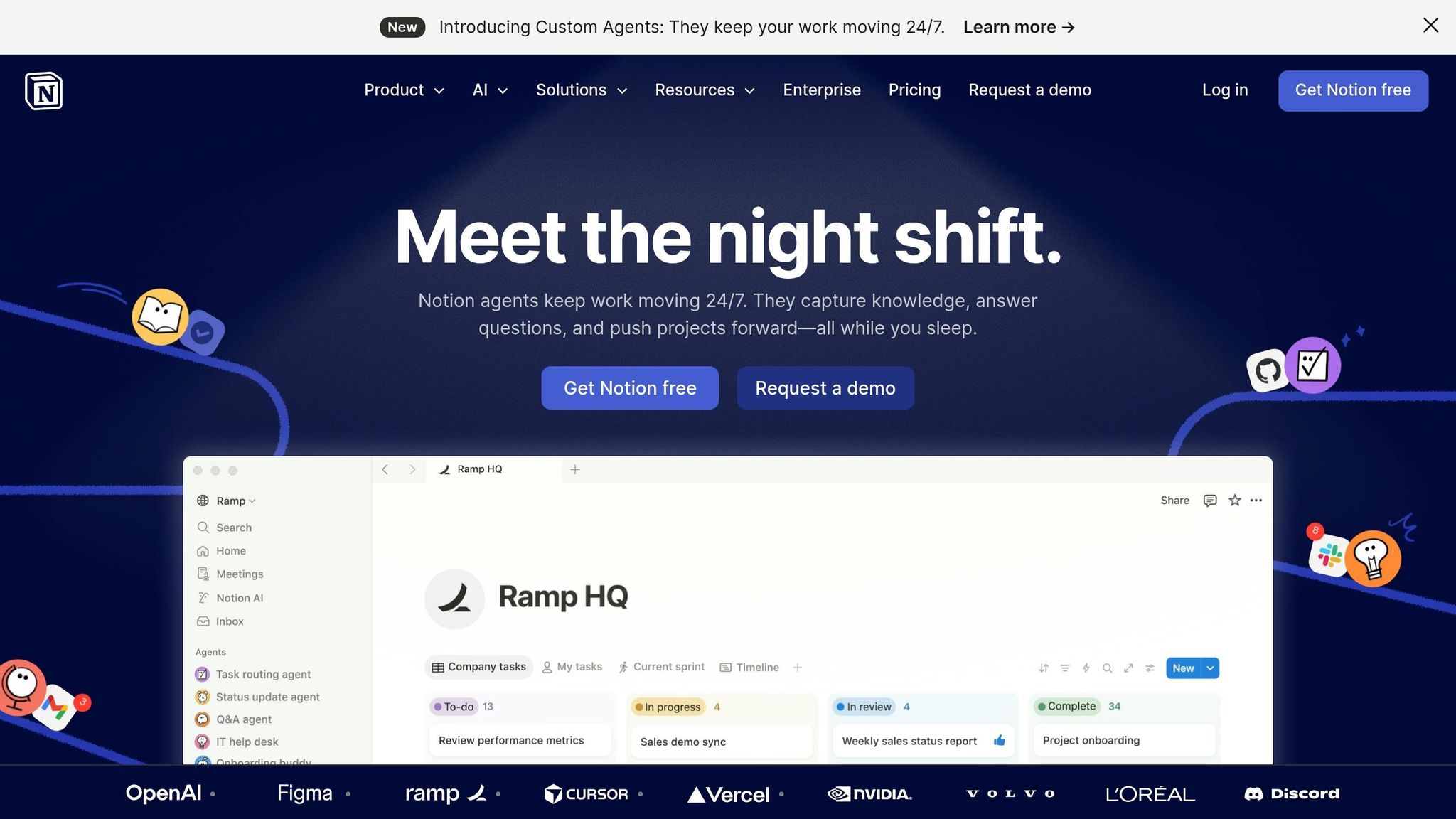
Notion AI combines writing, grammar checking, and project management into a single platform, making it easier to manage your workflow without juggling multiple apps. With this tool, you can rewrite sentences, correct grammar, and fine-tune tone - all directly within your documents.
One standout feature is its use of custom agents like Mixus to automate repetitive tasks. These agents can handle everything from organizing product feedback and resolving support tickets to generating weekly reports. Notion AI also turns static notes into actionable insights by quickly extracting tasks from meeting summaries or lengthy documents. With a user base exceeding 100 million and trust from 98% of the Forbes Cloud 100, it’s clear the platform can handle large-scale operations.
This all-in-one approach not only simplifies tool usage but also accelerates task completion, making it a go-to solution for efficiency.
Time Savings and Productivity Benefits
One of the biggest hurdles in productivity is constantly switching between tools. Notion AI addresses this by keeping everything in one place. As writer jimmyjacy put it:
"The convenience of not leaving my notes app won out"
The platform covers 90% of internal writing needs without requiring additional software. Whether it’s summarizing meetings instantly, turning messy notes into organized task lists, or generating multiple headline ideas from a single brief, users have reported completing projects up to three times faster with Notion AI. For freelancers and small teams, this kind of efficiency can be a game-changer, allowing them to focus more on the work itself rather than managing tools.
Cost-Effectiveness (Monthly Cost Versus Traditional Software)
Notion AI isn’t just about saving time - it also saves money. At $8–$10 per user per month, it’s far more affordable than standalone grammar checkers (around $30 per month) or project management tools (starting at $14 per month).
The platform has consistently earned top accolades, including being the #1 AI writing tool on G2 and holding the #1 knowledge base ranking for three straight years. For teams already using Notion for documentation, adding AI features eliminates the need for separate subscriptions for grammar tools, brainstorming apps, and task automation software. This consolidation simplifies both workflows and billing, making it a cost-effective choice.
7. Cursor
Functionality and Feature Set (Replacing Multiple Tools)
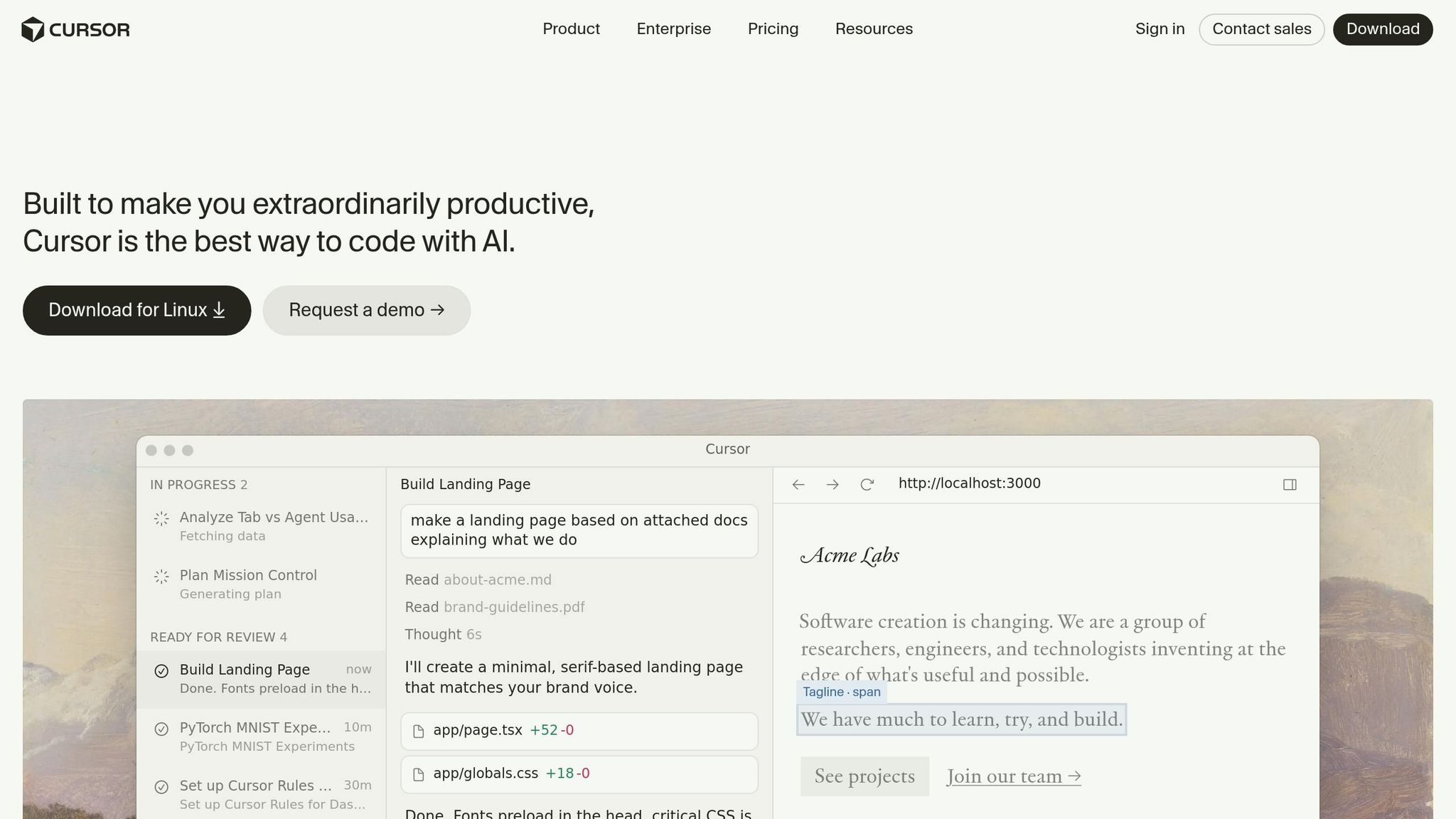
Cursor, a fork of VS Code, makes transitioning seamless - taking less than 10 minutes - by automatically importing your extensions, themes, and keybindings. It can index an entire project of up to 200,000 tokens (about 150,000 lines of code), mapping out file relationships, dependencies, and naming conventions. Two standout features include Composer Mode, which lets you describe changes across multiple files with a unified diff preview, and Agent Mode, which autonomously handles tasks like creating files, running terminal commands, and installing dependencies for complex needs, such as adding authentication. You can also fine-tune its performance by selecting from advanced models like Claude Sonnet 4.5, GPT‑5, or Gemini 3, depending on the task's complexity. These features combine to streamline coding workflows and boost efficiency.
Time Savings and Productivity Benefits
Cursor helps developers save between 2–3 hours daily - or up to 20 hours weekly - by automating repetitive tasks and speeding up processes [58,60]. In January 2026, Salesforce rolled out Cursor to 20,000 developers, achieving over 90% adoption. This resulted in measurable improvements in cycle times, pull request velocity, and code quality [55,62]. NVIDIA's CEO Jensen Huang praised it, saying:
"My favorite enterprise AI service is Cursor. Every one of our engineers, some 40,000, are now assisted by AI and our productivity has gone up incredibly." [55,57]
Specific tasks see dramatic time reductions, such as creating CRUD endpoints, which drops from 1.5 hours to just 35 minutes, and writing unit tests, which shrinks from 1 hour to 25 minutes. Additionally, developers accept about 72% of AI-generated code suggestions, significantly reducing manual input and speeding up iterations.
Ease of Integration into Workflows
Cursor integrates effortlessly into existing workflows. Diana Hu, General Partner at Y Combinator, remarked on its rapid adoption:
"It was night and day from one batch to another, adoption went from single digits to over 80%. It just spread like wildfire, all the best builders were using Cursor."
The tool works seamlessly with GitHub for pull request reviews and Slack for team collaboration. To optimize usage, developers can use the @file symbol for targeted changes to conserve tokens, rather than @Codebase. Adding a .cursorrules file in your project root ensures that AI-generated code aligns with your team's TypeScript, styling, and documentation standards. However, it's wise to carefully review Agent Mode's multi-file edits to avoid introducing bugs [56,60]. These features make Cursor a natural fit for enhancing development workflows.
Cost‑Effectiveness (Monthly Cost Versus Traditional Software)
Cursor demonstrates how an AI-powered tool can replace multiple traditional software solutions while offering significant cost and time savings. Priced at $20 per month for the Pro plan, it provides excellent value by saving an estimated 4–5 hours of work weekly [63,7]. For developers charging $50–$100 per hour, even saving 5 hours monthly translates to $250–$500 in value. The Pro plan also includes unlimited completions and a $20 credit pool for premium models [56,60]. By consolidating code editing, AI-assisted coding, and task management, Cursor simplifies workflows [61,7]. Users have reported slashing monthly AI compute costs from over $2,500 (using raw APIs) to around $100 with optimized workflows. As Patrick Collison, Co-Founder & CEO of Stripe, noted:
"Cursor quickly grew from hundreds to thousands of extremely enthusiastic Stripe employees... there's significant economic outcomes when making that process more efficient." [55,57]
8. Perplexity
Functionality and Feature Set (Replacing Multiple Tools)
Perplexity brings together a variety of tools under one platform, saving users the hassle of juggling multiple subscriptions. Instead of paying separately for services like ChatGPT Plus, Claude Pro, and Gemini Advanced, users can access all of them through a single interface, complete with a model switcher. Its Model Council feature, introduced in February 2026, allows users to compare models like GPT-5.2 and Claude 4.6 side by side to ensure accuracy. For businesses, the Internal Knowledge Search replaces traditional knowledge management tools by enabling users to upload up to 500 files (PDF, Word, Excel) and search them alongside live web data simultaneously [66,67].
The platform also offers Deep Research mode, which acts like a virtual analyst. It autonomously performs multiple searches, synthesizing information from hundreds of sources into detailed reports in under three minutes. Impressively, it scored 93.9% on the SimpleQA factuality benchmark and 21.1% on the "Humanity's Last Exam", a test designed to measure expert-level AI reasoning. Beyond research, Perplexity Computer manages complex workflows such as lead generation and competitive monitoring, while integrating seamlessly with tools like Gmail, HubSpot, and Slack.
Time Savings and Productivity Benefits
Perplexity’s features translate into major time savings for users. For instance, in March 2026, Engr. Mejba Ahmed, an AI systems builder, used Perplexity Computer to research 50 venture capital firms, gathering details like key partners, recent investments, and fund sizes. The task, which would normally take six hours, was completed in just 20 minutes. Similarly, a SaaS client used Perplexity's competitive intelligence tools to monitor competitors. Within a week, the platform flagged an unannounced 15% price hike on a competitor’s page, enabling the client to respond within 24 hours.
The platform’s popularity is evident, with approximately 780 million queries processed in May 2025 - showing over 20% growth month-over-month. Features like Spaces allow users to create personalized workrooms with specific instructions and reference files, effectively turning the platform into a tailored knowledge hub. Additionally, recurring research tasks - such as daily competitor monitoring or weekly SEC filing scans - can be scheduled and delivered directly to users' inboxes [70,71].
Cost-Effectiveness (Monthly Cost Versus Traditional Software)
Perplexity not only boosts productivity but also offers a more affordable alternative to traditional tools. The Pro plan, priced at $20 per month, can replace expensive SEO research suites that typically cost between $120 and $300 monthly. Writer Kunal Palkar shared his experience:
"I used to justify a nearly $300/month subscription for an SEO research suite. I believed I needed its complex keyword databases. I was wrong. For 90% of my content creation and competitive analysis, I just need clear, authoritative answers with sources."
For those needing advanced, autonomous workflows, the Max Plan costs $200 per month. This plan coordinates 19 AI models to handle complex tasks independently, offering a cost-effective alternative to hiring a junior research assistant [71,76]. The platform’s strong appeal is reflected in its financial growth, with annual recurring revenue climbing from $80 million in late 2024 to an estimated $200 million by February 2026.
9. Descript
Functionality and Feature Set (Replacing Multiple Tools)
Descript showcases how combining multiple editing tools into a single platform can drastically streamline production. Instead of working with complex timelines, you edit audio and video by simply editing the transcript. For example, deleting a word from the transcript instantly removes it from the media. This text-based editing approach eliminates the need for separate video editors, audio workstations, transcription services, and screen recorders - all within one interface.
Key features include Studio Sound, which removes background noise, and Overdub, allowing you to create a digital voice clone to fix errors with a quick text edit. The platform also uses AI to automatically remove filler words like "ums" and "uhs" across your project. For teams, real-time co-editing and timestamped commenting - similar to Google Docs - make collaboration and feedback seamless.
These tools collectively enable faster, more efficient workflows, cutting down hours of editing time.
Time Savings and Productivity Benefits
In January 2026, a content creator compared workflows for a 10–15 minute YouTube tutorial. Using Adobe Premiere, the process took 110 minutes. With Descript, the same project was completed in just 29 minutes - a time savings of 81 minutes per video. Similarly, a podcast producer editing a 60-minute episode reduced production time from 160 minutes (using Audacity and Premiere) to 79 minutes by leveraging Descript’s automated transcription and filler word removal.
"Descript changes how you edit video and audio. You edit text, and the video updates itself. Within 90 days, I saved over 10 hours per week on editing." – Fahim Joharder, Founder, FahimAI
Users have reported a 3× boost in editing speed, with podcast production times dropping by around 65%. Many creators have also seen a 40% increase in their content output.
Cost-Effectiveness (Monthly Cost Versus Traditional Software)
Descript’s time-saving capabilities are matched by its affordability. The Creator plan, priced at $24 per month (billed annually), offers 30 hours of transcription, 4K exports, and access to all AI features. This pricing replaces costly transcription services that charge $1–$2 per minute, potentially saving users $200–$400 annually compared to using multiple specialized subscriptions.
"The bundled transcription alone makes the Pro plan a non-negotiable cost-saver." – Kunal Palkar
For YouTubers and podcasters producing two to three pieces of content weekly, Descript’s Creator plan is a practical choice. While Adobe Premiere Pro costs approximately $240 annually, it lacks the transcription and AI editing tools that make Descript a standout option.
10. Midjourney
Functionality and Feature Set (Replacing Multiple Tools)
Midjourney simplifies the process of creating visuals by replacing stock photo subscriptions, illustration software, and various design tools. Instead of endlessly scrolling through stock image libraries, you can generate exactly what you need with prompts like "minimalist workspace, morning light, cinematic." Its Vary (Region) feature lets you select specific areas of an image to regenerate, a task that would typically require manual masking in tools like Photoshop. Additionally, the Remix feature allows you to tweak prompts mid-process, enabling quick stylistic changes without starting over.
"Midjourney's greatest asset is its 'opinionated' model. It excels at producing images that are not just technically proficient but artistically coherent and visually breathtaking." – ELVTR UK
Whether you need blog headers, social media graphics, concept art, or mood boards, Midjourney handles it all. You can fine-tune the output by using parameters such as --style, --ar (aspect ratio), and --chaos for precise control. This eliminates the need for extensive stock searches, hiring illustrators, or spending hours in design software. The result? Faster iterations and an efficient workflow for visual content creation.
Time Savings and Productivity Benefits
Midjourney's speed is a game-changer. It can produce 20 image variations in about two minutes, whereas manually searching for stock photos can take upwards of 20 minutes. This quick turnaround means you can experiment with unlimited iterations to find visuals that perfectly align with your brand. For creators who need frequent updates or multiple variations for A/B testing and platform-specific formats, these time savings are invaluable.
Cost-Effectiveness (Monthly Cost Versus Traditional Software)
At $30 per month, Midjourney matches the cost of a standard Shutterstock subscription ($29/month). However, it goes a step further by offering unlimited iterations, effectively replacing a design stack that would typically cost around $100 per month. This translates to a monthly savings of approximately $70. For businesses adopting AI tools to replace traditional design and stock photo expenses, annual savings can range between $500 and $3,000.
11. ElevenLabs
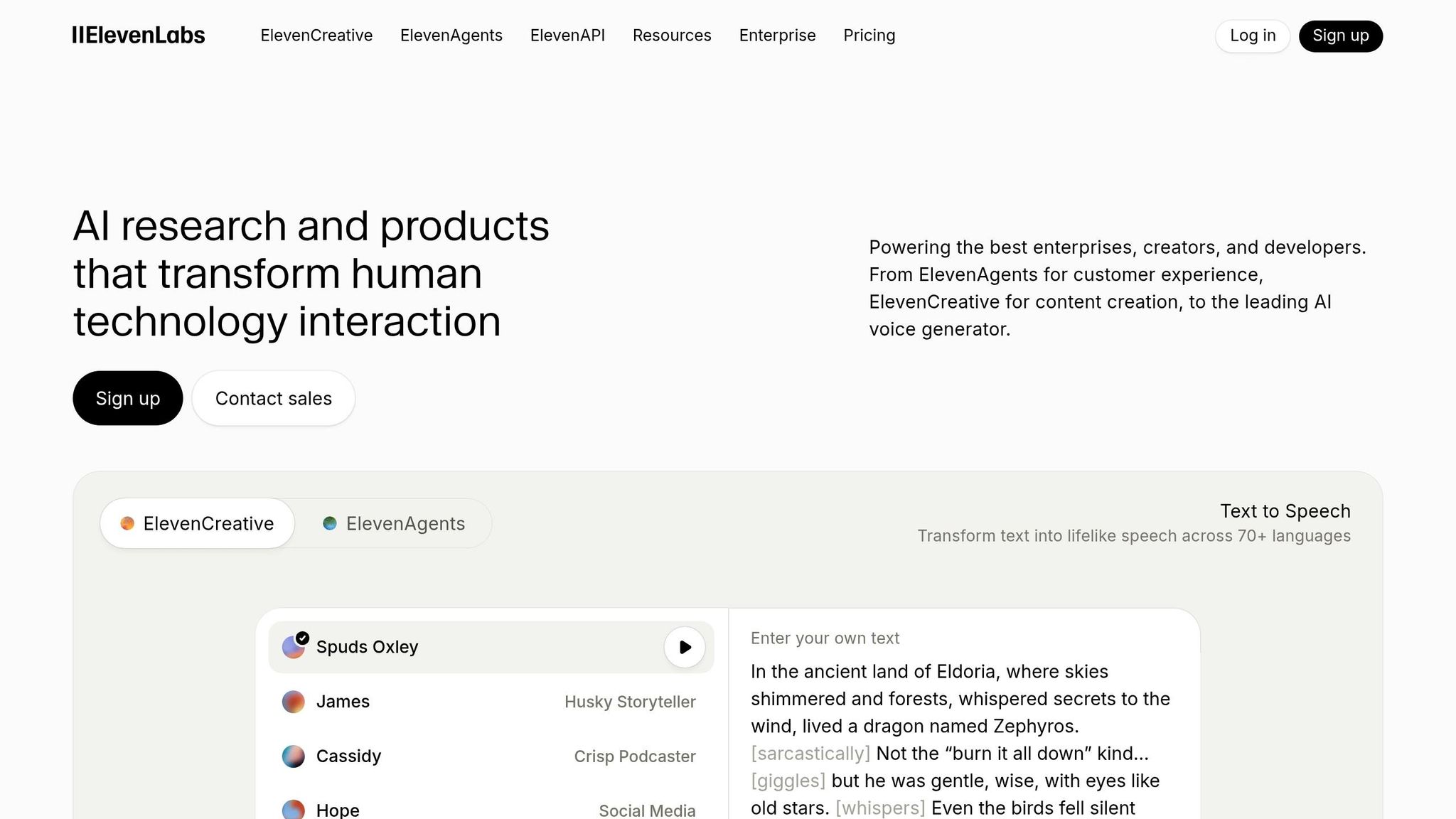
ElevenLabs simplifies audio production by combining multiple workflows into one platform. It’s a prime example of how AI tools can replace several specialized applications with a single, efficient solution.
Functionality and Feature Set
ElevenLabs Studio 3.0 covers all aspects of audio production, eliminating the need for separate tools for tasks like text-to-speech, AI tools for musicians and music producers covering music generation, sound effects, and audio editing. Its Speech Correction feature allows users to fix errors by editing the text and regenerating the audio, saving time and avoiding costly re-recordings. Meanwhile, the Voice Isolator removes background noise, reverb, and other distractions from recordings.
For long-form projects like audiobooks, the Projects feature streamlines the process by letting users assign different voices to speakers and adjust pacing across chapters - avoiding the tedious manual assembly often required in traditional audio workstations. With support for over 32 languages and access to a library of more than 10,000 realistic voices, ElevenLabs makes it possible to create localized audio content without the need to hire international voice talent. The Instant Voice Cloning feature replicates a voice from just a 10-second sample, while Professional Voice Cloning captures a speaker’s unique cadence and pitch with over 95% accuracy.
"ElevenLabs has the best, most human-sounding, natural quality voices. When Particle first launched our Listen to the News feature, people were blown away that the voices are AI." – Sara Beykpour, Co-Founder & CEO, Particle
These tools not only enhance audio quality but also save a significant amount of time.
Time Savings and Productivity Benefits
Creating a voiceover with ElevenLabs takes just minutes, compared to the days or weeks required by traditional methods. The Flows feature, a node-based visual canvas, connects audio tools with over 35 image and video models, eliminating the need for manual file transfers. For high-stakes projects, Professional Voice Cloning (which requires a 30+ minute audio sample) ensures results that meet broadcast-quality standards.
Cost-Effectiveness
Priced at $22 per month, the Creator plan offers approximately 33 minutes of audio production. This replaces freelance voice talent, which typically costs anywhere from $100 to $500 per project. By consolidating text-to-speech, voice cloning, and sound effect generation into one subscription, ElevenLabs eliminates the need for expensive studio setups and high-end recording equipment. On average, users can save $200–$800 each month compared to outsourcing voiceover work. It’s a cost-effective solution for professionals looking to streamline their audio production.
12. ClickUp AI
ClickUp AI brings together several essential functions into a single platform, making it easier to manage projects, communicate, and handle documentation - all while cutting costs. By reducing the need to switch between multiple apps, it helps teams stay focused and productive.
Functionality and Feature Set
The ClickUp Brain feature uses data from tasks, documents, and connected apps like Figma and Google Drive to provide instant answers. Whether you're looking for project updates or need to know who's assigned to a task, Brain delivers real-time insights into your workspace.
Another standout feature is Super Agents, which act like virtual teammates, automating multi-step workflows. For example, in March 2026, ClickUp Verified Consultant Yvonne Heimann created a Daily Focus Super Agent that prioritizes her daily tasks into three categories: Do, Decide, Delegate. The AI Notetaker takes things a step further, joining Zoom, Google Meet, or Teams calls to transcribe discussions and generate actionable items.
For teams dealing with technical tasks, Codegen allows non-developers to generate code and create pull requests using natural language commands.
Ease of Integration into Workflows
ClickUp connects with over 1,000 apps, including Slack, Microsoft Teams, GitHub, and Salesforce. Its Connected Search feature pulls context from all these integrations, making it easy to find what you need without switching apps. Organizations using ClickUp report a 384% ROI over three years and save 92,400 hours by automating manual tasks with AI tools for small businesses.
"ClickUp has become the command center for my entire life - work, projects, reminders, compliance tasks, recruiting, everything. I don't even think of it as 'task software' anymore. It's more like my external brain." – G2 User Review
These seamless integrations make ClickUp AI an indispensable tool for simplifying daily operations.
Time Savings and Productivity Benefits
Teams using AI-driven task managers like ClickUp report productivity boosts of up to 53%. ClickUp's automation features alone save teams over 5 hours each week by handling repetitive tasks. The Talk to Text feature lets users dictate content four times faster than typing. In March 2026, Illia Shevchenko created a Website Project Status Sync Agent that automatically generates project updates for leadership, allowing teams to focus on their work instead of preparing manual reports.
Cost-Effectiveness
These time-saving features also lead to significant cost reductions. ClickUp's Business plan costs $12 per user per month (billed annually), and the ClickUp Brain add-on is available for $9 per month. By consolidating tools like project management software, transcription services, and AI writing assistants, organizations often see a return on investment in under six months, with average revenue gains of $3.9M from streamlined workflows.
For a five-person team, the total cost is $105 per month for the Business plan with Brain - far less than paying for multiple separate software subscriptions. This makes ClickUp AI a practical choice for teams looking to save both time and money.
Cost Breakdown: Before and After
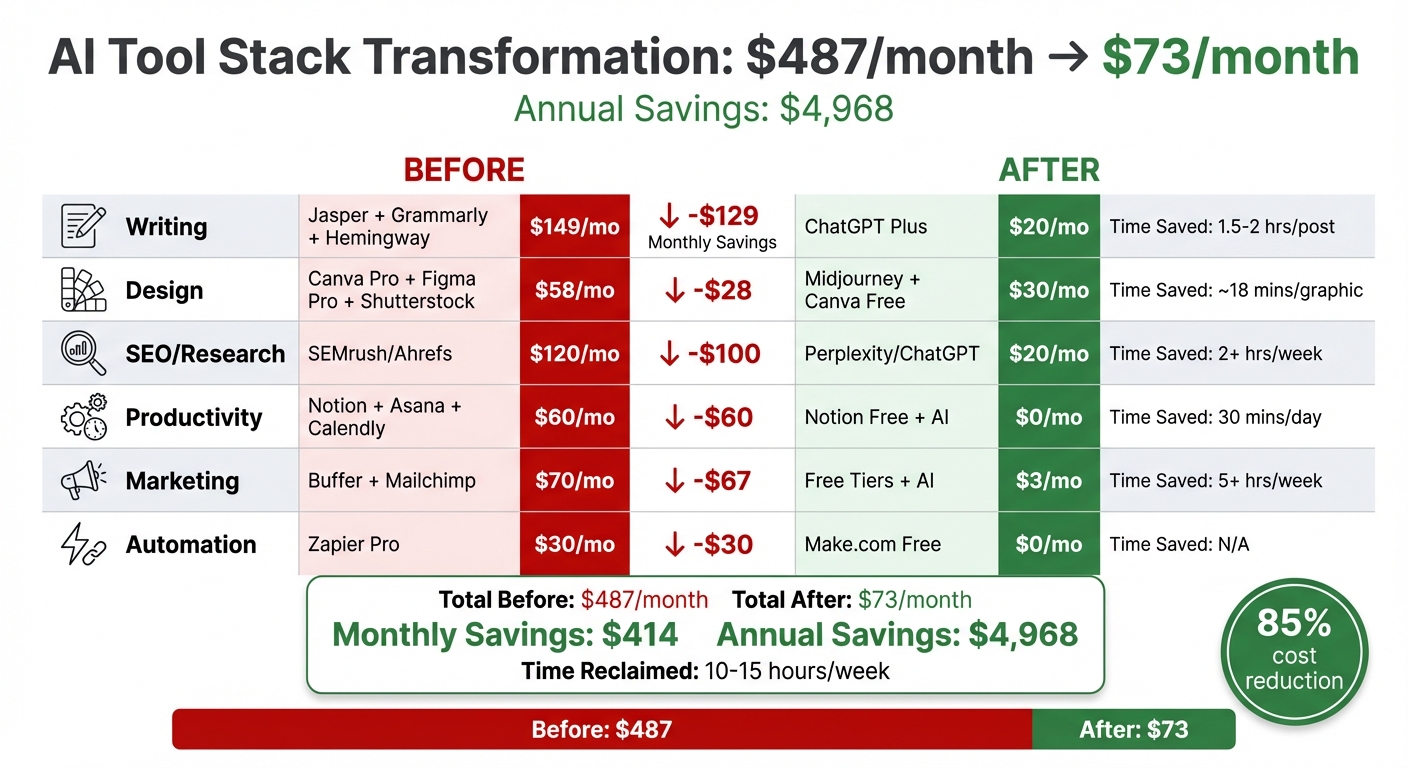
AI Tools Cost Savings Breakdown: Before vs After Comparison
Switching to AI tools has led to a dramatic reduction in costs, cutting monthly expenses from $487 to just $73. That’s a savings of $414 each month - or nearly $5,000 a year. The key to these savings? Replacing multiple specialized subscriptions with versatile AI platforms capable of handling multiple tasks.
Take content creation, for example, using the best AI tools for writers. By using ChatGPT Plus at $20/month, businesses eliminated the need for three separate tools - Jasper ($99/month), Grammarly Premium ($30/month), and Hemingway Editor ($20/month). This switch not only saved $129 a month but also slashed the time needed to create a 1,500-word blog post from 2–3 hours to just 45–60 minutes.
In design, the transition was equally impactful. By combining Midjourney with Canva’s free tier, businesses replaced Canva Pro, Figma Pro, and Shutterstock (which together cost $58/month). This change saved $28 monthly while cutting image creation time from 20 minutes to just 2 minutes per graphic.
Even more impressive are the savings in computing costs. Moving from per-seat software pricing to AI-driven workflows reduced some expenses by up to 95%. For instance, AI inference costs dropped significantly - from $30 per million tokens in 2023 to as little as $0.10–$2.50 by 2026. This made AI tools not only more efficient but also far more affordable.
Here’s a snapshot of the cost breakdown:
| Category | Original Tool(s) | Original Cost (USD) | AI Replacement | New Cost (USD) | Monthly Savings (USD) | Time Saved |
|---|---|---|---|---|---|---|
| Writing | Jasper, Grammarly, Hemingway | $149 | ChatGPT Plus | $20 | $129 | 1.5–2 hrs/post |
| Design | Canva Pro, Figma Pro, Shutterstock | $58 | Midjourney + Canva Free | $30 | $28 | ~18 mins/graphic |
| SEO/Research | SEMrush / Ahrefs | $120 | Perplexity / ChatGPT | $20 | $100 | 2+ hrs/week |
| Productivity | Notion (Paid), Asana, Calendly | $60 | Notion Free + AI | $0 | $60 | 30 mins/day |
| Marketing | Buffer, Mailchimp (Paid) | $70 | Free Tiers + AI | $3 | $67 | 5+ hrs/week |
| Automation | Zapier (Pro) | $30 | Make.com / Free Tier | $0 | $30 | N/A |
| Total | $487 | $73 | $414 | ~10–15 hrs/week |
Beyond the dollar savings, reclaiming 10–15 hours of time each week - equivalent to nearly two full workdays per month - has revolutionized productivity. For example, one boutique consulting firm reduced its monthly expenses from $5,000 to under $300 while dramatically improving efficiency. This demonstrates how AI tools can streamline workflows and free up valuable time for higher-priority tasks.
Conclusion
Switching to AI-powered tools is changing the way work gets done. The 12 apps highlighted here replaced a scattered workflow with a more efficient system, cutting costs by $414 per month and freeing up time to focus on priorities.
This shift doesn’t just save money - it reshapes how we tackle daily tasks. Moving from specialized software to AI solutions eliminates the constant app-jumping that eats into productivity. Instead of digging through SEMrush’s menus or dealing with Excel’s complex formulas, you can simply ask questions in plain English and get quick, clear answers. Tools like ChatGPT Plus and Perplexity simplify the process, letting you work faster and with fewer hurdles.
As Dani from Humai.blog puts it:
"AI isn't just a tool for creating content or automating tasks. It's a tool for rethinking how we work and what we pay for."
The real game-changer lies in consolidation. A single AI tool can take over the roles of three or four specialized apps, handling tasks like writing, editing, research, and design. This approach delivers around 85% of the quality at just 15% of the cost - more than enough for most small teams and solo professionals.
If you’re ready to streamline your workflow, check out AIapps.com. Their directory of over 1,900 AI tools covers AI tools for social media content, project management, and more. Use advanced filters to find tools tailored to your needs, compare prices, and explore vetted options that deliver measurable results. Start by replacing one expensive subscription and try it out for two weeks.
FAQs
Which 3 apps should I start with first?
Start with AI tools that can take the place of your go-to software, helping you save time and money. Here are a few examples:
- ChatGPT: Excellent for handling writing and communication tasks.
- Replit: A solid choice for app development projects.
- DALL·E: A standout for creating designs and images.
These tools have shown they can simplify workflows while keeping costs down.
How do I estimate my own monthly savings?
To figure out how much you could save each month, start by looking at what you're currently spending on software subscriptions. Then, compare that total to the cost of the AI tools you're thinking about using. Subtract the monthly cost of the AI tools from your current expenses. For instance, swapping out several subscriptions for one AI app could cut your costs by hundreds of dollars a year. This quick calculation gives you a clear idea of your potential savings.
What’s the safest way to replace tools without breaking my workflow?
To transition to new tools without interrupting your workflow, begin by pinpointing the essential tasks your current tools manage. Introduce AI tools gradually - one at a time - making sure each one fits smoothly into your processes before proceeding to the next. Start with small-scale testing to confirm compatibility and functionality. Opt for AI platforms that offer automation and data integration capabilities to streamline your operations and ensure a smooth transition.