Productivity
Best AI Coding Assistants in 2026: The Definitive Guide for Developers
Compare top AI coding assistants—features, pricing, and use cases—to pick the best tool for your workflow, privacy needs, and complex refactoring.

Best AI Coding Assistants in 2026: The Definitive Guide for Developers
AI coding assistants have become essential AI tools for software developers in 2026, with 85% of professionals using them regularly. These tools now save developers hours daily, speed up tasks by up to 55%, and help reduce cognitive load by automating repetitive coding work. Whether you need quick code suggestions, multi-file refactoring, or advanced debugging, the right assistant can transform your workflow.
Here’s a quick overview of the top AI coding tools this year:
- GitHub Copilot ($10/month): Best for autocomplete and GitHub integration.
- Cursor ($20/month): Excels in multi-file refactoring and plain language commands.
- Claude Code ($20/month): Designed for complex reasoning and debugging.
- Tabnine ($12–$39/month): Ideal for secure, on-premise deployments.
- Windsurf ($15/month): Budget-friendly with adaptive features.
- JetBrains AI ($8/month): Tailored for JetBrains IDE users.
- Amazon Q ($19/month): AWS-native workflows.
Key Takeaway: Choose based on your coding environment, project complexity, and budget. Many developers stack multiple tools to balance strengths, such as using Copilot for autocomplete and Claude Code for debugging. Below, we dive deeper into how these tools compare and what makes each one stand out.
The Best AI Assistants for Coding in 2026
sbb-itb-212c9ea
Top AI Coding Assistants in 2026: Side-by-Side Comparison
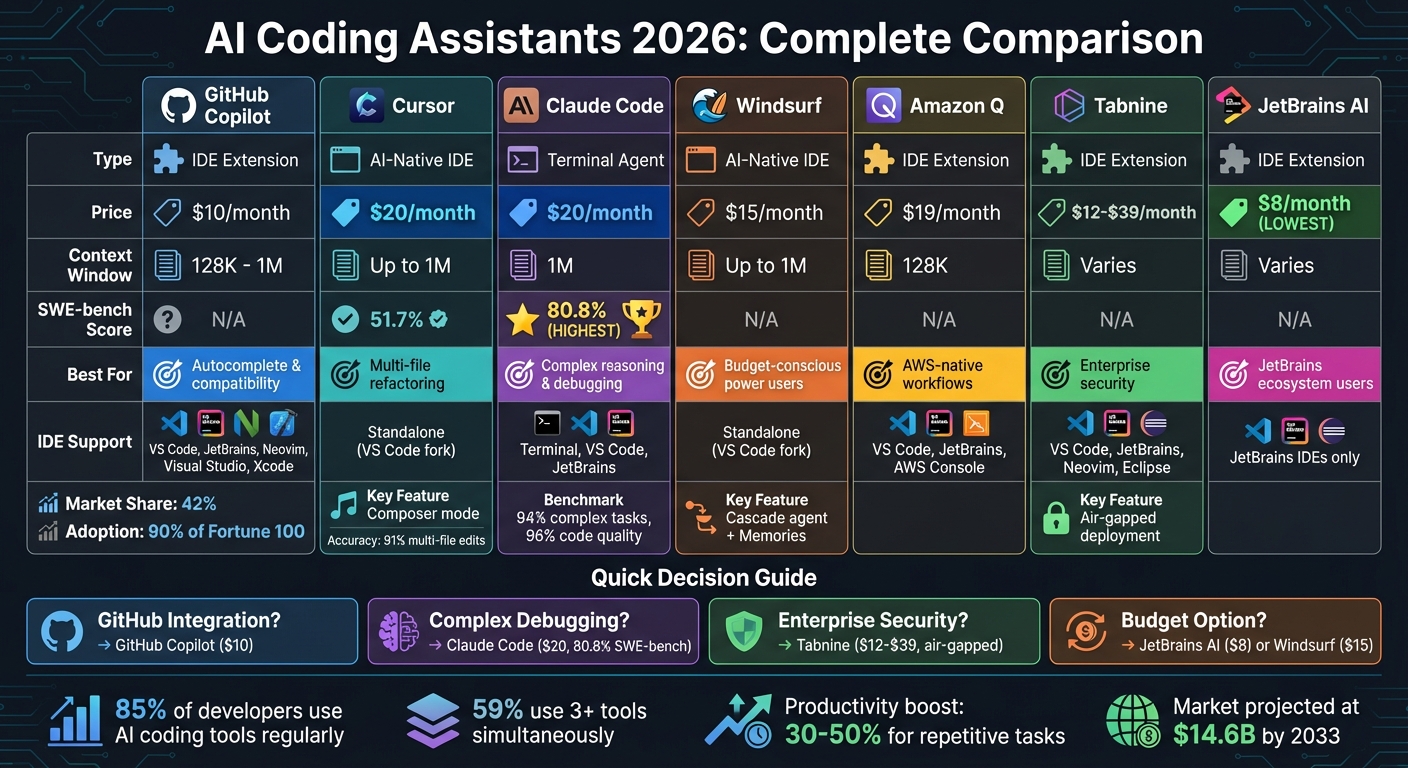
AI Coding Assistants 2026: Feature and Price Comparison Chart
AI coding assistants have evolved into three primary categories: IDE Extensions, AI-Native IDEs, and Terminal Agents. Tools like GitHub Copilot and Tabnine are prime examples of IDE Extensions, seamlessly integrating with editors like VS Code, JetBrains, and Neovim. On the other hand, Cursor and Windsurf represent AI-Native IDEs, offering standalone environments with deep integration of AI capabilities. For terminal users, Claude Code and OpenAI Codex lead the pack, delivering advanced reasoning and debugging directly in the command line.
AI Coding Assistants Comparison Table
| Tool | Type | Starting Price | Context Window | SWE-bench Score | Best For | IDE Support |
|---|---|---|---|---|---|---|
| GitHub Copilot | Extension | $10/mo | 128K - 1M | N/A | Autocomplete & compatibility | VS Code, JetBrains, Neovim, Visual Studio, Xcode |
| Cursor | AI-Native IDE | $20/mo | Up to 1M | 51.7% | Multi-file refactoring | Standalone (VS Code fork) |
| Claude Code | Terminal Agent | $20/mo | 1M | 80.8% | Complex reasoning & debugging | Terminal, VS Code, JetBrains (extensions) |
| Windsurf | AI-Native IDE | $15/mo | Up to 1M | N/A | Budget-conscious power users | Standalone (VS Code fork) |
| Amazon Q | Extension | $19/mo | 128K | N/A | AWS-native workflows | VS Code, JetBrains, AWS Console |
| Tabnine | Extension | $12/mo | Varies | N/A | Enterprise security | VS Code, JetBrains, Neovim, Eclipse |
| JetBrains AI | Extension | $8/mo | Varies | N/A | JetBrains ecosystem users | JetBrains IDEs only |
Claude Code stands out with an 80.8% success rate on SWE-bench Verified, demonstrating its ability to handle complex, multi-file tasks. OpenAI Codex follows closely with an 80.0% score, showcasing its effectiveness in advanced coding scenarios.
Key Features That Set Each Tool Apart
The table provides a snapshot of the tools, but let’s dig into what makes each one special.
GitHub Copilot continues to dominate, with adoption by 90% of Fortune 100 companies. Its strength lies in its extensive IDE support and reliable inline suggestions, powered by models like GPT-4o and Claude. At $10/month, the Pro tier is a solid choice for developers who want autocomplete and basic AI chat without leaving their favorite editor.
Cursor has made waves, achieving $1.2 billion ARR by early 2026. Its standout feature, "Composer" mode, allows developers to describe changes in plain language, which are then applied across multiple files. Companies like eBay expanded their use of Cursor from 150 to 500 engineers in just weeks, while Datadog achieved full adoption of its agent-driven workflows.
Claude Code excels in reasoning, boasting the highest SWE-bench score at 80.8%. Its deep architectural understanding, powered by Claude Opus 4.6, makes it ideal for complex debugging. For $20/month, individual users get access to the same model that Anthropic relies on for 60% of its internal development, resulting in a reported 50% productivity boost.
Windsurf is a budget-friendly option at $15/month, featuring the "Cascade" agent and a "Memories" feature that adapts to your codebase over time. Meanwhile, Tabnine is favored by industries like finance and healthcare for its air-gapped, on-premise deployment, ensuring maximum security for sensitive codebases. Palo Alto Networks, for instance, deployed Sourcegraph Cody to over 2,000 developers for secure, large-scale code management.
Most of these tools now support the Model Context Protocol (MCP), allowing seamless integration with tools like Jira and Slack. This flexibility lets users switch between models like GPT-5, Claude 4.5, and Gemini 3 within a single interface, tailoring the AI to the task at hand.
Detailed Reviews of Leading AI Coding Assistants
GitHub Copilot: Widely Used and Efficient
GitHub Copilot stands out as the go-to AI coding assistant in 2026, boasting over 100 million developers on its platform and holding a 42% market share. Its key strength lies in its ability to provide fast inline autocomplete, delivering suggestions in under 200 milliseconds with an impressive 89% accuracy rate on the first attempt. The tool integrates smoothly with popular editors like VS Code, JetBrains, Neovim, Visual Studio, and Xcode.
Priced at $10 per month, Copilot is ideal for routine tasks such as generating boilerplate code, creating test scaffolds, and drafting documentation. It also includes advanced features like Copilot Workspace, which helps plan projects directly from GitHub issues, and an Agent Mode for tackling repository-level tasks. Additionally, students and verified open-source maintainers can access it for free.
However, Copilot has its limitations. It can struggle with complex multi-file reasoning and maintaining architectural consistency across larger projects. While it excels at predicting the next few lines of code, it may occasionally produce overly confident suggestions, particularly in unfamiliar or intricate codebases. Despite these drawbacks, it maintains a strong 4.4/5 user rating, with developers praising its "telepathic" autocomplete for everyday coding needs. For more intricate tasks like deep architectural refactoring, tools like Claude Code may be better suited.
Claude Code: Built for Complex Debugging and Problem Solving
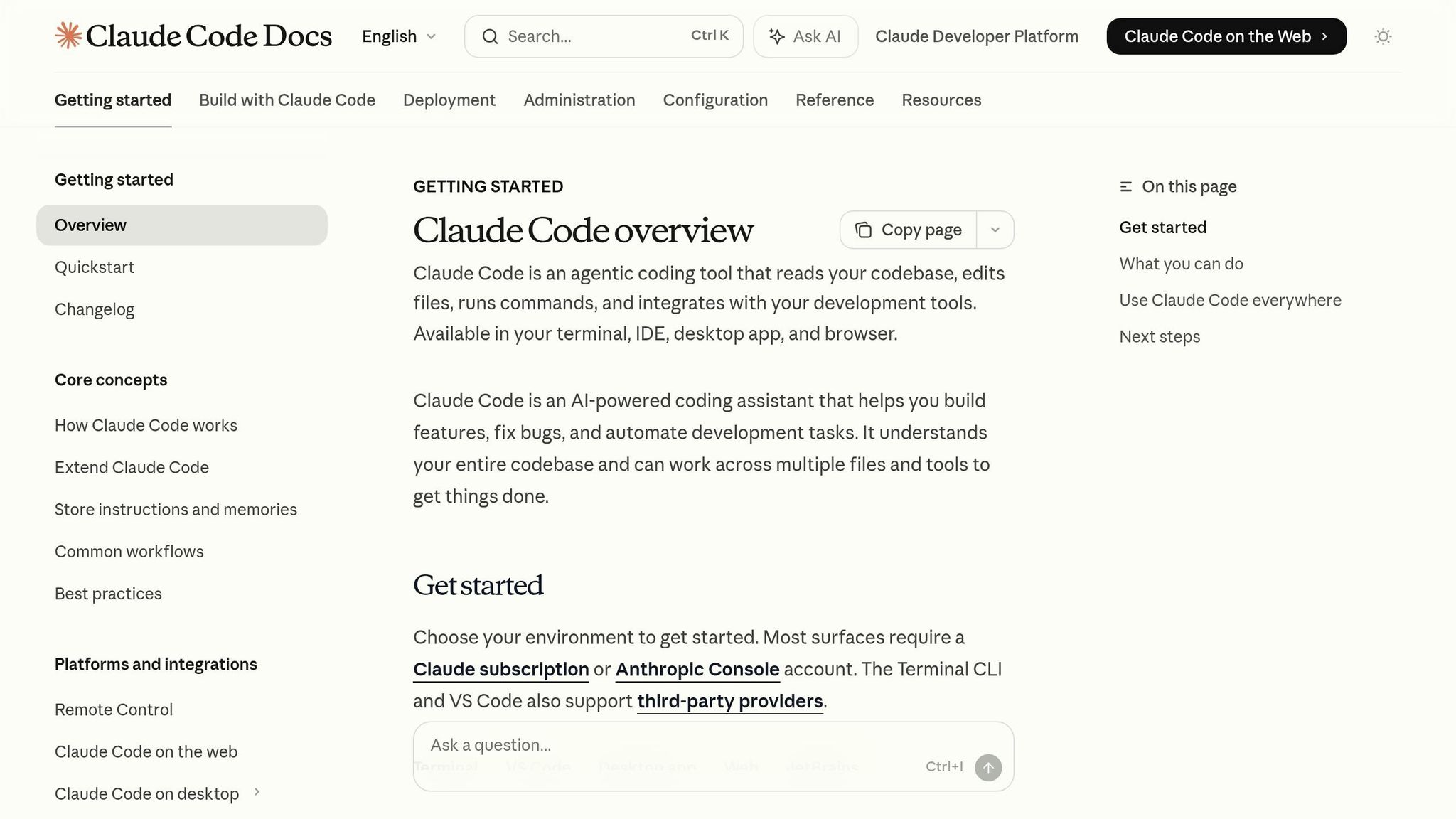
Claude Code is a terminal-native assistant powered by Claude Opus 4.6, designed to handle advanced debugging, refactoring, and architectural decision-making. It operates using an autonomous "read-plan-edit-test-fix" loop, which is particularly effective for tackling systemic issues like concurrency bugs or flaky tests. This capability gives it an 80.8% success rate on the SWE-bench Verified benchmark.
Available at $20 per month through Claude Pro, the tool offers strong value for developers handling complex tasks. It scored 94% for completing intricate assignments and 96% for code quality in benchmark tests. However, its higher latency - often taking 10–30 seconds to process tasks - and its terminal-only interface are noted trade-offs. With a rating of around 4.5/5, reviewers highlight its disciplined approach to deep reasoning and debugging as a major advantage, though power users should be mindful of its high token consumption during intensive sessions.
"Copilot wins at 'keep typing,' Cursor wins at 'edit the repo with me,' Claude Code wins at 'think with me and refactor confidently.'"
- AI Coding Flow
While Claude Code shines in advanced problem-solving, Cursor takes a different approach by reimagining development environments with AI at their core.
Cursor: A New Standard for Integrated Development
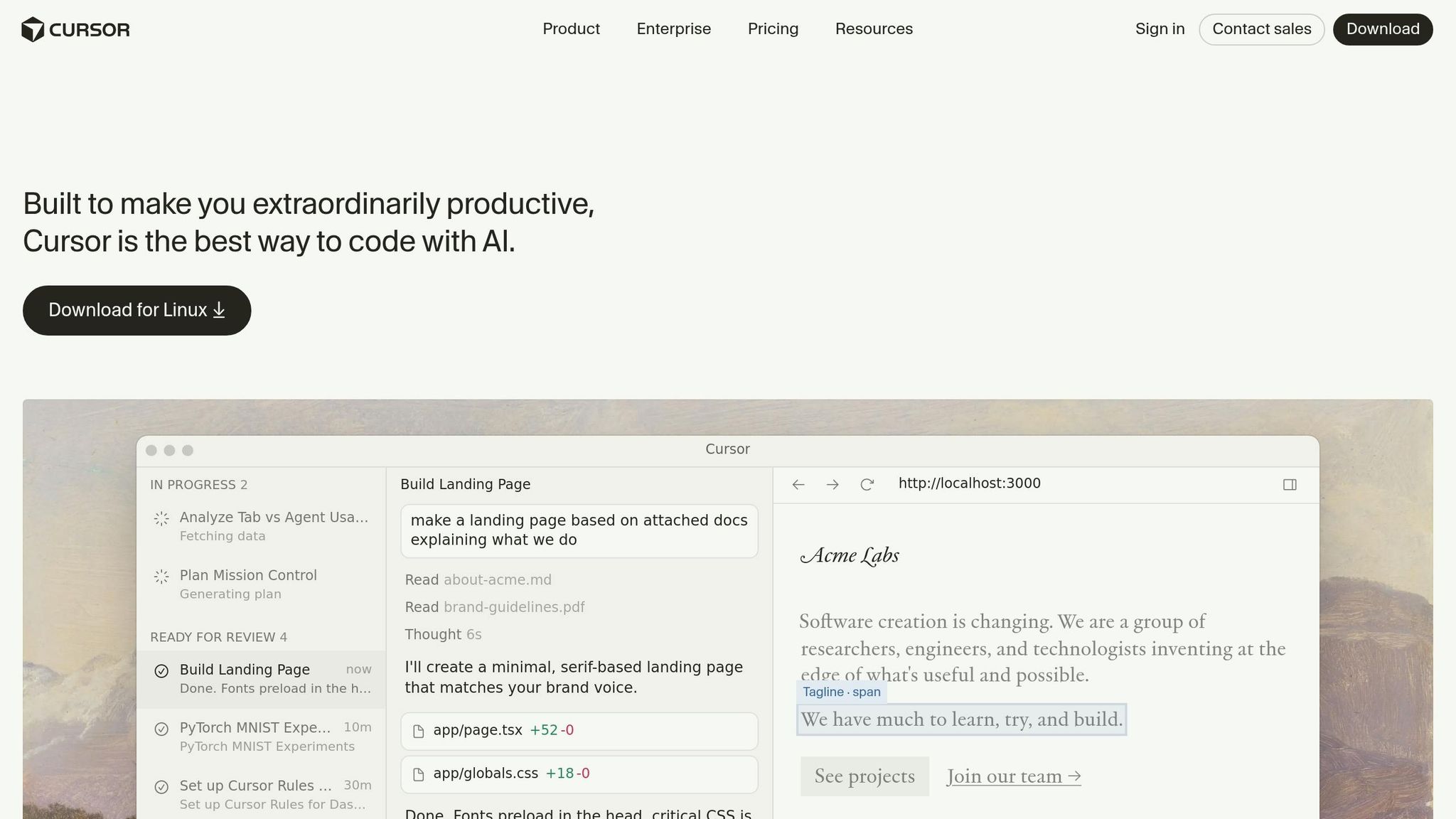
Cursor redefines the development experience by treating AI as an integral part of its VS Code-based environment. It offers robust codebase management and excels at multi-file refactoring. One standout feature is its Composer mode, which lets developers describe changes in plain language, applying them across multiple files using full codebase indexing.
During benchmark testing, Cursor achieved 91% accuracy for multi-file edits and 94% for repository understanding, surpassing traditional IDE extensions. Features like the "Cmd+K" natural language inline rewrite and a visual diff interface make the review process smoother, boosting productivity. At $20 per month for the Pro tier, Cursor is well-suited for tasks like rapid prototyping and feature development. However, transitioning to Cursor’s forked version of VS Code can disrupt established workflows, which may deter some teams. Developers rate it between 4.6 and 4.7/5, praising its transformative agent mode but raising concerns about its unpredictable credit-based billing system.
"The real skill in 2026 is knowing when to trust the AI, when to question it, and when to ignore it completely and solve the problem yourself."
- CoderCops
How to Choose the Right AI Coding Assistant
Decision Matrix for Choosing an Assistant
Selecting the right AI coding assistant is all about aligning your specific needs with the tool's strengths. When making your choice, consider your development environment, the complexity of your tasks, privacy requirements, and budget. A recent study found that about 85% of developers regularly use AI tools for coding, with 59% running three or more tools simultaneously because no single solution covers every scenario.
For those deeply integrated into the GitHub ecosystem, GitHub Copilot is a solid pick. At $10 per month, it offers seamless pull request automation and integration with GitHub Actions. If you're dealing with large, complex codebases requiring multi-file refactoring, tools like Cursor or Sourcegraph Cody are better suited, as they provide repository-wide context and analysis.
Privacy is a critical factor for developers in regulated industries like finance or healthcare. In such cases, Tabnine is a standout choice, supporting air-gapped deployment and local inference. Plans start at $12 per month for Pro and $39 for Enterprise. For example, in 2026, Palo Alto Networks deployed Sourcegraph Cody to over 2,000 developers, leveraging its ability to handle legacy code while adhering to strict security protocols.
For those on a tight budget, Windsurf and Codeium offer free tiers, making it easy to test their capabilities. Similarly, JetBrains AI is an affordable option at $8 per month for developers already using JetBrains IDEs. If your tech stack is heavily reliant on AWS or Google Cloud, specialized tools like Amazon Q or Gemini might be the best fit.
| Developer Need | Recommended Tool | Monthly Cost | Key Reason |
|---|---|---|---|
| GitHub-centric workflows | GitHub Copilot | $10 | Pull request automation and Actions integration |
| Large codebases | Cursor / Sourcegraph Cody | $20 / $9 | Repository-wide analysis and context understanding |
| AWS infrastructure | Amazon Q | Varies | Deep integration with AWS SDK and CloudFormation |
| Privacy-critical environments | Tabnine | $12–$39 | Air-gapped deployment and local inference |
| Terminal-native workflows | Claude Code | $20 | High reasoning accuracy and CLI control |
| Budget-conscious individuals | Codeium / Windsurf | Free | Generous free tiers |
Below are real-world examples that showcase how these tools integrate into diverse workflows and enhance efficiency.
Real Use Cases and Workflow Examples
AI coding assistants shine in different areas, and understanding their unique strengths can significantly improve your workflow.
For tasks like complex debugging and architectural refactoring, terminal-based tools such as Claude Code excel. Using an autonomous "read-plan-edit-test-fix" loop, Claude Code achieves an 80.8% success rate on the SWE-bench Verified benchmark. A fintech team of 20 developers reported a 35% increase in sprint velocity within two months after adopting a Cursor + Claude Code stack to manage legacy migrations.
"The question isn't whether you should use an AI coding assistant. It's which one fits how you actually work."
- VibeCoding Team
For multi-file refactoring in large repositories, Cursor's Composer mode stands out. It’s particularly effective for handling edits across multiple files. Companies managing legacy systems, like Qualtrics, have successfully implemented Sourcegraph Cody for over 1,000 developers, improving code navigation and comprehension. On the other hand, Replit Agent showcased its speed and efficiency when Rokt built 135 internal applications in just 24 hours.
Interestingly, many developers "stack" multiple tools to balance strengths and weaknesses. This trend reflects the fact that 46% of developers distrust AI code accuracy, with 66% citing "almost right, but not quite" as their top frustration. For example, a fast inline assistant like Copilot can handle autocomplete tasks, while more robust tools like Claude Code or Cursor tackle complex problem-solving. However, it’s essential to monitor token consumption and usage-based billing to keep costs under control.
Conclusion: Improving Development Efficiency with AI
Key Insights and Final Recommendations
From the comparisons and examples discussed earlier, it’s clear that integrating AI coding assistants has become a game-changer for modern software development. These tools are no longer optional - they’re becoming essential in professional workflows.
The numbers speak for themselves: teams report productivity boosts of 30% to 50% for repetitive tasks like CRUD operations and boilerplate code generation. However, for more intricate tasks like architectural design, the improvement is more modest, ranging from 10% to 20%. This highlights a key takeaway: AI shines in reducing routine complexity, but human judgment remains critical for high-level decisions.
"The future isn't about AI replacing developers - it's about developers who know how to leverage these tools outpacing those who don't."
Selecting the right AI assistant depends heavily on your specific workflow. Here’s a quick breakdown of some top options:
- GitHub Copilot: Priced at $10 per month, it’s ideal for everyday coding needs, especially with its seamless GitHub integration.
- Cursor: At $20 per month, its Composer mode stands out for handling complex, multi-file features.
- Claude Code: Also $20 per month, it excels in reasoning-heavy tasks, achieving 80.8% accuracy on SWE-bench Verified.
- Tabnine: Starting at $12 per month, it’s a solid choice for industries requiring air-gapped deployments.
Interestingly, many developers are now combining tools - using one for inline code suggestions and another for larger-scale refactoring. This reflects a lingering concern, as 46% of developers still distrust the accuracy of AI-generated code. As the market heads toward a projected $14.6 billion valuation by 2033, success will depend on how well these tools are integrated into workflows.
To make the most of AI coding assistants, align your choice with your team’s needs, maintain strict code review processes, and treat these tools as collaborators, not replacements. By doing so, you’ll position yourself to thrive in this evolving landscape while ensuring your code remains reliable and high-quality.
FAQs
Which AI coding assistant is best for my workflow?
Choosing the right AI coding assistant for your workflow in 2026 comes down to your specific needs and priorities. If you're tackling large projects that require deep reasoning and an understanding of your entire codebase, Cursor stands out as a top choice. For those already immersed in the GitHub ecosystem, GitHub Copilot offers smooth integration and dependable performance. If budget is a concern, Windsurf provides a free tier, making it an appealing option. Meanwhile, Tabnine is a strong contender for users prioritizing privacy and enterprise-level solutions. Your decision should hinge on factors like project complexity, integration requirements, and cost considerations.
How can I safely use AI-generated code in production?
To ensure the safe use of AI-generated code in production, it's crucial to adopt secure coding practices specifically designed for such outputs. Start by setting clear guidelines, like carefully reviewing any unprompted usage of sensitive functions - think cryptography, handling secrets, or authentication processes. Every piece of AI-generated code should go through rigorous testing, validation, and a detailed review before it even gets close to deployment. And remember, skipping direct deployment to production helps reduce risks such as security flaws, outdated coding methods, or long-term maintenance headaches.
Should I use one assistant or stack multiple tools?
In 2026, deciding between a single AI coding assistant or a combination of tools largely depends on your workflow and specific requirements. Using multiple tools can enhance productivity by taking advantage of their distinct features, like advanced code completion or robust privacy options. However, juggling several integrations can introduce extra layers of complexity. Many developers opt for a blend of tools customized to their projects and work environment, aiming to balance specialized functionalities with user-friendly simplicity.