
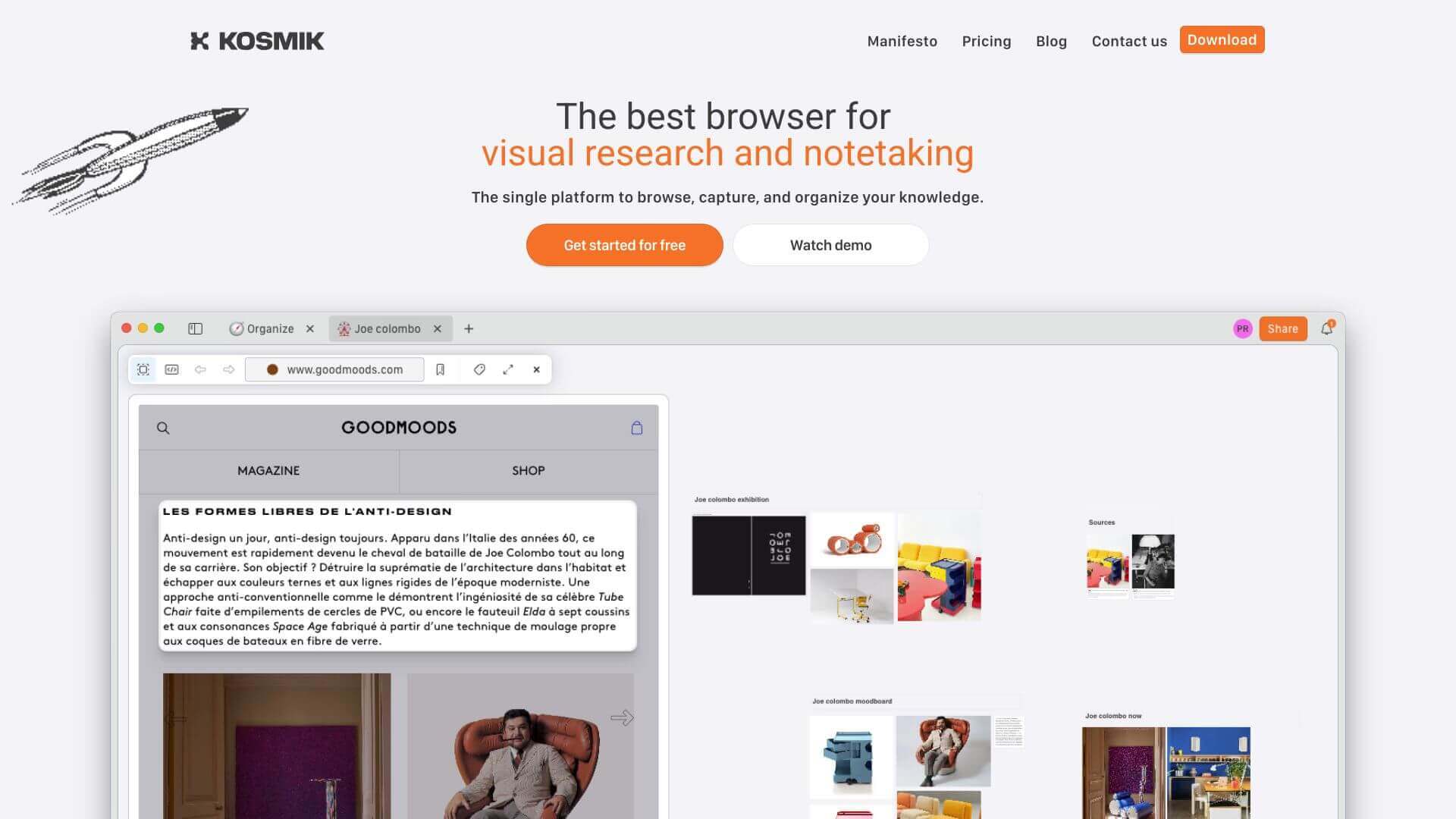
Kosmik is an AI Productivity tool. Visual tool to organize ideas, capture web content, & manage media in one place. Great for research and teamwork. Key features include Embedded Web Browser, Infinite Canvas, and Multimedia Support. Best for content creators, designers and scientists and researchers.
About Kosmik
Kosmik is a visual workspace combining infinite canvas organization with embedded web browsing, multimedia support, advanced PDF reading, AI auto-tagging, and collaboration modes. The platform targets researchers, designers, and creative professionals managing information from multiple sources in projects that don't fit linear note-taking.
The core features that matter
- Embedded web browser for browsing the web inside the app and capturing anything you find to your boards without copy-paste workflows
- Infinite canvas with zoomable space for visually organizing thoughts and project materials
- Multimedia support for videos, images, documents, and other media types on the same canvas
- Advanced PDF reader with section grabbing and markup support, treating PDFs as workspace material rather than static files
- AI-powered auto-tagging and search tagging content automatically and supporting search by object, subject, color, or text
- Collaboration modes across private, shared, and public visibility settings for different project contexts
How it stands out
The visual canvas workspace space has competitors including Heptabase, Scrintal, Miro (collaboration-focused), and Whimsical. Kosmik's specific position is the integrated web browser combined with strong PDF tools and AI tagging. For researchers and content creators working heavily from web sources and PDFs, that integration removes the constant tool switching that defines most research workflows.
The honest qualifier: visual canvas tools work for users who think spatially and feel cluttered to users who prefer linear organization. Kosmik's strength is the depth of source integration, but that depth requires investment in actually organizing content meaningfully — dumping everything on the canvas without structure produces visual clutter rather than insight. For researchers, designers, and creative professionals who work across web, PDF, and visual sources, Kosmik covers the workflow well. For users primarily working with text documents and prose, simpler tools fit better.
Key Features
Embedded Web Browser.
Infinite Canvas.
Multimedia Support.
Advanced PDF Reader.
AI-Powered Auto-Tagging and Search.
Collaboration Modes.
Frequently Asked Questions
Yes, Kosmik keeps your info safe with strong encryption and saves it on your device.
Yes, Kosmik lets you work together with shared and public modes.
You can add text, pictures, videos, PDFs, and other files.
Kosmik started on iPad but now works on different devices, like macOS.



